Workflow Trigger: New Affiliate Sales
Workflow Trigger: New Affiliate Sales
The “New Affiliate Sales” trigger is a time-saving automation tool designed to engage affiliates immediately after a sale is made. This feature ensures affiliates are automatically notified, congratulated, and prompted to complete any necessary tasks, such as adding payout details, without manual intervention. It enhances affiliate management, keeps affiliates motivated, and streamlines communication, allowing businesses to focus on growth while ensuring affiliates are always in the loop.
Key Features and Benefits
Section titled “Key Features and Benefits”- Automatic Affiliate Engagement: Automatically send messages to affiliates after a sale is made, including congratulatory notes and task reminders.
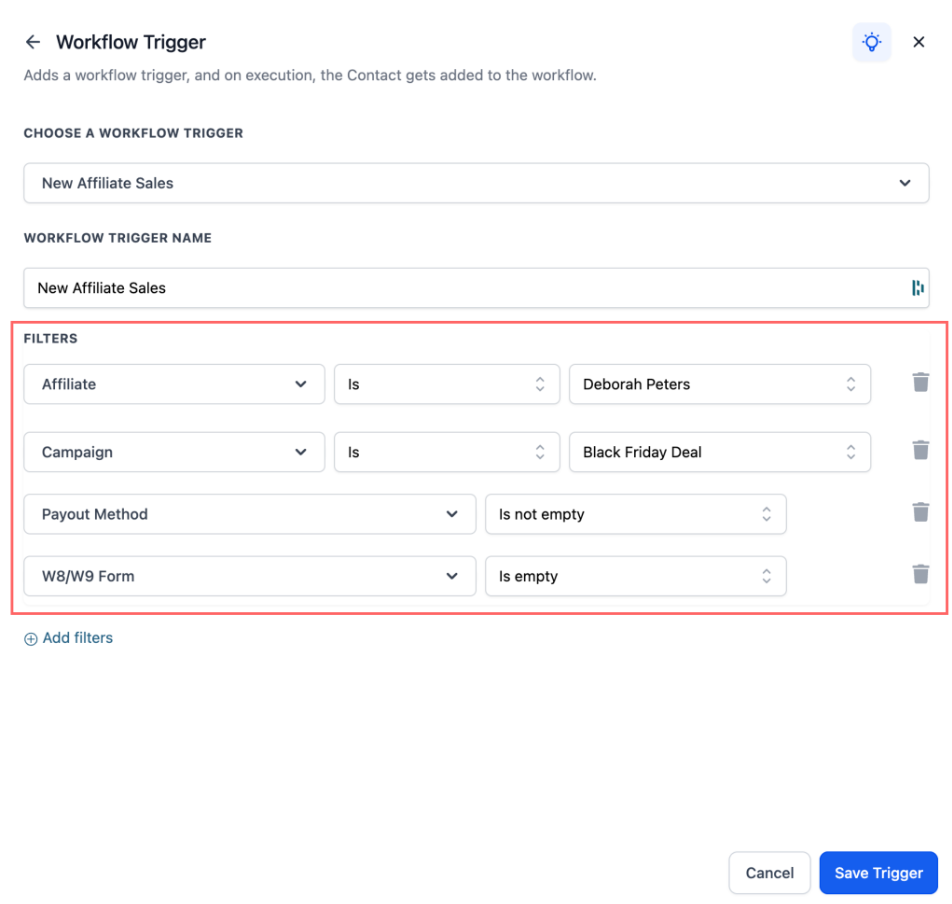
- Customizable Filters: Apply filters like affiliate, campaign, payout method, and tax form submission to create highly targeted actions based on specific affiliate sales scenarios.
- Increased Efficiency: Reduces manual tasks such as sending reminder emails and updating affiliate records, saving time and ensuring a smooth affiliate experience.
- Flexible Actions: Use various actions such as email, SMS, task assignment, and tags to respond to affiliate sales.
How to Set It Up
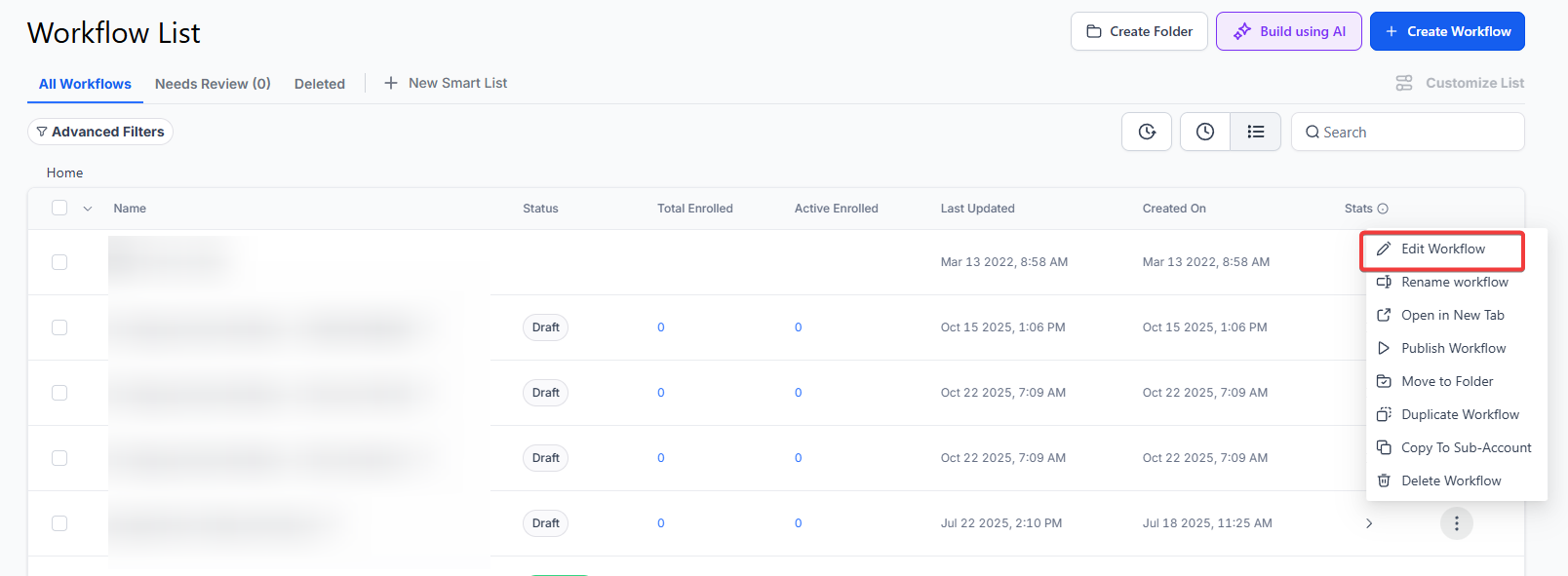
Section titled “How to Set It Up”1. Go to Automations > Workflows
2. Click Create New Workflow or open an existing one.
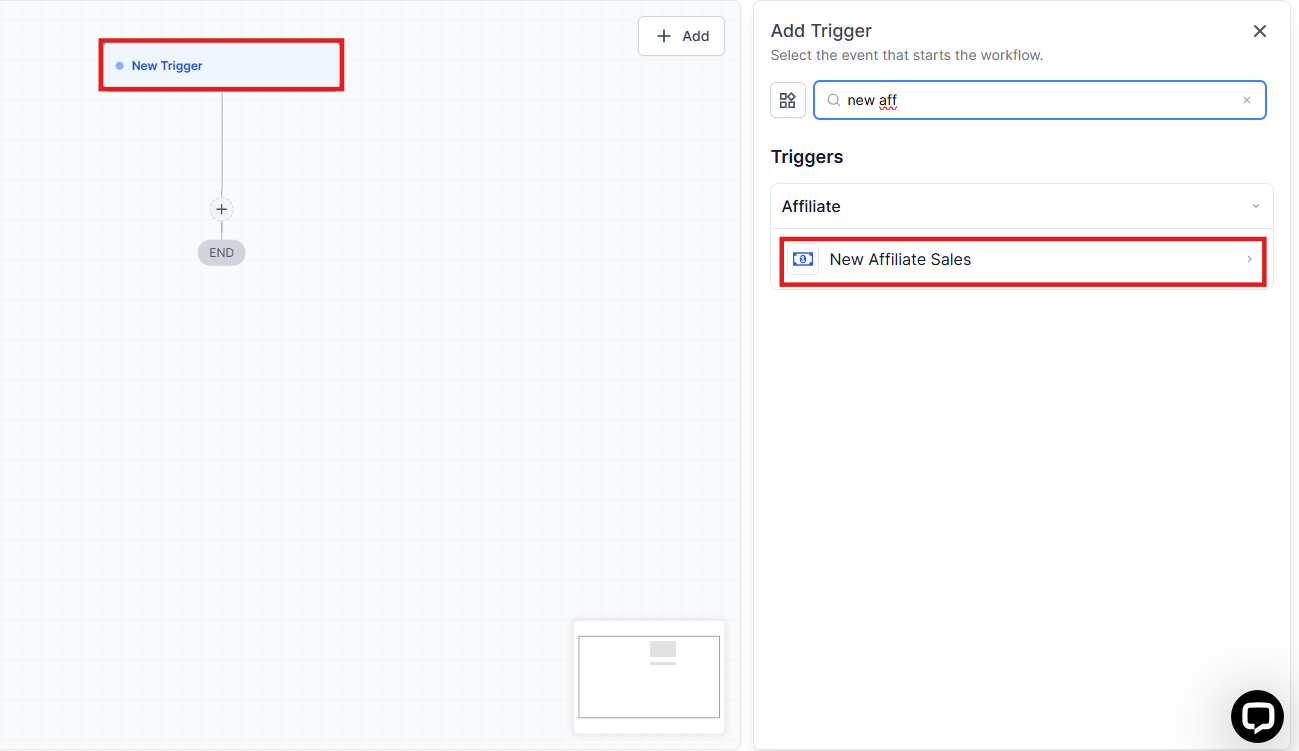
3. Add the trigger: Search for “New Affiliate Sales” and select it.
4. Apply filters for targeting specific affiliates, campaigns, payout methods, or tax form statuses.
5. Add actions such as sending an email, SMS, assigning a task, or adding a tag.
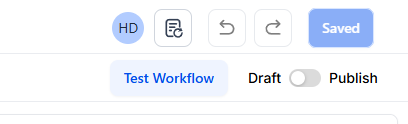
6/ Click Save to activate the workflow.
Popular Use Cases
Section titled “Popular Use Cases”- Congratulate the Affiliate:Why: Boosts affiliate motivation.
Example: Send an email saying, “Congrats on your recent sale! Keep up the great work!” - Remind Affiliates to Complete Payout Info:Why: Prevents payout delays.
Example: Send a reminder email: “Please update your payout method to receive your commission.” - Tag Customers from Affiliate Sales:Why: Helps segment affiliate-driven leads for future campaigns.
Example: Add a tag “Affiliate Customer” for easy tracking.
Pro Tips
Section titled “Pro Tips”- Segment Affiliate Leads: Use tags and filters to automatically categorize customers based on affiliate-driven sales for personalized follow-ups.
- Keep Affiliates Engaged: Regularly use the New Affiliate Sale trigger to send motivational messages, reminders, and important updates, keeping affiliates actively engaged in your program.
- Customize Filters: Leverage the advanced filtering options to ensure your messages are targeted, only reaching the relevant affiliates and campaigns.
FAQs
Question: How does the New Affiliate Sale trigger work? Answer: The trigger fires every time an affiliate successfully makes a sale, whether one-time, recurring, or manually tracked. It then automatically sends actions like congratulatory messages, reminders, or task assignments.
Question: Can I filter specific affiliates for the trigger? Answer: Yes, the trigger allows you to apply an affiliate filter to target specific affiliates for the actions.
Question: How do I ensure affiliates are reminded to complete their payout information? Answer: You can apply the payout method check filter to only trigger the reminder if the affiliate has not added their payout method.
Question: Can I tag customers who were referred by an affiliate? Answer: Yes, you can add tags to customers who came through affiliate sales to help segment them for future campaigns.
Question: Can I customize the actions triggered after an affiliate sale? Answer: Yes, you can set up a variety of actions like sending emails, SMS, adding tags, or assigning tasks to further automate your processes.
Question: Can I trigger actions based on whether an affiliate has submitted their tax forms?
Answer: Yes. The trigger includes customizable filters for tax form submission, allowing you to create targeted actions (like reminders) specifically for affiliates who have or have not yet submitted their tax documentation.
Question: Can I use this trigger to notify my Internal Sales Team or Account Manager?
Answer: Absolutely! In addition to emailing the affiliate, you can add an “Internal Notification” or “Send Email” action to alert your team. This is great for high-ticket programs where a sales rep might want to personally reach out to the new customer or the referring affiliate.