Monday.com - Workflow Trigger & Action (Premium)
Overview
features a native integration with Monday.com. This allows you to connect your account activities directly to your project management boards. You can automatically create items, update columns, and sync data in real-time, removing the need for external services like Zapier or Make.
Practical Use Case
When a lead moves to “Won” in your account, can automatically create a new item on your Monday.com “Client Onboarding” board. When your team changes the status to “Completed” on that board, the system can automatically send a welcome email to the client.
Instructions (Step-by-Step)
Section titled “Instructions (Step-by-Step)”How to Connect Monday.com
Section titled “How to Connect Monday.com”- To start the connection, navigate to Settings > Integrations.
- Scroll down to the Monday.com section to find the correct app, or simply search for Monday.com in the search bar.
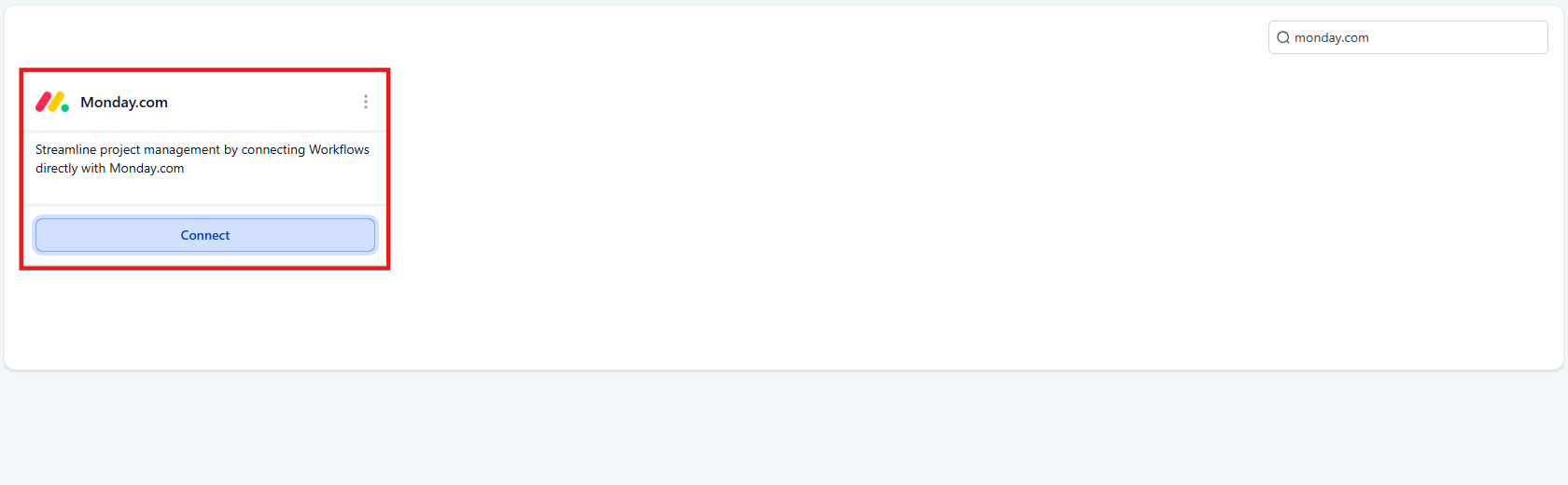
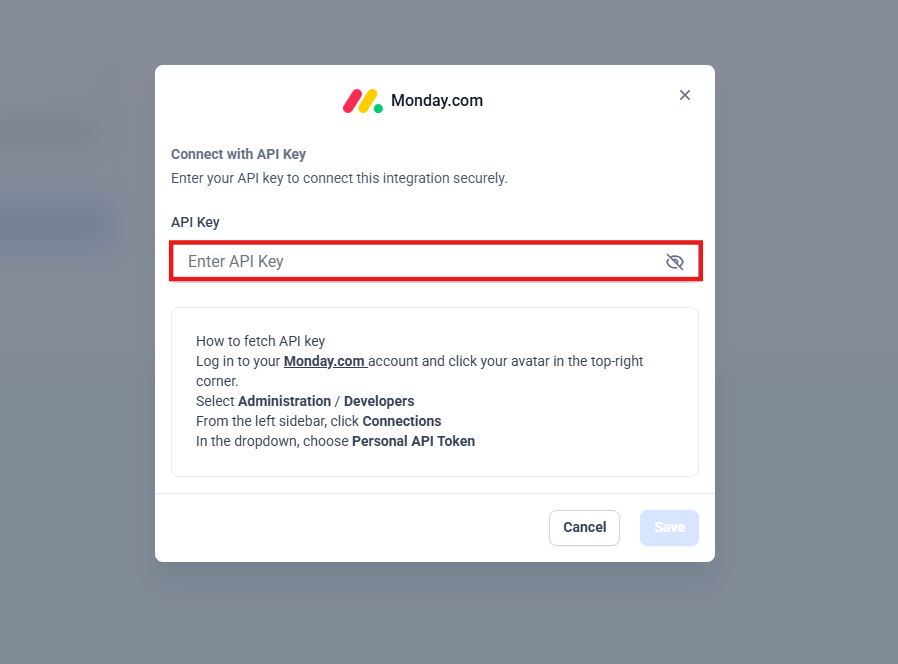
3. To link your accounts, click Connect and enter your Monday.com API key when prompted.
How to Use Monday.com in a Workflow
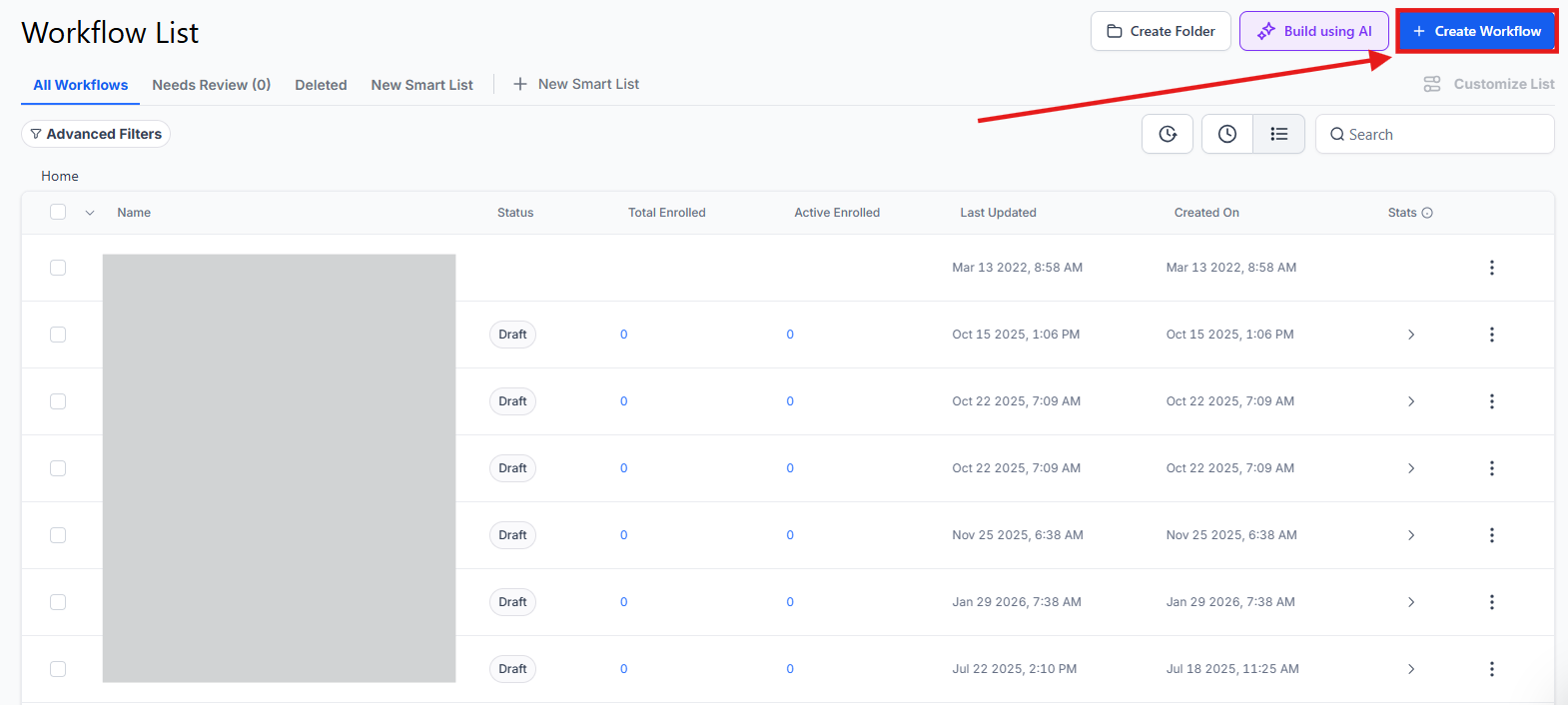
Section titled “How to Use Monday.com in a Workflow”- To create a new automation, navigate to Automations > Workflows and click Create Workflow.
2. To set up a trigger or action, click Add New Workflow Trigger or the (+) icon to add an action.
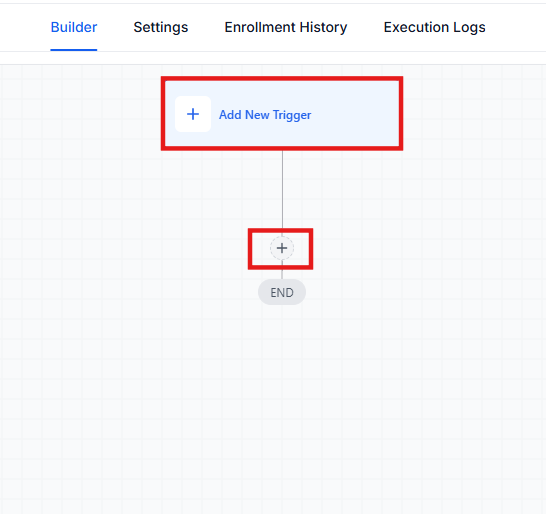
3. To find the available options, type “Monday.com” in the search bar.
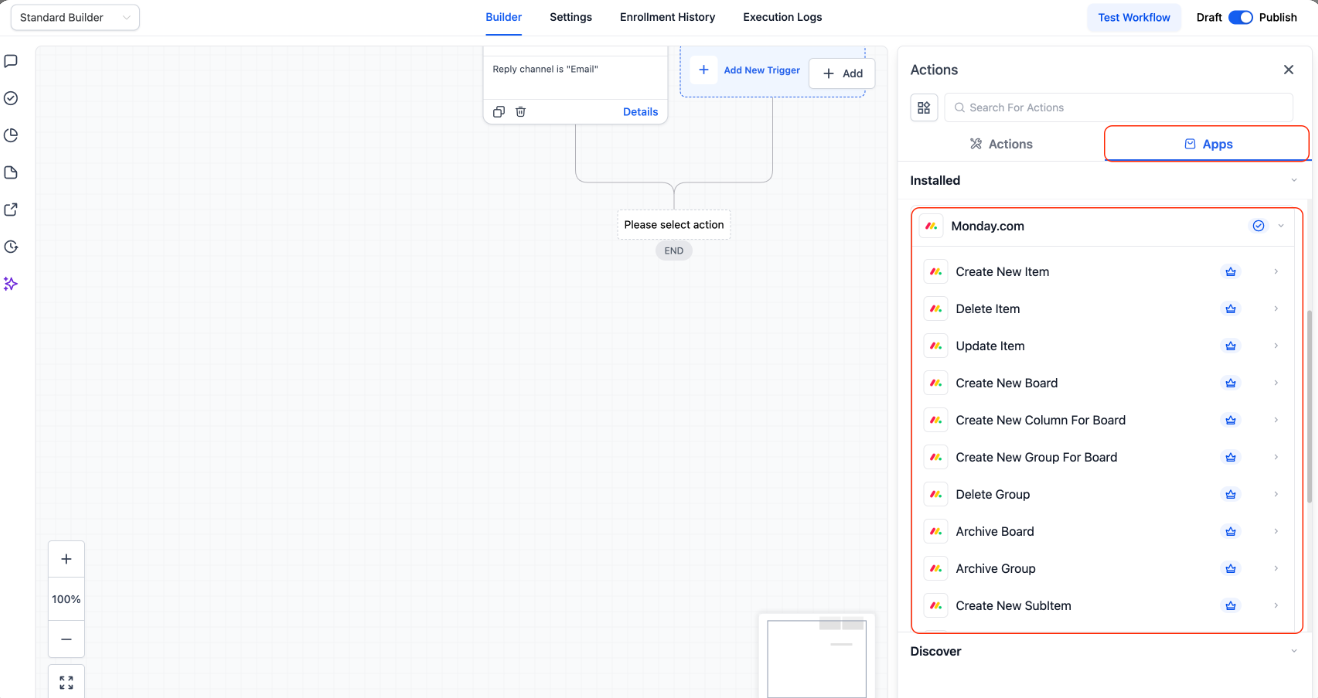
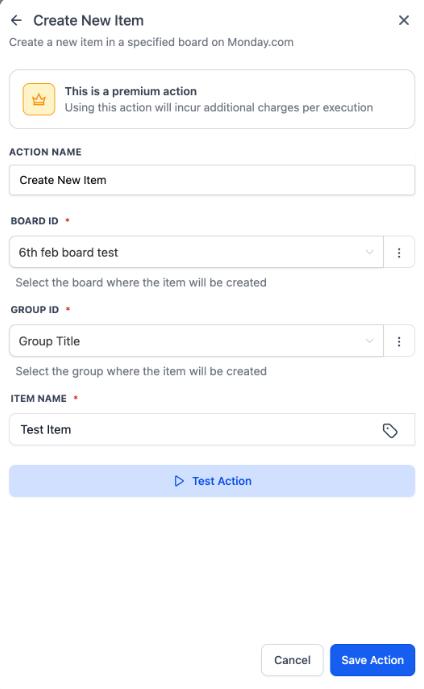
4. To configure the step, select your desired action (such as Create Item) and fill in the required board and column details.
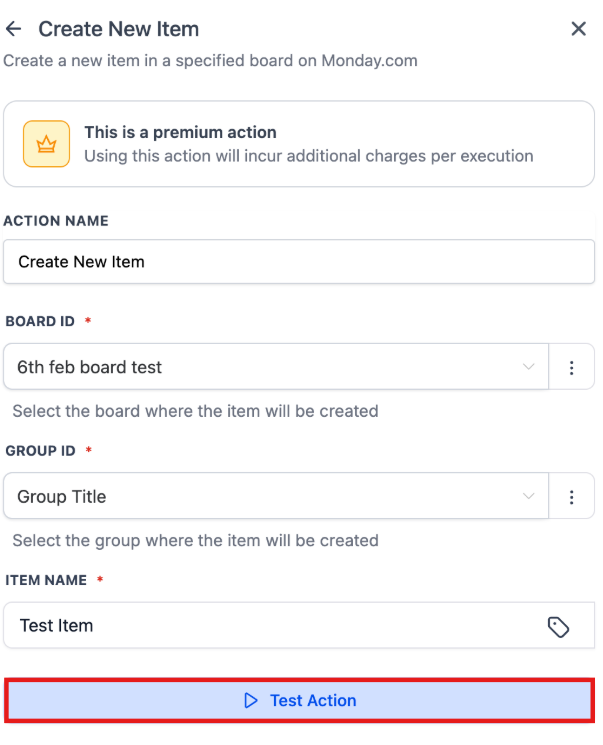
5. To ensure your data is mapping correctly, use the Test Action button.
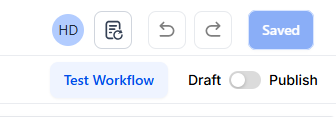
6. To make your automation live, click Save and then Publish.
Available Workflow Capabilities
Section titled “Available Workflow Capabilities”provides a wide range of tools to manage your Monday.com boards directly from your workflows.
Current Actions (Software to Monday.com)
- Create: Generate new Boards, Groups, Columns, Items, or Subitems.
- Update: Edit existing Items or Subitems (dates, statuses, or owners).
- Search: Find items by their ID or by a specific column value.
- Cleanup: Archive or delete Boards, Groups, and Items when tasks are finished.
- Retrieve: Use “Get Board Items” to pull data for syncing or reports.
Incoming Triggers (Monday.com to Software): Note: These triggers fire in near real-time when activity happens inside Monday.com.
- Column Changes: Fires when a status, date, or owner is updated.
- Movement: Fires when an item moves to a different group.
- Creation: Fires when new Boards, Items, Subitems, or Users are added.
- Updates: Fires when a new comment or update is posted on an item.
Using the Test Action Feature
Section titled “Using the Test Action Feature”The Test Action feature allows you to run a sample of your automation before it goes live. When you test an action, the system saves the data structure (schema). You can then use these “Custom Values” in later steps of your workflow to ensure your data flows perfectly from one step to the next.
FAQs
Question: Do I need Zapier to connect Monday.com to ? Answer: No. This is a native integration, so you can connect the two platforms directly within the software.
Question: Where do I find my Monday.com API key? Answer: You can find this in your Monday.com account settings under the “API” section of the administration menu.
Question: Can I update a specific person’s status on a board? Answer: Yes. You can use the Update Item action to change status columns, owners, and dates.
Question: What happens if I delete an item in Monday.com? Answer: If you have a workflow set up with the “Delete Item” action, it will remove the item from Monday.com permanently based on your workflow rules.
Question: Can I use data from a Monday.com item in a follow-up email? Answer: Yes. By using the Test Action and Find Item features, you can pull data from Monday.com and insert it into your messages using custom values.
Question: How fast do the triggers work? Answer: The triggers are designed to fire in near real-time, ensuring your two platforms stay synchronized without long delays.
Question: Can I create sub-items under a main task? Answer: Yes. There are specific actions available for both Create Subitem and Update Subitem.
Question: Is it possible to trigger an automation inside the software when a team member moves a task to a different group in Monday.com? Answer: Yes. The “Movement” trigger is specifically designed to fire in near real-time when an item is moved between groups on your Monday.com board.