Voice AI Chat Widget
Voice AI Chat Widget
In today’s digital world, businesses are constantly seeking ways to engage with their audience more efficiently and meaningfully. The Voice AI Chat Widget offers a breakthrough solution by enabling real-time voice conversations directly within the Chat Widget. This tool works right in your browser so visitors can speak with an AI agent immediately. There is nothing to download, and no extra phone calls are required to get started.
This article will explore the key features and benefits of the Voice AI Chat Widget, along with simple steps on how to get started. Whether you are an agency looking to enhance customer engagement or a business wanting to boost lead conversion, this innovative solution provides a new way to connect with users.
Key Features and Benefits
Section titled “Key Features and Benefits”The Voice AI Chat Widget stands out by blending the power of conversational AI with a seamless voice experience. Here are the main benefits:
- Voice-Only Chat Experience: Visitors can engage in real-time voice conversations directly from the widget using their browser’s microphone and speakers. There are no outbound calls, downloads, or complex integrations involved. It’s instant and straightforward.
- Human-Like Conversations: This voice-first interaction provides a more natural, conversational experience compared to traditional text-based chat, making it ideal for sales, support, and qualification purposes.
- No Friction: The tool removes any barriers to communication by not requiring phone numbers, external apps, or additional setup. This simplicity helps both businesses and visitors communicate more effectively.
- Full Customization: Agencies can customize the AI agent’s name to align with their branding, creating a more personalized and humanized interaction for the visitors.
- Security and Compliance: Built-in features such as reCAPTCHA protection prevent misuse and ensure compliance. The widget also includes a call recording notice for transparency, ensuring that all parties are aware of the call’s nature.
- Browser-Based Engagement: All interactions take place within the browser, eliminating the need for telephony setup or external tools. This makes it perfect for businesses looking for quick and direct engagement with their audience.
How to Get Started
Section titled “How to Get Started”Getting the Voice AI Chat Widget up and running is simple and straightforward. Follow these easy steps:
Step 1: Configure the Voice AI Chat Widget
Section titled “Step 1: Configure the Voice AI Chat Widget”1- Navigate to the “Sites” section, then go to “Chat Widgets.”
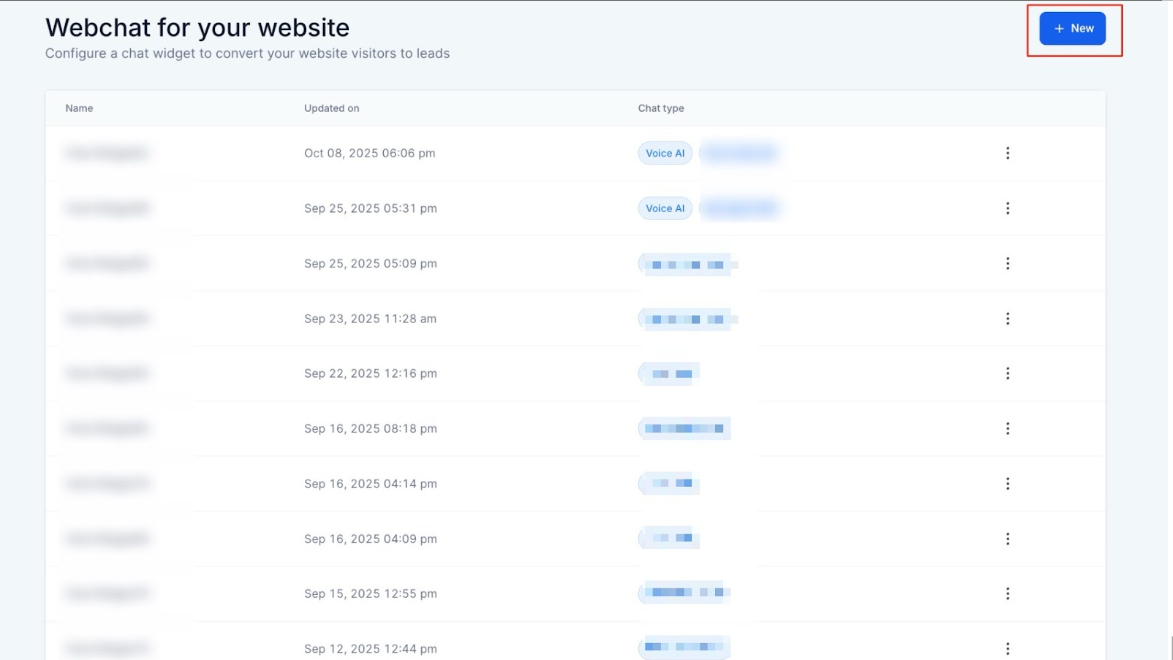
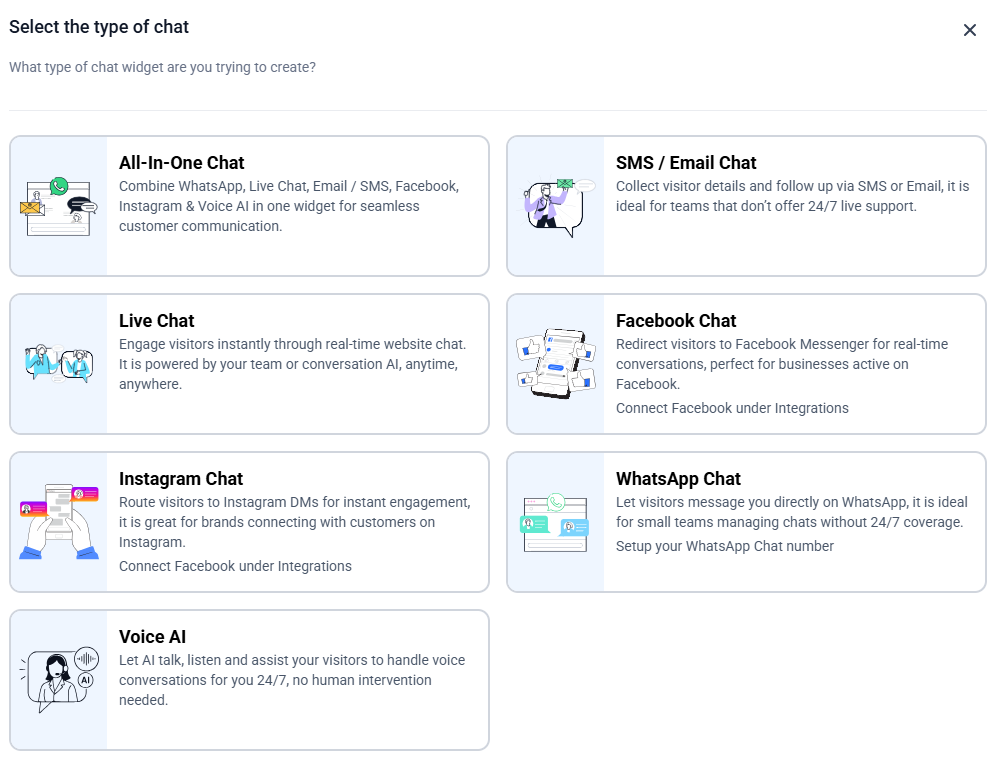
2- Create a new widget and choose Voice AI as the widget type.
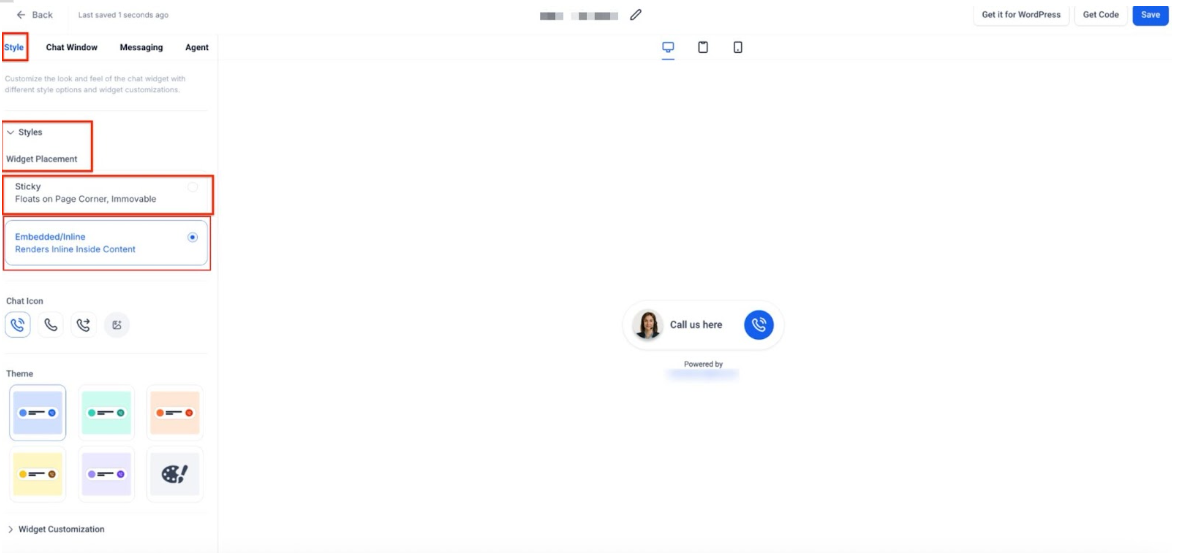
3- In the Styles Tab, under Widget Placement, you can choose Sticky (Default) or Embedded/Inline
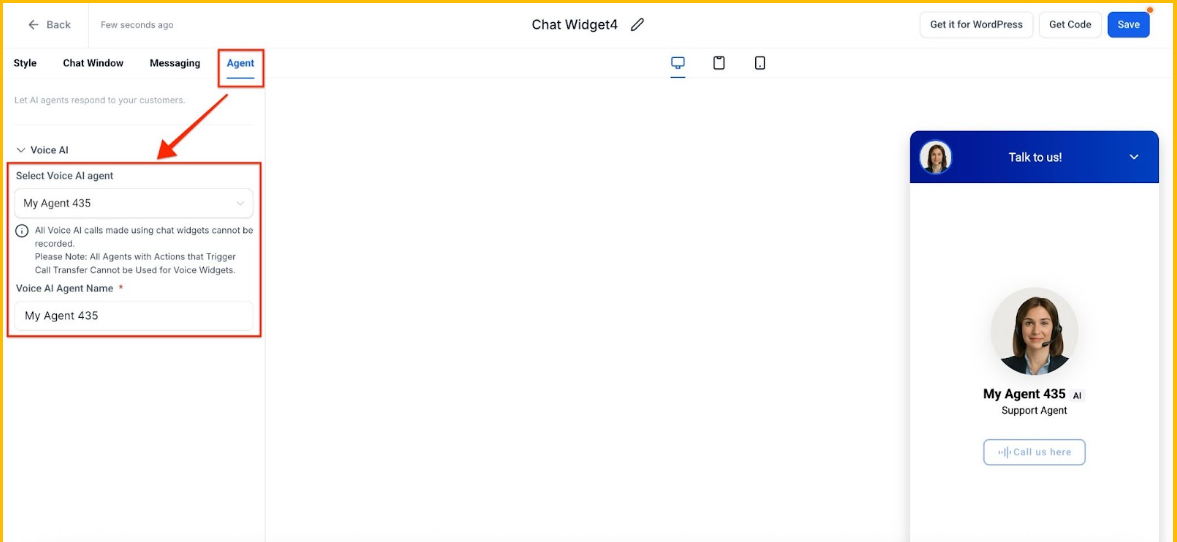
4- In the Agent Tab, select Voice AI Agent.
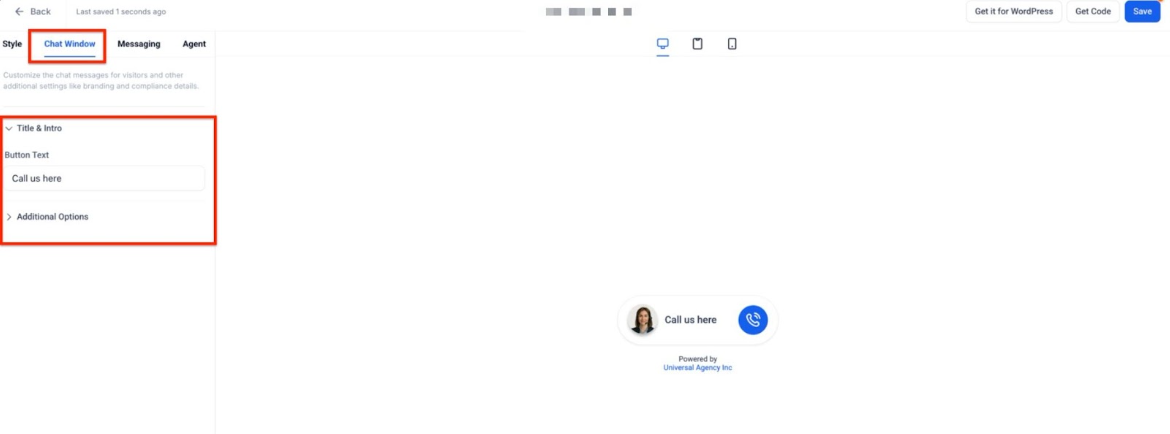
5. In the Chat Window, you have the option to customize avatar, theme, and button text.
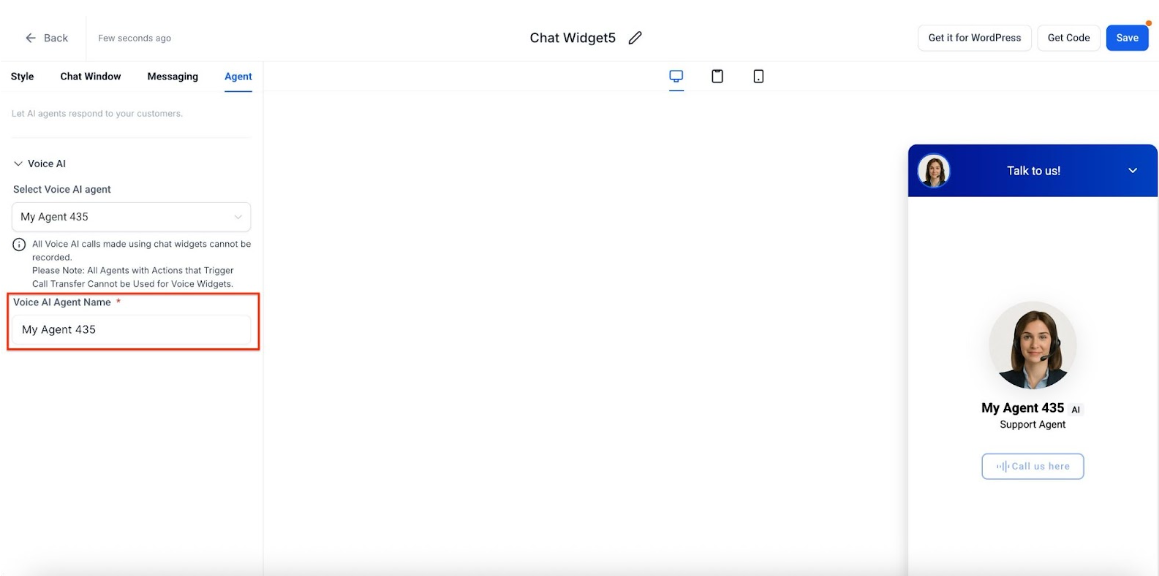
6. Customize the agent’s display name (for example, “BuilderAi”) if you wish to use a unique name for your AI agent.
7. Save your changes to create the voice-powered chat widget.

Step 2: Embed the Widget on Your Website or Funnel
1- Click on the Get Code button in the widget builder.
2- Copy the provided code and paste it into the desired page on your website or funnel. You can go back to the Site tab > Go to Funnels/Websites > Select the Funnel.
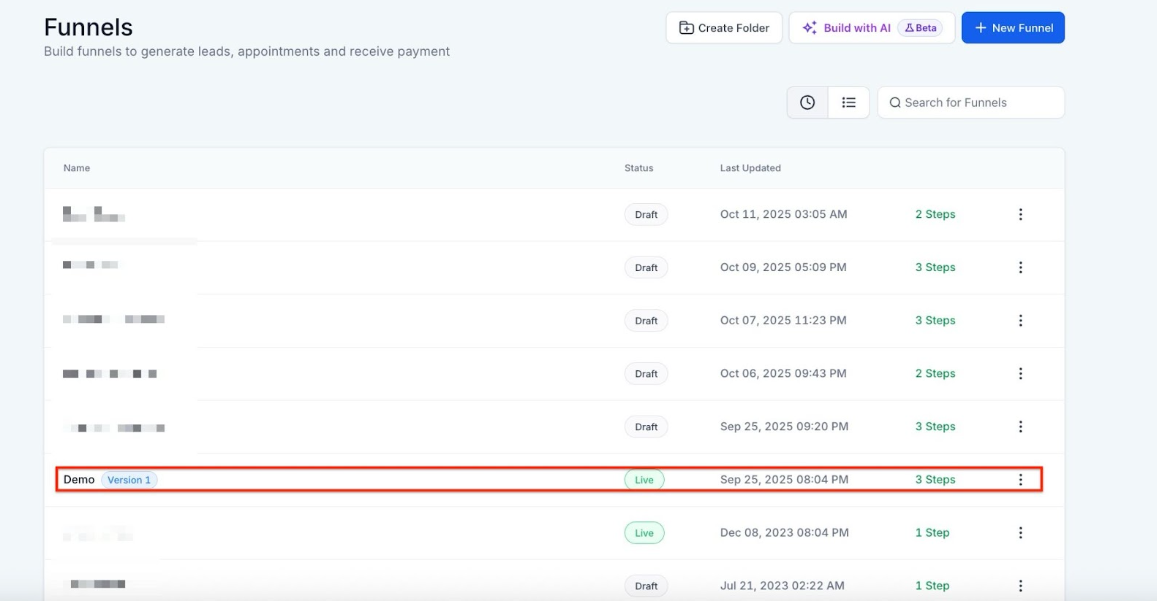
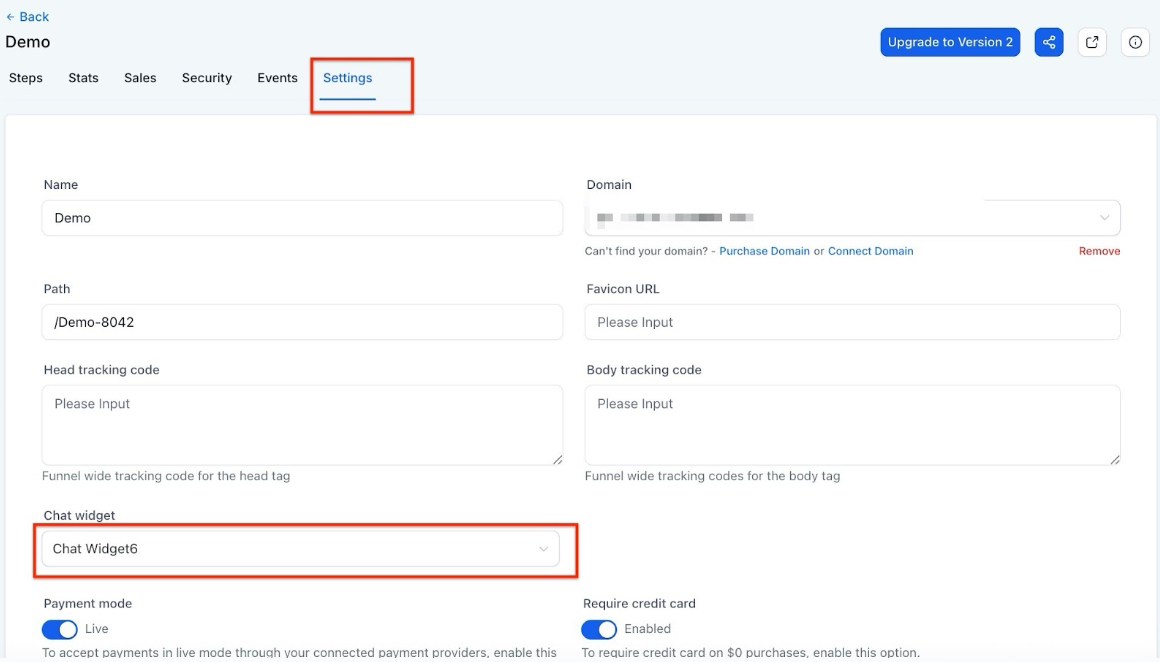
- Go to its Settings. Select the Chat Widget to be added from the drop-down.
- Paste the code in the Funnel Builder
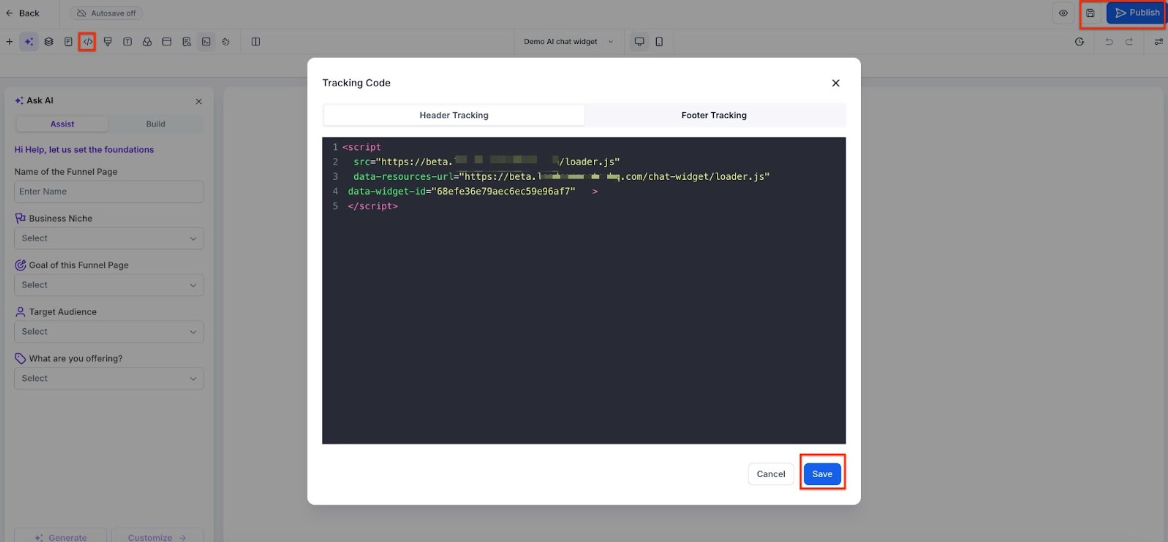
3- Once embedded, the widget will be live, and visitors can click on the microphone icon to start a voice conversation with the AI.
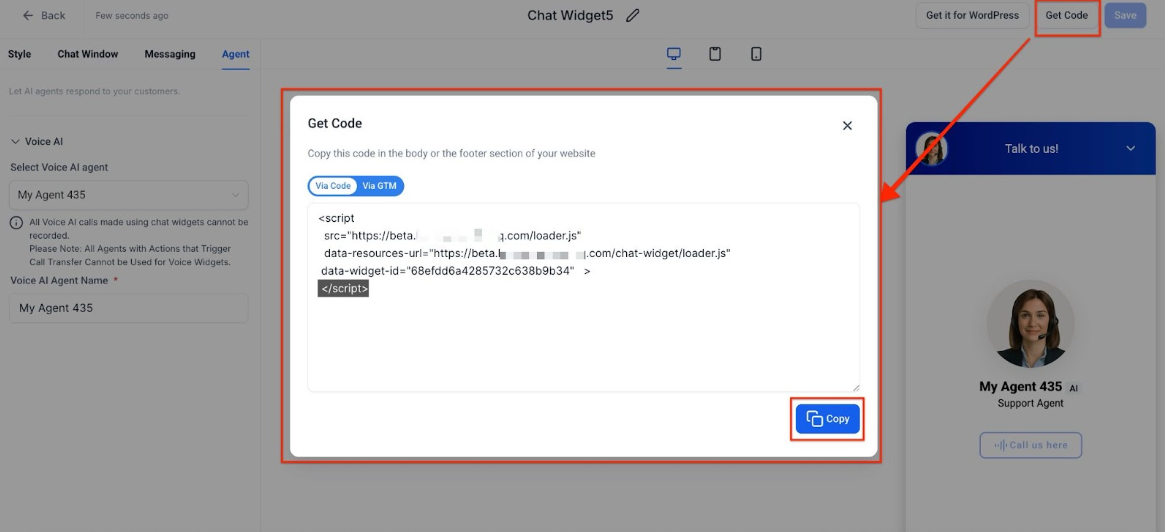
Step 3: Experience Voice AI in Action
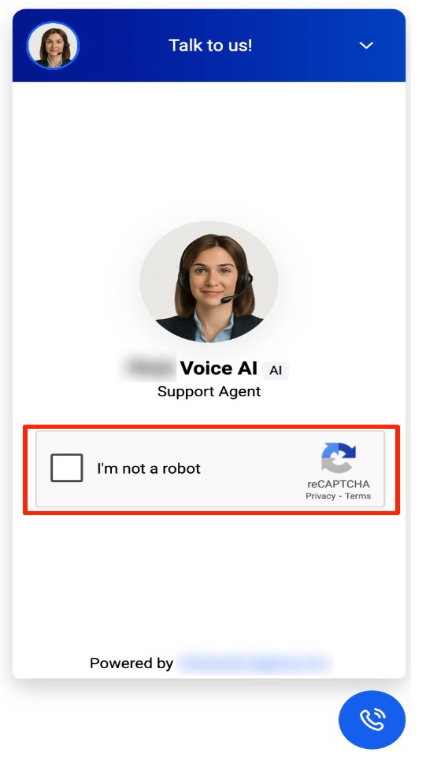
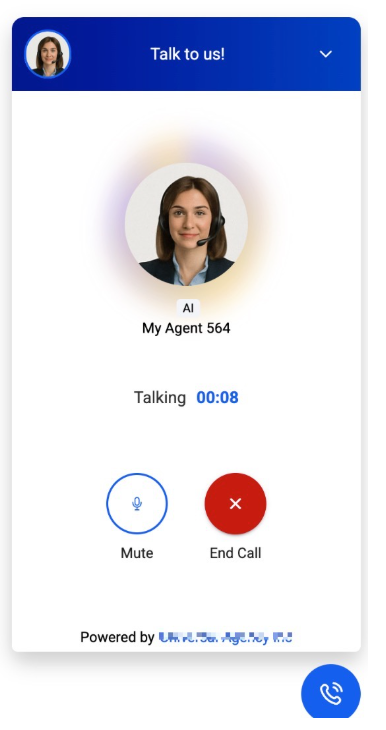
Once the widget is set up, visitors can immediately interact with the AI agent by speaking directly into their browser’s microphone. They have the freedom to start, mute, or end the conversation at any time. If the system detects unusual activity, such as multiple rapid connect/disconnect attempts, the reCAPTCHA challenge will ensure that only legitimate users continue the session.
Pro Tips for Maximizing the Voice AI Chat Widget’s Effectiveness
- Customization is Key: Take advantage of the option to personalize the AI agent’s name. This simple step can enhance the user experience by making the conversation feel more relatable and humanized.
- Monitor User Interactions: Keep an eye on how users engage with the voice chat. If you notice patterns in user behavior or common questions, you can adjust your AI agent’s responses to provide more accurate and helpful answers.
- Use It for Sales and Support: The Voice AI Chat Widget can be used for a wide range of purposes, from sales qualification to customer support. Ensure that your AI agent is set up with responses that suit your specific needs.
- Regularly Test Your Widget: Before going live, test the functionality of your widget to ensure smooth performance. Testing in various browsers and devices will help ensure that your audience experiences consistent performance.
Frequently Asked Questions (FAQ)
Section titled “Frequently Asked Questions (FAQ)”Question: Can visitors still use the chat widget if they don’t have a microphone? Answer: Yes. While the voice functionality requires a microphone for visitors to speak, they can still interact with the widget through text-based chat if they prefer.
Question: How does the reCAPTCHA feature work? Answer: The reCAPTCHA feature is designed to prevent abuse and bot-driven interactions. If a visitor repeatedly connects and disconnects within a short time frame, they will be prompted with a reCAPTCHA challenge to verify they are human before continuing the conversation.
Question: Can I customize the appearance of the Voice AI Chat Widget? Answer: Yes, the widget can be fully customized to match your brand’s design. You can also personalize the AI agent’s display name to align with your company’s voice.
Question: Is the Voice AI Chat Widget secure? Answer: Yes. The widget ensures security and compliance through built-in features like reCAPTCHA and a transparent call recording notice, so users know their conversations are not being recorded.
Question: What should I do if the widget is not working as expected? Answer: If you experience issues, double-check the installation of the script code and make sure there are no conflicts with other scripts on the page. You can also test the widget in different browsers to ensure compatibility.
**Question: Does the Voice AI Chat Widget require any telephony setup or phone numbers? Answer: No. The widget is fully browser-based and does not use telephony. Visitors can start voice conversations instantly without providing phone numbers or downloading apps.
Question: Can I place the chat widget directly inside a page rather than having it float in the corner?
Answer: Yes. In the Styles Tab under Widget Placement, you can choose between Sticky (the default floating bubble) or Embedded/Inline, which allows the widget to sit within the actual content of your page.