Social Listening in Social Planner in
Social listening is a powerful tool that allows businesses to track conversations, viral moments, and trending content across various platforms. By integrating social listening into your content planning, you can identify the latest trends, align your strategies with cultural movements, and stay relevant in a competitive space. This article highlights how the use of social listening within your planner can help you stay informed and create content that resonates with your audience.
Key Features and Benefits
Section titled “Key Features and Benefits”With the integration of social listening features, you can:
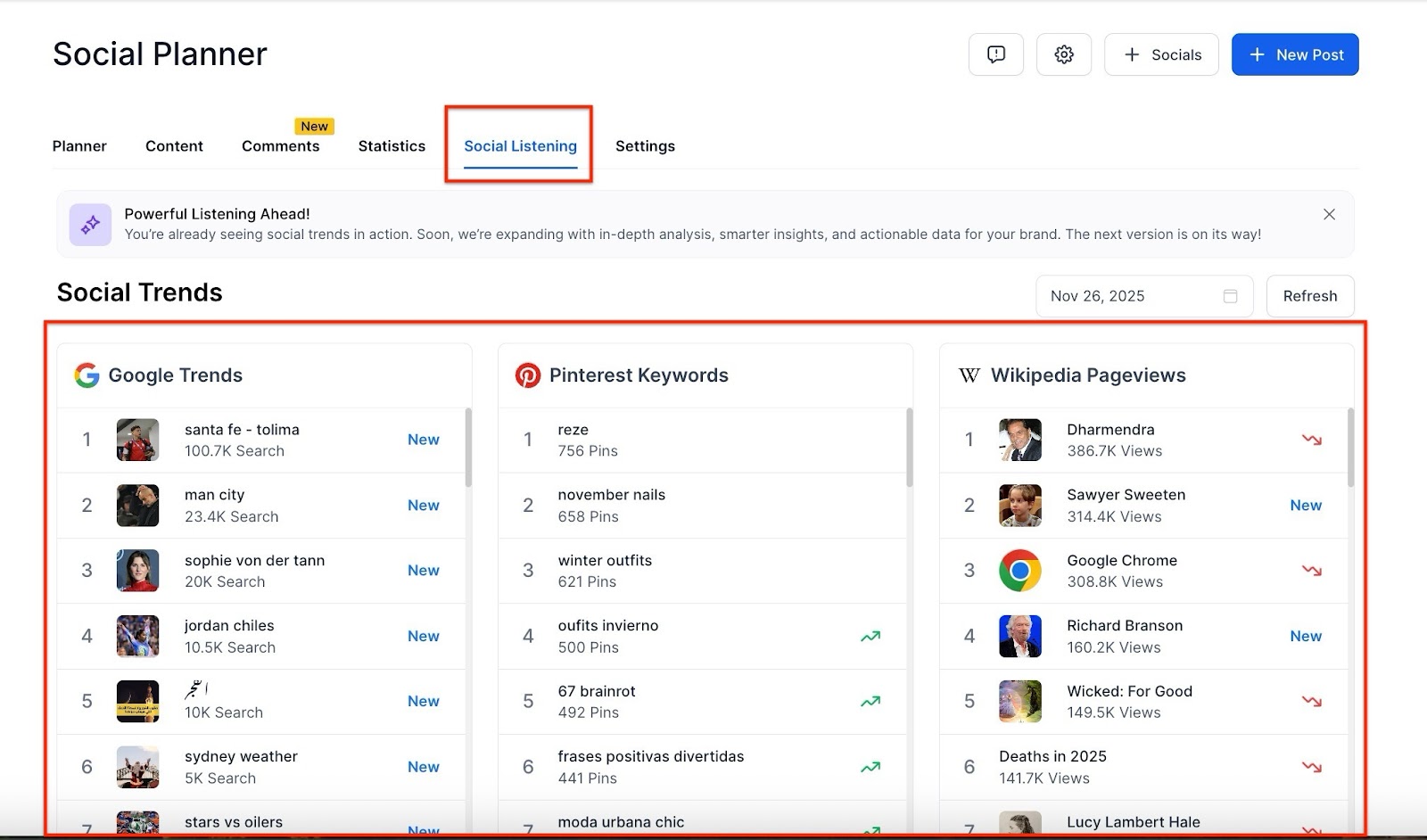
- Track Real-Time Search Trends: Monitor real-time search queries to uncover what people are interested in at this very moment, allowing you to respond swiftly and strategically to current demands.
- Discover Content Ideas on Pinterest: Explore emerging trends and popular keywords on Pinterest to inspire creative and engaging content ideas that align with rising interests.
- Monitor Wikipedia Pageviews: Keep an eye on the most visited Wikipedia pages to identify globally trending topics, helping you stay ahead of the curve in creating relevant content that resonates worldwide.
- Follow TikTok Trends: Stay in the loop with TikTok’s breakout songs, trending hashtags, and viral content. Knowing what’s trending on TikTok can provide valuable insights into the types of content your audience is engaging with.
- Explore YouTube Popularity: Track the most popular channels, keywords, and trending videos on YouTube, offering you a window into what types of content are capturing widespread attention across the platform.
How to Use Social Listening
Section titled “How to Use Social Listening”Step 1: Access the Social Listening TabNavigate to Marketing > Social Planner > Social Listening. This is where you’ll find all the tools necessary to track trending content from various platforms.
Step 2: Choose Your Desired Data Point
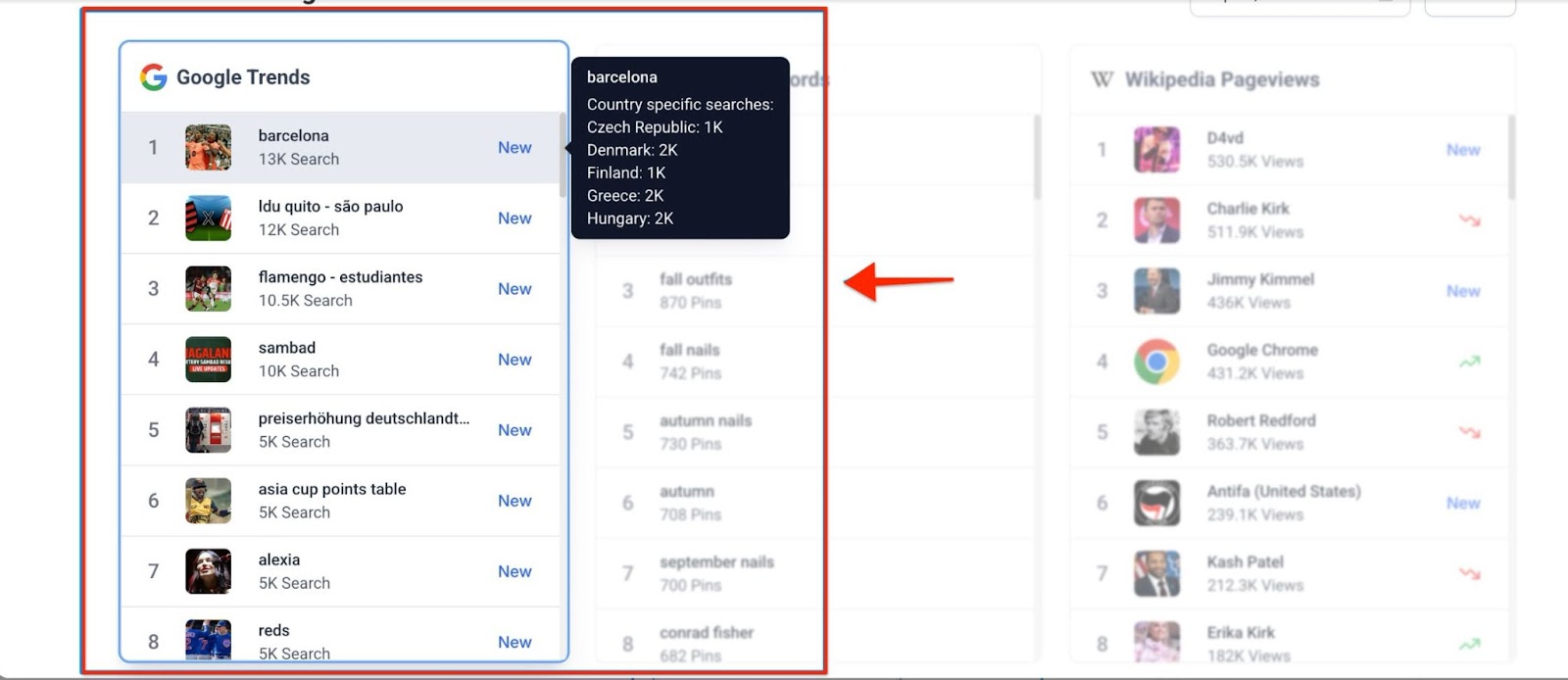
Select the specific trend data you want to explore, such as a hashtag, keyword, song, or video. Each selection will be highlighted, and you’ll have the option to scroll through a comprehensive list of trends related to that topic.
Step 3: Apply Filters for Precision
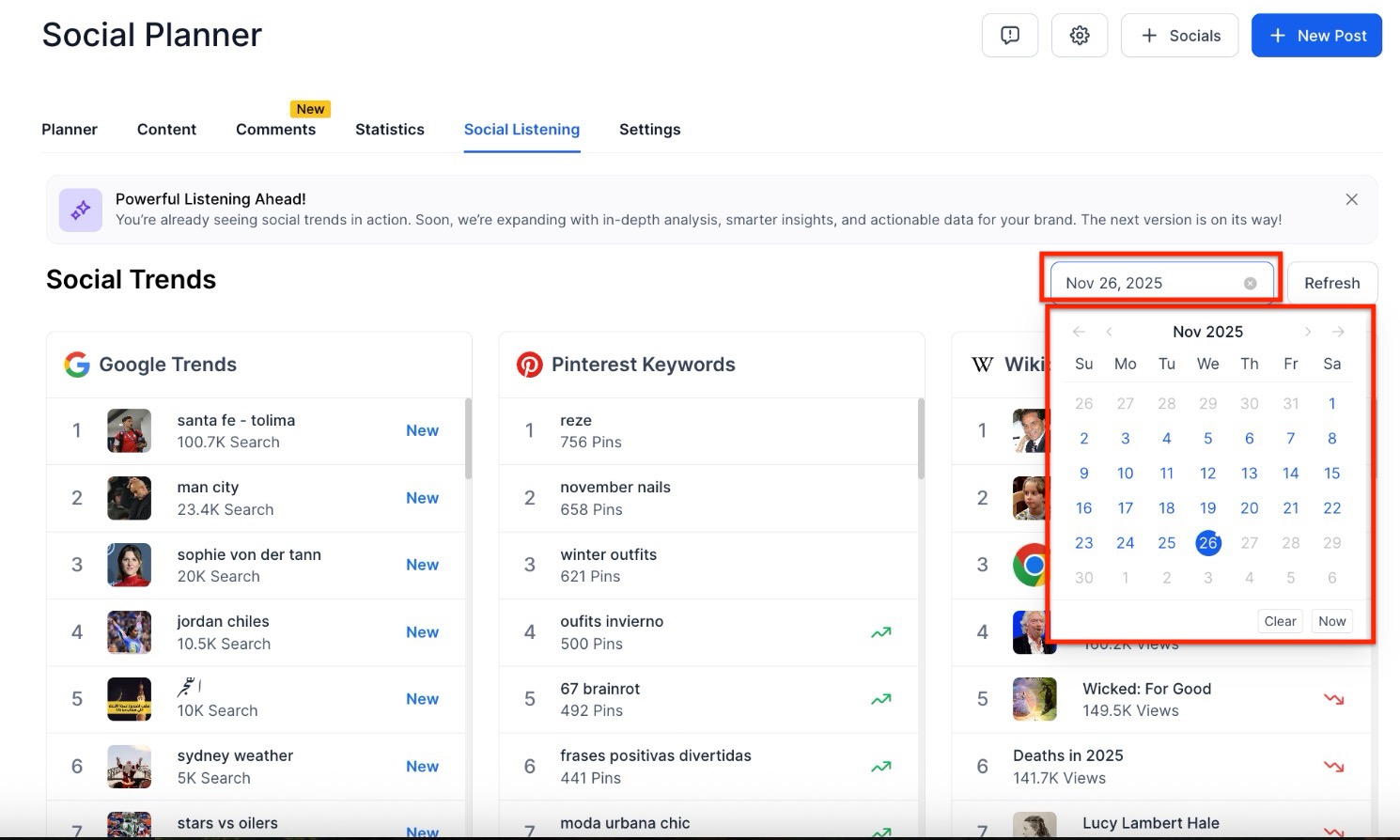
Refine your search by applying filters to surface the trends that matter most to your brand. You can filter based on date.
Pro Tips
Section titled “Pro Tips”- Monitor Competitors: Use social listening to track your competitors’ activity. This can provide insights into what works in your industry and allow you to differentiate your content.
- Timing is Key: The value of a trend diminishes over time. To maximize the impact of your content, it’s important to jump on trends as soon as you spot them.
- Diversify Your Search Criteria: Look beyond the obvious trends. Sometimes, niche trends can drive more engagement and help your content stand out in crowded spaces.
- Use Trends as Inspiration: Don’t just copy trending topics. Use them as inspiration to create unique content that fits your brand voice while tapping into the cultural relevance they provide.
Question: What platforms are supported by Social Listening? Answer: Social listening covers a wide range of platforms, including Google, Pinterest, TikTok, YouTube, and Wikipedia, allowing you to track trends across multiple sources.
Question: Can I filter trends by date? Answer: Yes, you can apply filters to show trends based on specific dates, helping you focus on the most relevant data for your content strategy.
Question: How do I use the data I collect from social listening? Answer: Once you’ve discovered trending topics, use this information to guide your content creation, ensuring it aligns with what’s popular and culturally relevant at the time.
Question: Does social listening help with hashtag strategy? Answer: Absolutely. Social listening allows you to track trending hashtags, making it easier to incorporate popular or emerging tags into your posts for greater visibility and engagement.
Question: Is Social Listening only for viral trends? Answer: No, niche trends can also be valuable. Smaller, highly engaged audiences can drive meaningful interactions and help your content stand out
Question: Will social listening help me find the best time to post?
Answer: Indirectly, yes. By monitoring when specific topics or hashtags peak in search volume, you can align your posting schedule to go live when the audience’s interest in that topic is at its highest.
Question: Can I use this tool to discover content ideas for visual platforms like Pinterest?
Answer: Yes. The integration allows you to explore emerging trends and popular keywords on Pinterest, providing inspiration for creative content that aligns with rising aesthetic or DIY interests.
Question: Can I save a specific trend directly to my Content Library? Answer: Yes. When you find a trending video, song, or keyword, you can often “Star” or “Save” the idea. This creates a placeholder in your Social Planner, allowing you to come back later and develop a full post around that inspiration.