Comment Management Supports Instagram in Social Planner
Comment Management Supports Instagram in Social Planner
Effective social media management is all about timely engagement and organized communication. The Comment Management feature in the Social Planner now supports Instagram, allowing you to handle all your Instagram interactions directly from one unified dashboard. This functionality centralizes engagement, enabling faster responses, improved audience connection, and simplified workflow management, all without switching between multiple platforms.
Key Features and Benefits
Section titled “Key Features and Benefits”1. Unified Comment ManagementManage Instagram comments alongside other supported platforms from the same interface, keeping all your social interactions in one place.
2. Direct RepliesRespond to comments on Instagram posts directly within the Social Planner, reducing response time and boosting engagement.
3. Threaded ConversationsMaintain context and clarity in your discussions with threaded replies, allowing smooth and organized conversations.
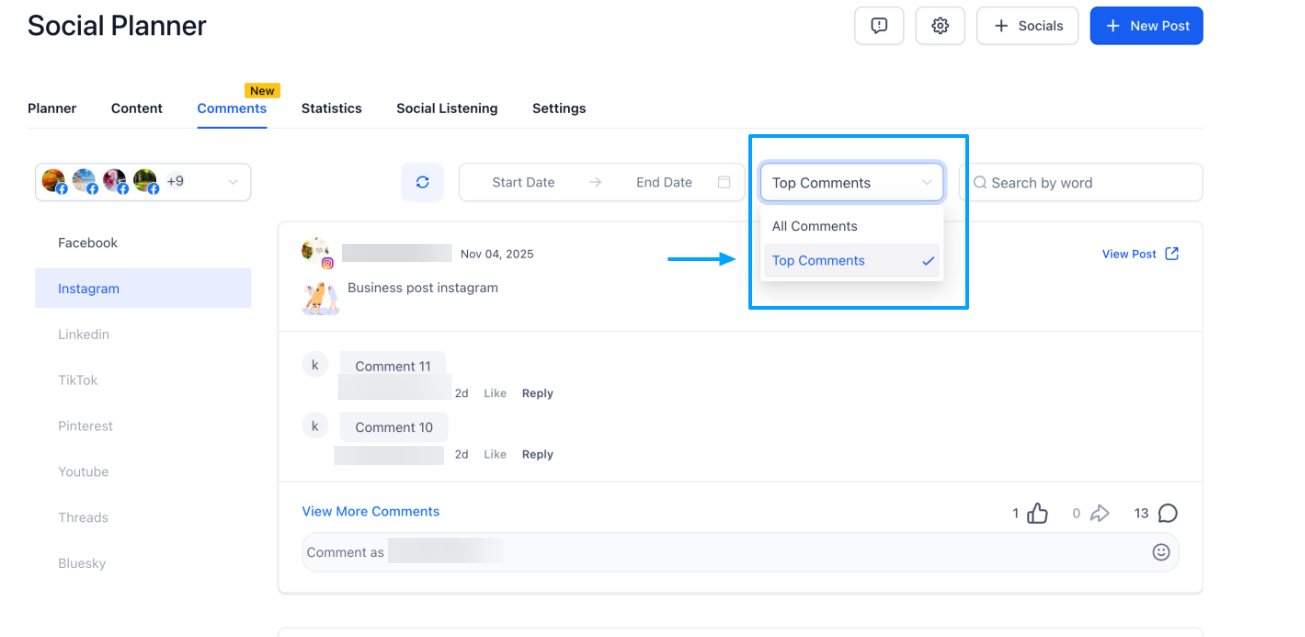
4. Comment FiltersEasily toggle between Latest and Top comments to prioritize engagement where it matters most.
5. Mentions and TaggingMention or tag public Instagram profiles while replying to increase visibility and encourage interaction.
How to Use Instagram Comment Management
Section titled “How to Use Instagram Comment Management”Navigate to Marketing → Social Planner → Comments.
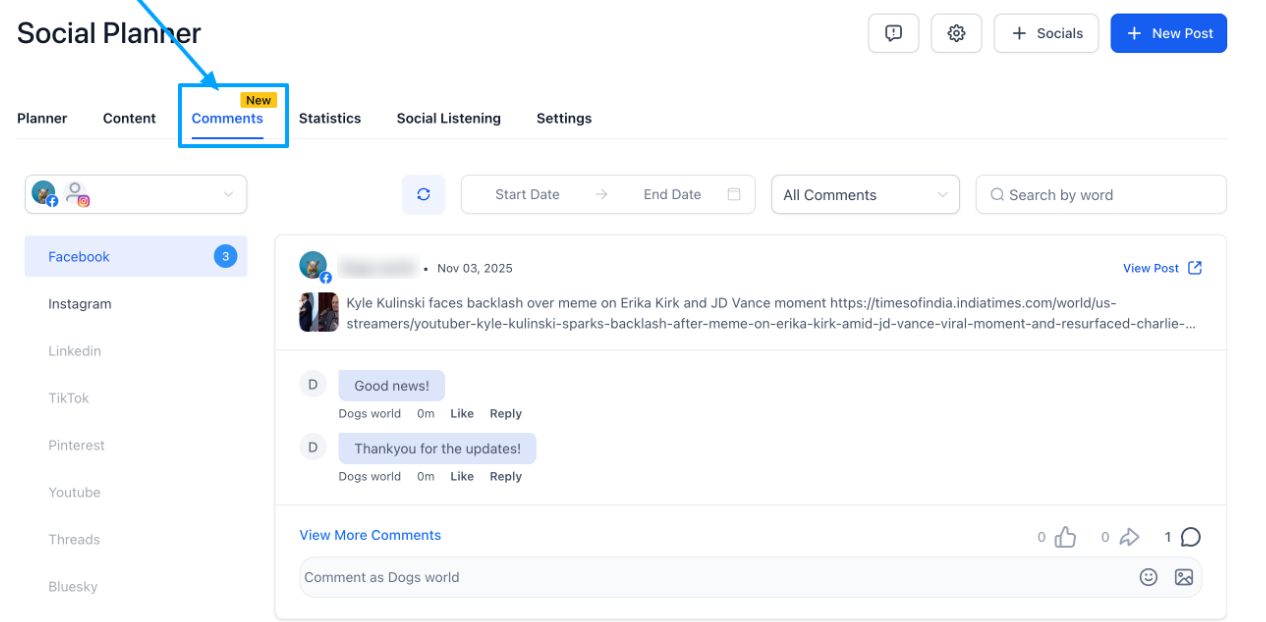
Select the Comments tab to view all your Instagram post comments.
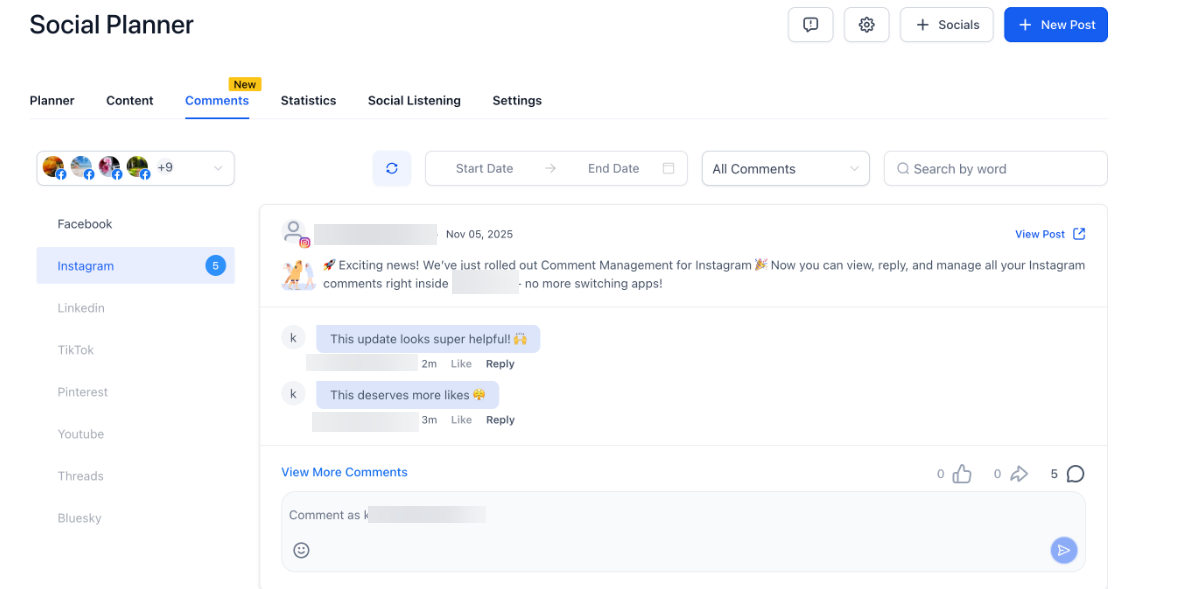
Click Reply to respond directly to individual comments or continue existing threads.
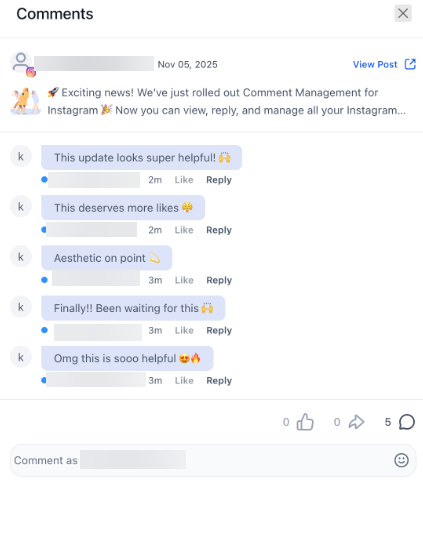
Use Mentions to tag other users in your replies for better visibility.Apply Filters to switch between Latest and Top comments based on your engagement strategy.
Question: Can I manage comments for multiple Instagram accounts? Answer: Yes, as long as each Instagram account is connected under your dashboard, you can manage comments for all of them from the Social Planner.
Question: Can I reply to private messages from this section? Answer: No, this feature is limited to managing public comments on posts. Direct messages are handled separately under the messaging or inbox section.
Question: Are mentions supported for all types of Instagram accounts? Answer: Mentions are available for public profiles only. Private profiles cannot be tagged using this feature.
Question: Can I view deleted or hidden comments here? Answer: No, once a comment is deleted or hidden on Instagram, it will not appear in the Social Planner interface.
Question: Will other social media platforms be supported soon? Answer: Yes, additional platform support is planned for future releases to provide a fully unified comment management experience.
Question: Can I respond to multiple comments at once? Answer: No. Each comment must be replied to individually to maintain proper threading and context.
Question: Do I get a notification within the platform when a new Instagram comment arrives?
Answer: Yes, new comments will appear in your Comments tab. You can also set up internal notifications or workflows to alert your team whenever a new interaction is detected on your social posts.
Question: How do I prioritize which comments to answer first?
Answer: You can use the Comment Filters to toggle between Latest and Top comments. This helps you focus on the newest interactions or the most popular ones based on your current engagement strategy.