Settings: Company Billing Overview
This article provides a clear and actionable guide to effectively managing billing within your account. Whether you’re overseeing subscriptions, handling payment methods, or monitoring transaction history, this guide offers step-by-step instructions to streamline financial management and ensure seamless operations.
How to Use the Billing Features
Section titled “How to Use the Billing Features”Step 1: Access the Billing Dashboard
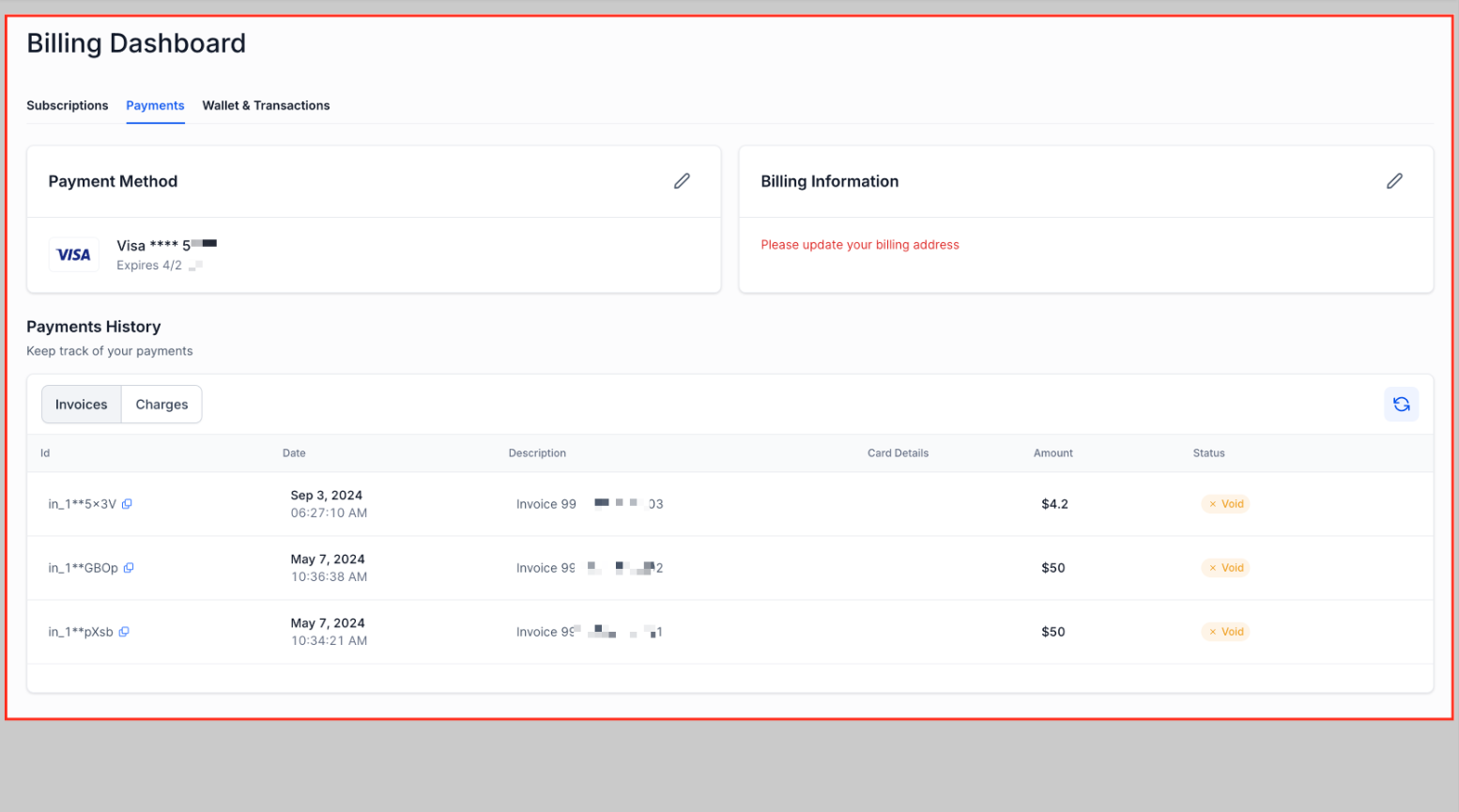
Section titled “Step 1: Access the Billing Dashboard”Navigate to Settings (bottom left) and access the billing section within your account. This dashboard serves as your one-stop location for all financial management tasks.
Step 2: Manage Subscriptions
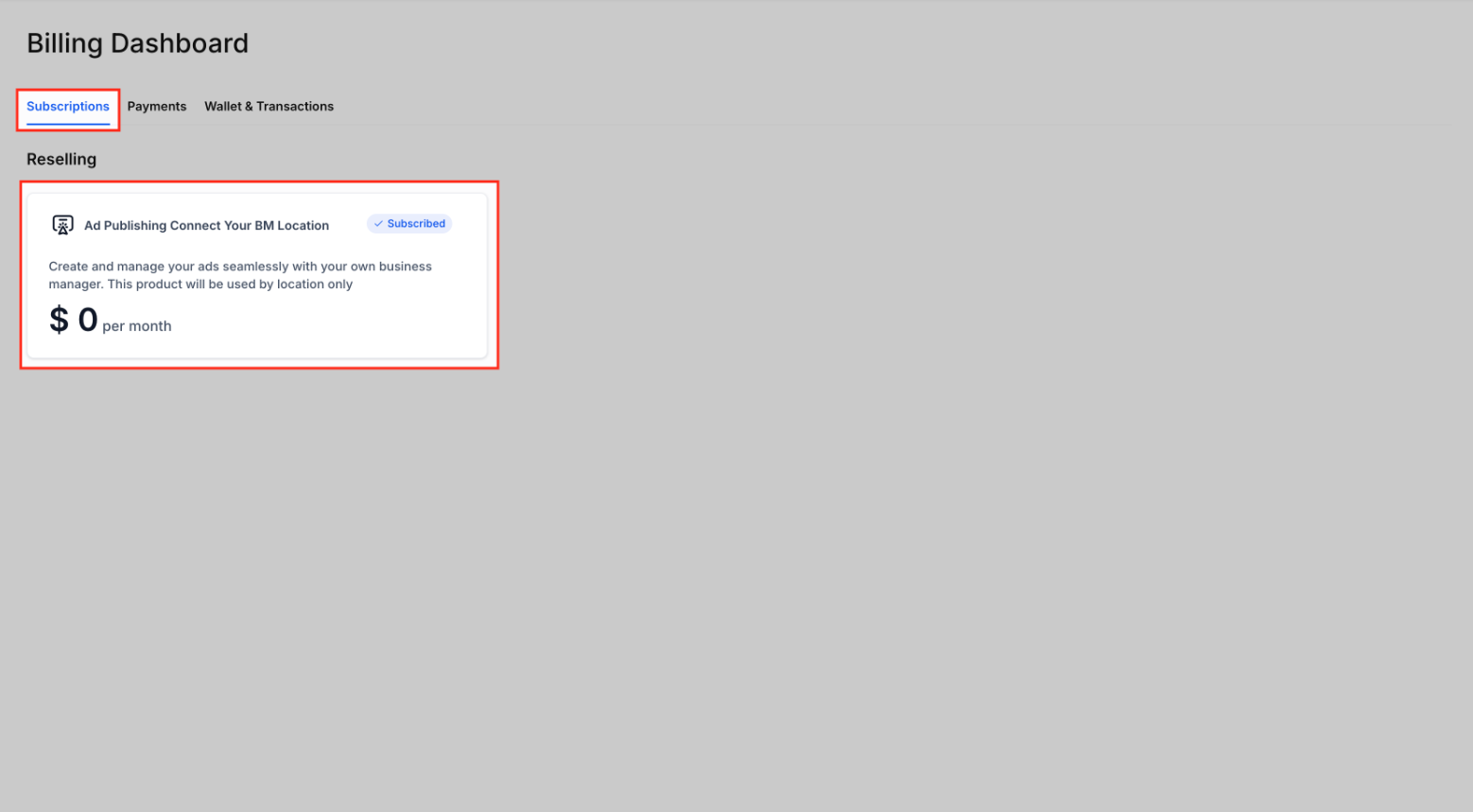
Section titled “Step 2: Manage Subscriptions”- Select the subscription type you want to manage (SaaS, reselling, or marketplace apps).
- Modify or cancel plans as needed.
Step 3: Add or Update Payment Methods
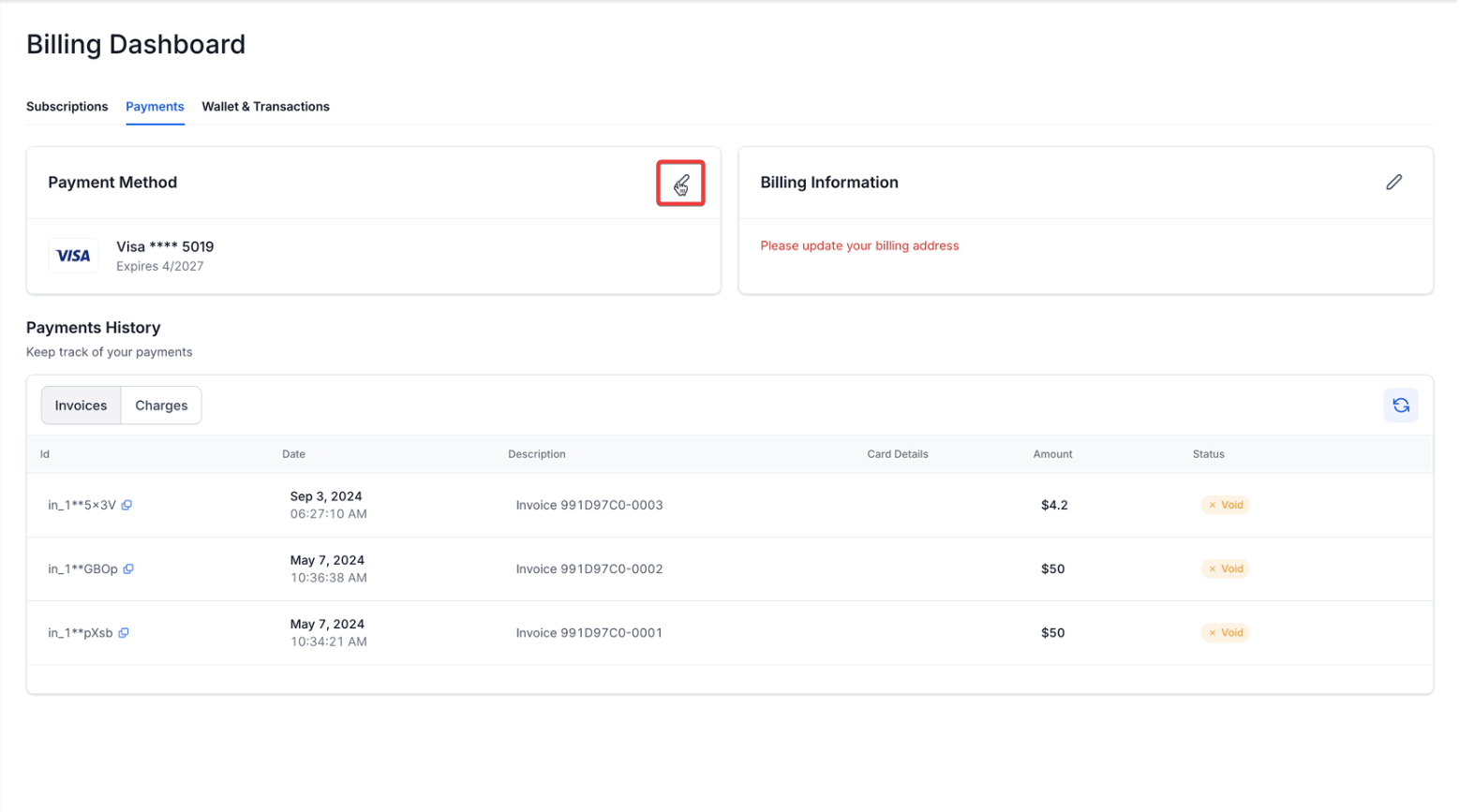
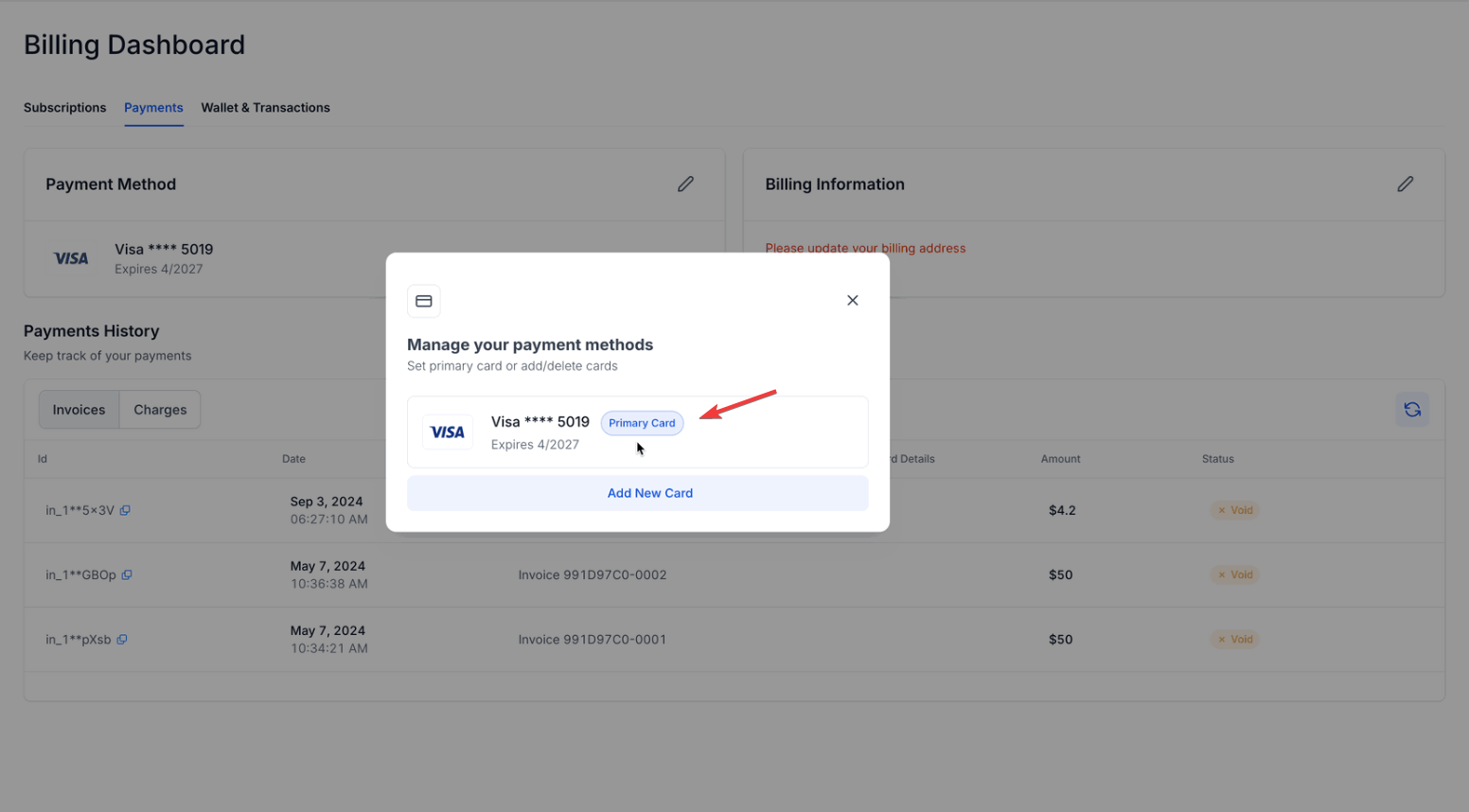
Section titled “Step 3: Add or Update Payment Methods”- Go to the payment methods section.
- Add a new card, delete unused ones, or set a primary card.
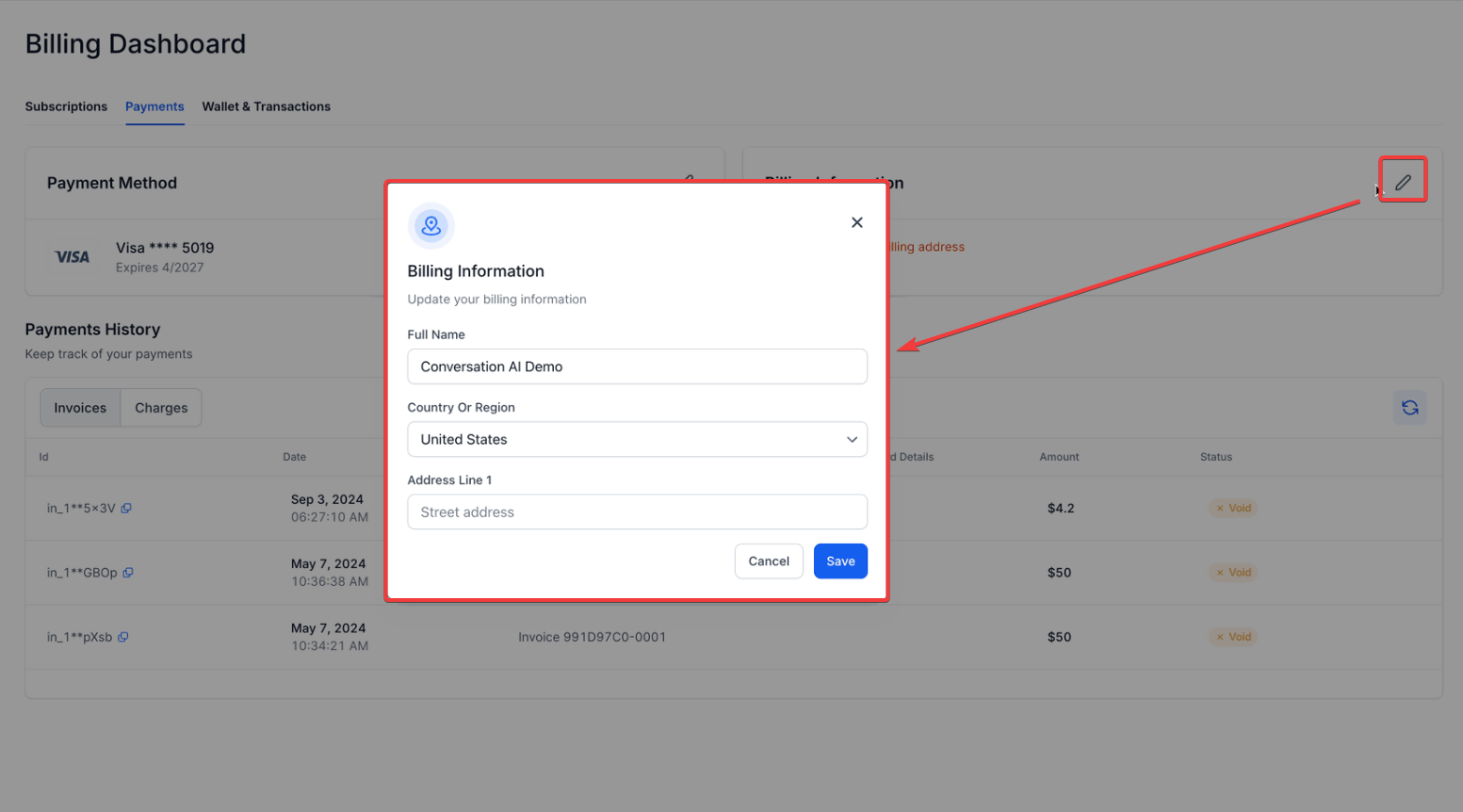
Step 4: Update Billing Information
Section titled “Step 4: Update Billing Information”- Open the billing information tab.
- Modify your billing address to reflect accurate and up-to-date details.
Step 5: Review Transaction History
Section titled “Step 5: Review Transaction History”- Access the charges and transaction history tab.
- Download invoices or review past spending for better budget management.
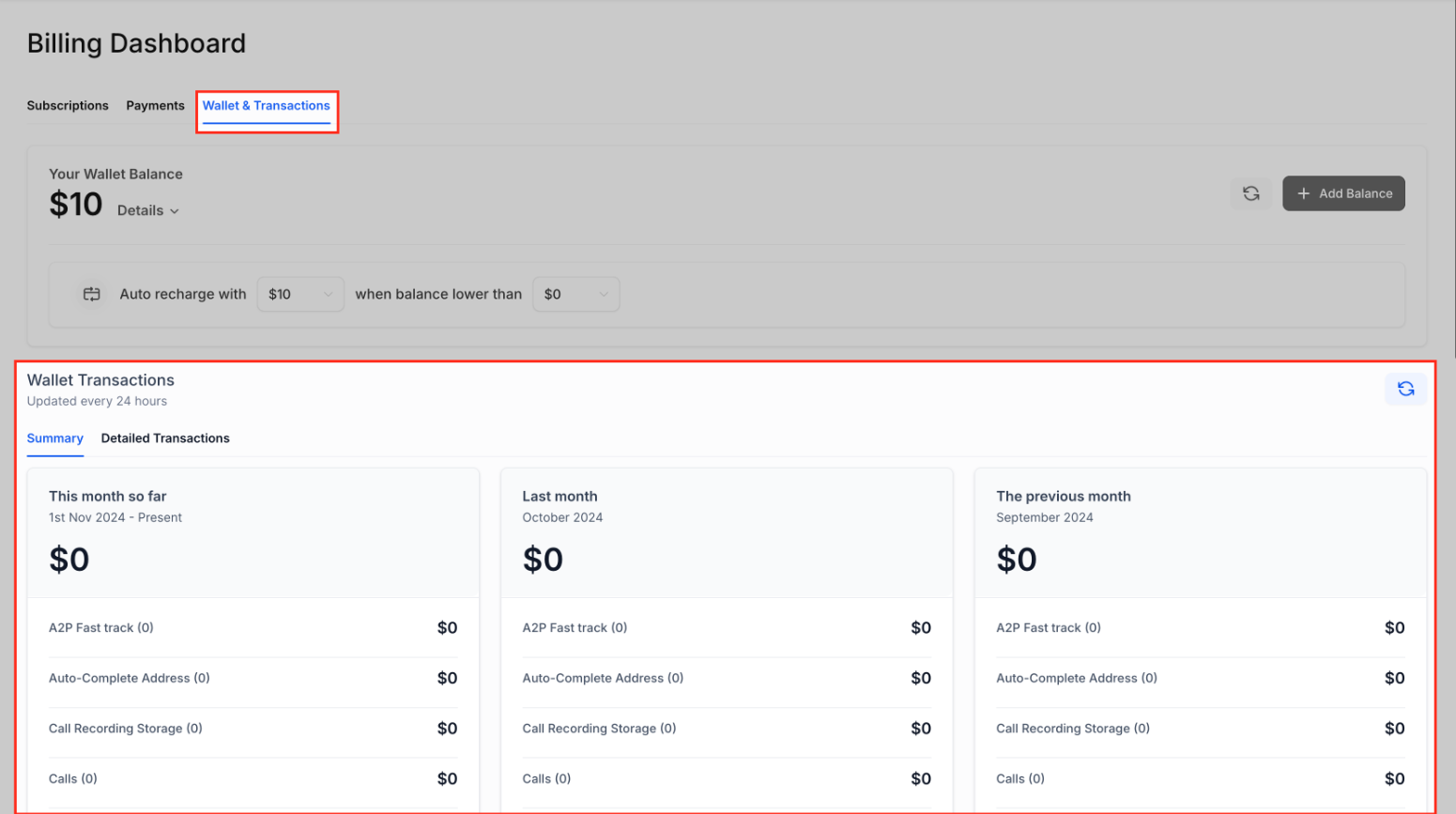
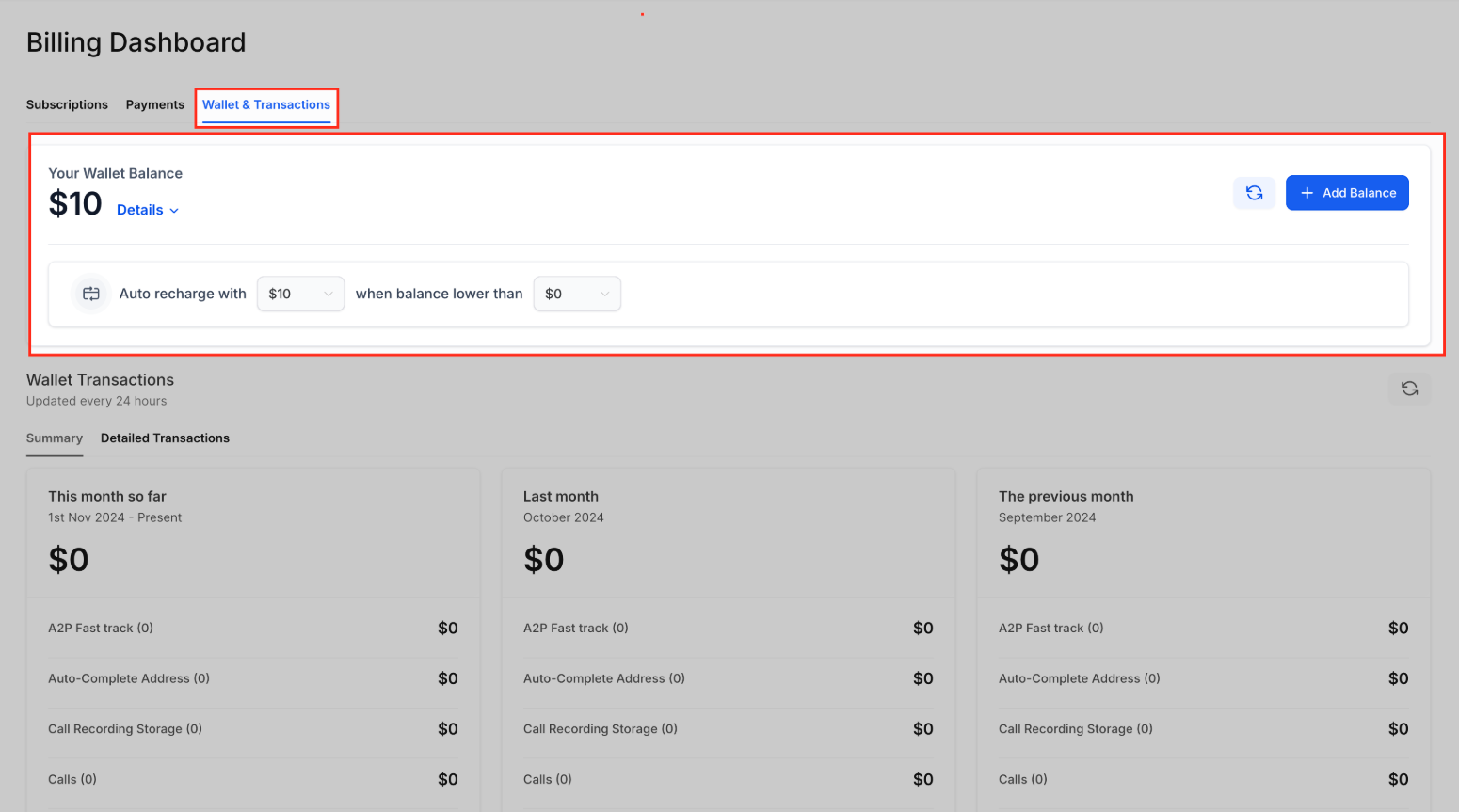
Step 6: Monitor and Recharge Wallet Balances
Section titled “Step 6: Monitor and Recharge Wallet Balances”- Check your current wallet balance.
- Add funds in bulk or set up automatic recharges to avoid service interruptions.
Pro Tips
Section titled “Pro Tips”1. Set a Default Payment Method: Ensures seamless automatic payments and minimizes failed transactions.
2. Schedule Regular Reviews: Check your subscription list and transaction history monthly to stay updated.
3. Enable Notifications: Opt for alerts when wallet credits are running low or a transaction fails.
4. Keep Billing Information Accurate: Outdated details can result in compliance issues or interrupted services.
FAQs
Question: How do I add a new payment method? Answer: Go to the Payment Methods section in the Billing area, select “Add New Card,” and provide the required card information.
Question: Can I manage multiple subscriptions at the same time? Answer: Yes, you can oversee multiple subscriptions, including SaaS, Reselling, and Marketplace apps, directly from the Subscriptions section.
Question: What steps do I follow to update my billing address? Answer: Navigate to the Billing Information section within Billing, click “Edit,” and make the necessary changes to your billing address.
Question: How can I access my past invoices? Answer: Visit the Charges and Transaction History section in Billing to view or download your previous invoices.
Question: What’s the process for adding funds to my wallet? Answer: Head to the Wallet section, select “Add Funds,” and follow the instructions to deposit the desired amount into your wallet balance.
Question: How do I set up automatic recharges for my wallet? Answer: To set up automatic recharges, go to the “Wallet” section, select “Automatic Recharges,” and follow the prompts to specify the amount and frequency for auto-recharging.
Question: How do I monitor my wallet balance? Answer: Go to the Wallet section in the Billing area to check your current wallet balance. This will display the available funds, helping you track your financial status and plan accordingly.
Question: Am I able to cancel my subscription plan through the dashboard?
Answer: Yes. Within the “Manage Subscriptions” section, you have the option to both modify and cancel your plans as needed to suit your requirements.
Question: Are my credit card details stored securely within ?
Answer: Security is a priority. All payment information is encrypted and handled through secure, industry-standard payment gateways. does not store your full card numbers on internal servers.
Question: Can I receive alerts if my wallet balance is getting low or if a payment doesn’t go through? Answer: Yes, you can stay informed by enabling notifications. This allows you to receive alerts when your wallet credits are running low or if a transaction fails, helping you avoid potential service interruptions.