Publisher Listing Force Sync
Maintaining accurate business information across various online directories and maps is essential for any modern business. However, synchronization between a management platform and third-party publishers can occasionally experience delays or become “stuck” in a processing queue. The Force Sync feature is designed to address these challenges by allowing users to manually intervene and prioritize their business listing updates. By signaling the listing engine to expedite the synchronization process, this tool helps reduce wait times that might otherwise extend for weeks, ensuring your digital presence remains current and reliable.
Key Features and Benefits
Section titled “Key Features and Benefits”- Manual Synchronization Control: Users gain the ability to manually trigger a synchronization request rather than waiting for the next automated cycle.
- Granular Sync Scope: Depending on the specific integration, users can choose to sync an entire business entity across all publishers or target a single specific publisher for an update.
- Queue Prioritization: This feature acts as a priority signal, moving your listing updates toward the front of the publisher’s processing queue.
- Resolution of Delays: It is specifically engineered to resolve instances where updates have been pending for an unusually long period.
- Proactive Management: It empowers administrators to take a proactive approach to data integrity, providing greater control over how business information is distributed online.
How to Use Force Sync
Section titled “How to Use Force Sync”- Access Listings: Navigate to the Listings in the Reputation tab and select the specific business entity you wish to update.
- Define Sync Scope: Determine the level of synchronization required:
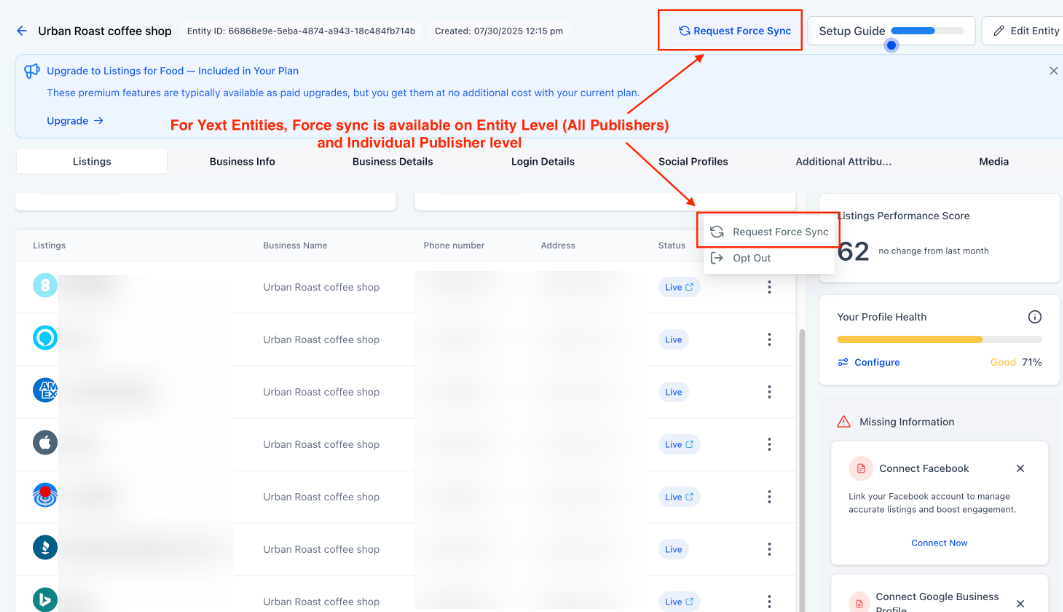
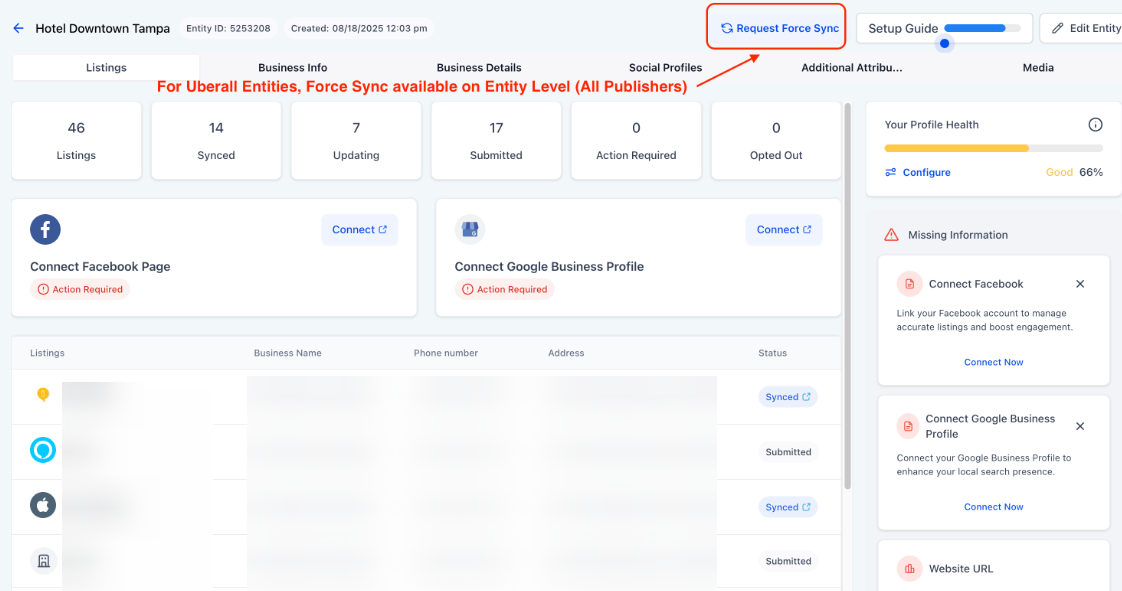
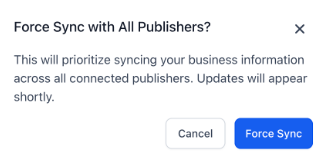
- Entity Level: Choose this to attempt a synchronization across all connected directories (e.g., Bing, Google, Apple Maps) simultaneously.
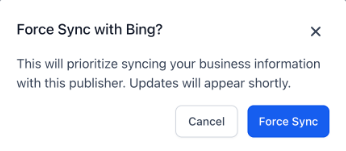
- Publisher Level: Select that individual publisher to target the sync.
- Initiate Request: Click the Request Force Sync button.
- Confirm Action: A confirmation prompt will appear; review the details and confirm the action to proceed.
5. Monitor Status: Once confirmed, you will receive an instant notification that the request has been successfully submitted to the listing engine.

Question: What exactly does the Force Sync feature do? Answer: Force Sync is a manual override that signals the listing engine to prioritize a specific business update. It is designed to push information through the synchronization queue faster than the standard automated process, especially if an update appears to be delayed.
Question: When is the best time to use Force Sync? Answer: This feature is most effective when you notice that a listing update such as a change in business hours or phone number has been stuck in a “pending” status for an extended period or if the update is highly urgent.
Question: Does Force Sync guarantee an immediate update on the publisher’s website?
Answer: While it significantly expedites the process by prioritizing your data in the transmission queue, the exact timing of the live update depends on the third-party publisher’s internal refresh rates and processing times.
Question: Can I use Force Sync for just one specific map service or directory? Answer: Yes. Depending on the integration type used for that entity, the system often allows for “Publisher Level” syncing, which lets you target a single specific platform without re-syncing every other connected directory.
Question: Is there a limit to how many times I can request a Force Sync?
Answer: While there is typically no strict technical limit, it is best practice to use this feature only when updates are actually delayed. Frequent, unnecessary force syncing may not further improve speed if the publisher is already processing the initial priority request.
Question: How will I know if my Force Sync request actually went through?
Answer: Once you confirm the action, the system provides an instant notification on your screen to verify that the request has been successfully submitted to the listing engine.