How to Stay Compliant with ACH Payments via Stripe
Overview:
Stripe is updating requirements for ACH Direct Debit to align with Nacha operating rules. If you accept US bank account payments through , you must update your Stripe account details. These updates help customers identify your business on their statements and provide them with a clear way to contact you.
Practical Use Case:
Imagine a consulting firm that collects monthly retainers via bank transfer. By updating these settings, the firm ensures that when a client looks at their bank statement, they see the firm’s name clearly instead of a vague “Stripe” description. This reduces payment disputes and keeps the business in good standing with banking regulations.
Instructions (Step-by-Step):
Note: These changes must be completed by March 20, 2026.
- To begin the update, log in to your Stripe Dashboard.
- To find the correct settings, navigate to Settings > Payments.
- To access the specific ACH settings, click on Link.
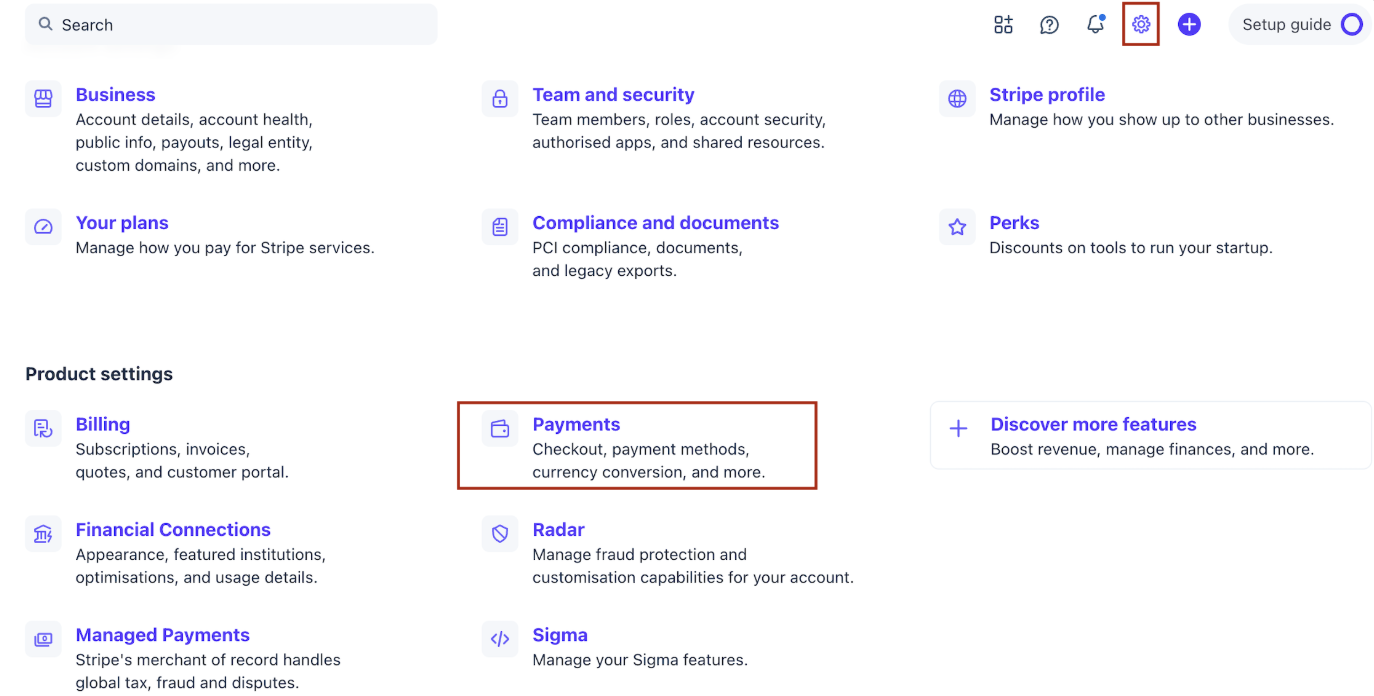
4. To manage your requirements, locate the Nacha compliance section.
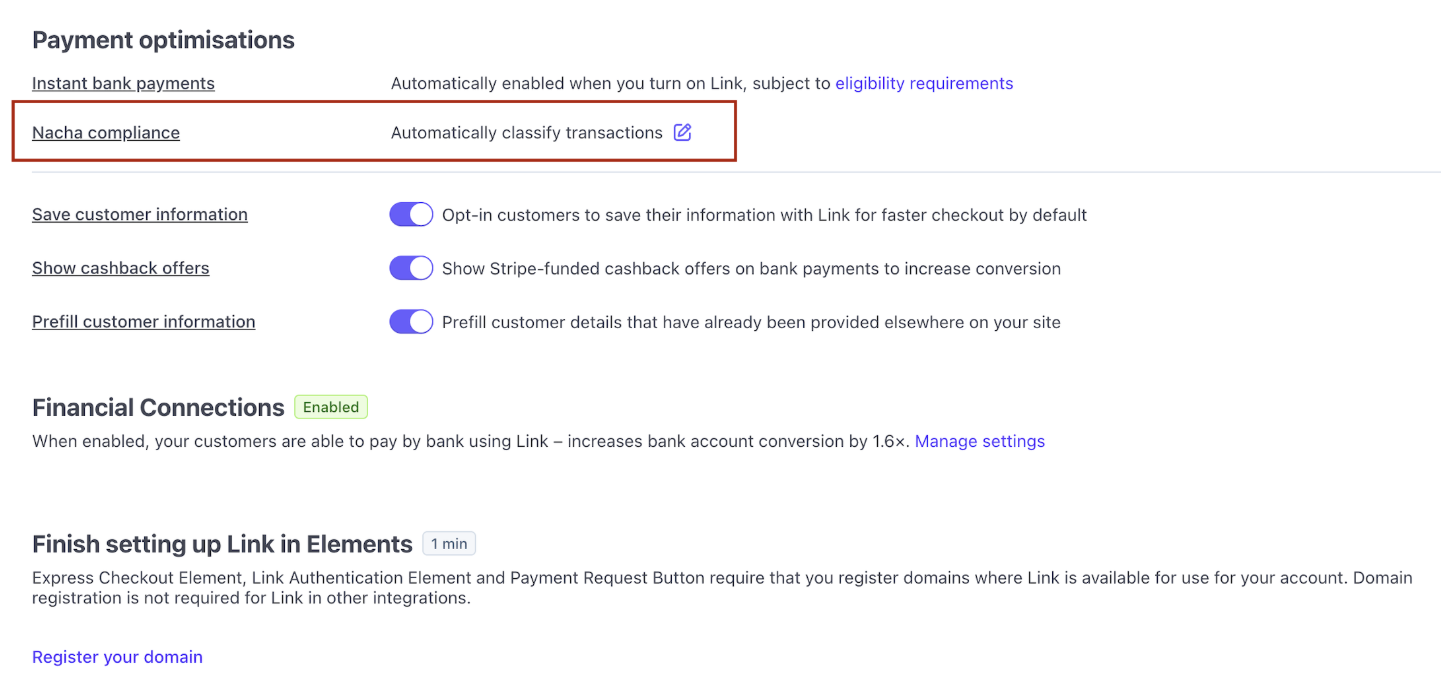
5. To categorize your business correctly, select one of the following three classification options:
Automatically classify transactions: Stripe determines if the transaction is a purchase of goods based on merchant signals. This is recommended for most businesses.
Classify all ACH transactions as goods: Select this if you only sell physical or digital products.
Do not classify any transactions as goods: Select this if you provide services, accept donations, or collect bill payments.
6. To apply your selection, click Save.
Important Compliance Details
Section titled “Important Compliance Details”Who must take action? You must complete these steps if:
- You have a Stripe account connected to and currently accept ACH Direct Debit.
- You plan to accept US bank account payments in the future.
- Your clients or sub-accounts use Stripe to accept ACH payments.
Effective Date These requirements are mandatory starting March 20, 2026. Failure to update these settings may impact your ability to process bank transfers smoothly.
FAQs:
Question: Doesmake these updates for me?
Answer: No. These are internal settings within your Stripe account. You must update them manually in your Stripe Dashboard.
Question: What happens if I don’t select an option by March 20?
Answer: Your account may fall out of compliance with Nacha rules, which could lead to payment delays or issues with bank statement clarity for your customers.
Question: I am not sure which classification to select. Who can help?
Answer: This setting is fully controlled by Stripe. If you need clarity on which option fits your business model, please contact Stripe Support directly.
Question: Will this require me to change any code in my account?
Answer: No. Selecting the “Automatically classify” option or the other manual options requires no technical code changes.
Question: What is Nacha?
Answer: Nacha is the organization that governs the ACH network (the system used for electronic bank-to-bank payments in the US).
Question: Does this affect credit card payments?
Answer: No, these specific compliance updates only apply to ACH Direct Debit (US bank account) payments.