How to Integrate Adyen Payments
How to intregrate Adyen payments
This article provides a clear overview of how Adyen can be used as a payment provider within . The goal is to help teams understand the capabilities, setup steps, and advantages of enabling Adyen for card payments especially for businesses operating in Europe and North America. With enterprise-grade reliability and broad regional coverage, Adyen offers a flexible solution for organizations seeking secure and scalable payment processing.
Key Features and Benefits
Section titled “Key Features and Benefits”1. Card Payments Across EU & North America
Section titled “1. Card Payments Across EU & North America”Adyen supports credit and debit card processing, making it suitable for companies serving customers in regions where reliable payment infrastructure is essential.
2. Enterprise-Level Performance
Section titled “2. Enterprise-Level Performance”Adyen is widely recognized for robust security, strong compliance standards, and performance suitable for high-volume businesses.
3. Compatibility With Existing Users
Section titled “3. Compatibility With Existing Users”Many organizations already work with Adyen. By supporting it directly, allows these businesses to connect their existing accounts without additional onboarding processes.
4. Security With 3DS Support
Section titled “4. Security With 3DS Support”Adyen’s ability to process 3D Secure-enabled cards adds an extra layer of protection for international and higher-risk transactions.
5. Improved Client Acquisition
Section titled “5. Improved Client Acquisition”Supporting a widely used payment provider helps businesses expand into enterprise markets and onboard clients more quickly.
How to Connect Adyen for Card Payments
Section titled “How to Connect Adyen for Card Payments”Step 1: Prepare Your Adyen Merchant Account
Section titled “Step 1: Prepare Your Adyen Merchant Account”Ensure you have:
- An active merchant account
- Approval from Adyen
- Required credentials (live or test)
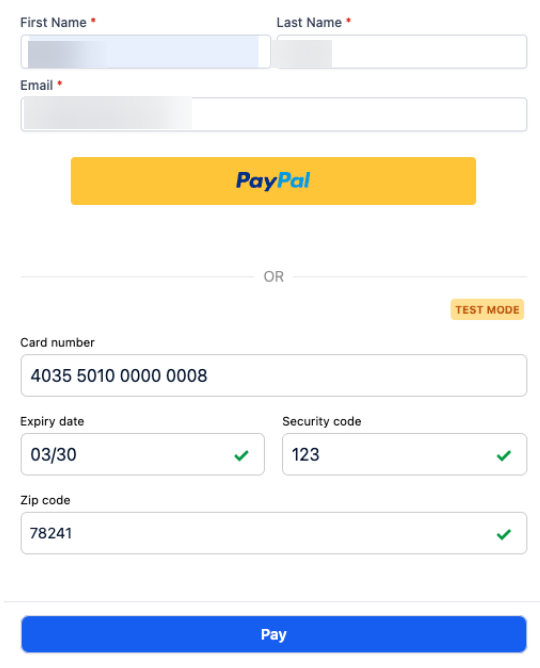
Step 2: Access Payment Settings
Section titled “Step 2: Access Payment Settings”In your account, navigate to:
Dashboard → Payments → Connect Adyen
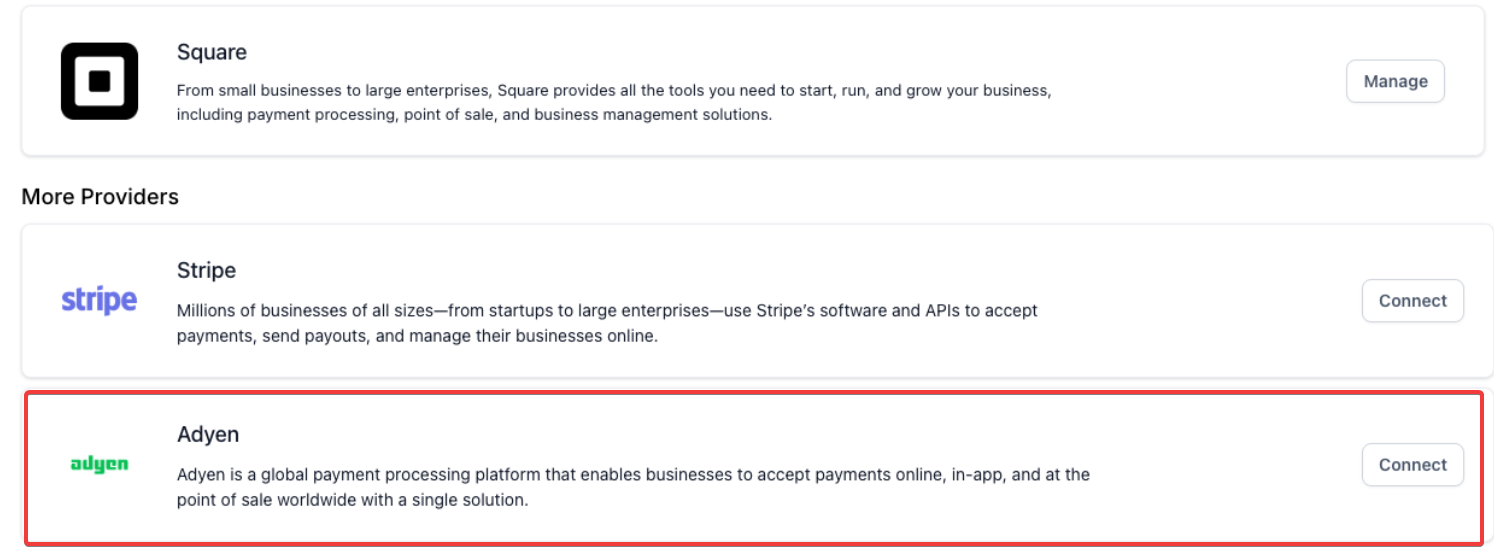
Step 3: Enter Credentials
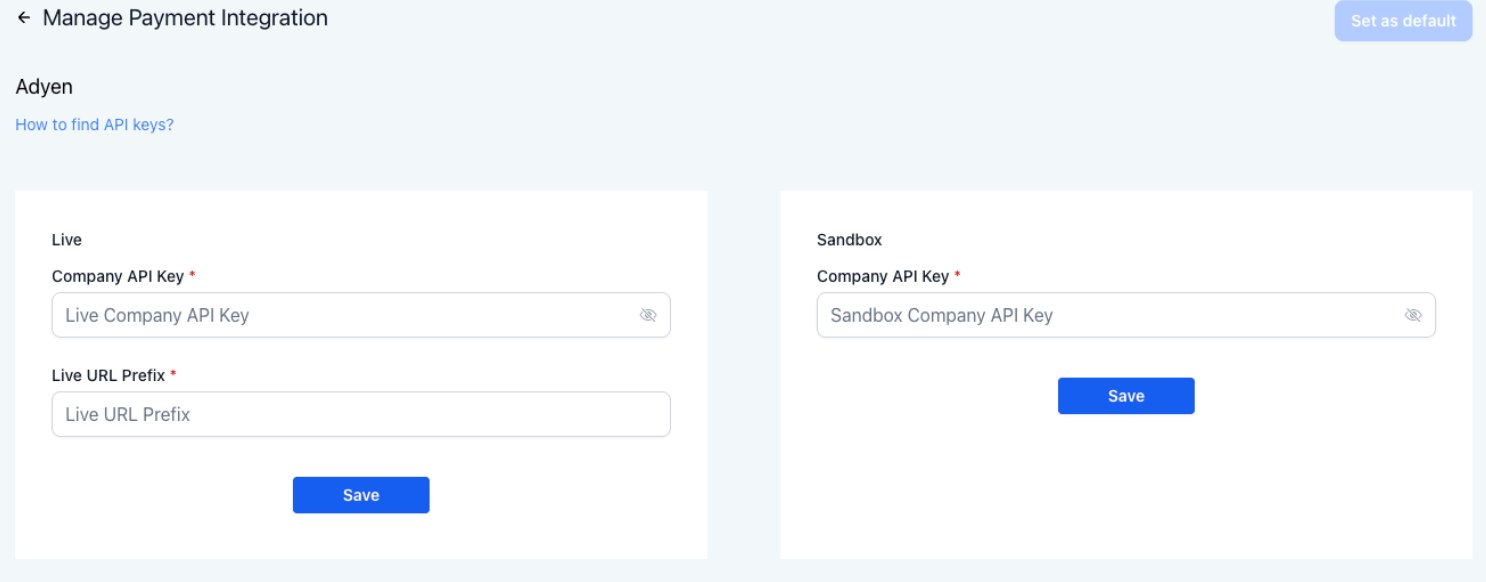
Section titled “Step 3: Enter Credentials”Add the necessary credential details:
Live Mode
- Company API Key
- Live URL Prefix
Test/Sandbox Mode
- Company API Key
After entering the correct information, select Save.
Step 4: Set as Default Payment Provider
Section titled “Step 4: Set as Default Payment Provider”Assign Adyen as the default provider in the channels where card payments should be accepted.
Step 5: Begin Accepting Payments
Section titled “Step 5: Begin Accepting Payments”Once connected, Adyen-enabled payment links, checkout flows, and card processing will become available for use within .
Question: What do I need before connecting Adyen? Answer: You need an active Adyen merchant account, required credentials, and approval from Adyen to enable payments.
Question: Which payment methods are supported right now? Answer: Currently, only card payments (credit and debit) are supported. Additional methods may be evaluated for future phases.
Question: Where do I enter my credentials? Answer: Go to Dashboard → Payments → Connect Adyen and enter your live or test credentials.
Question: Can I test the integration before going live? Answer: Yes. You can connect your sandbox key to test payment flows before activating live mode.
Question: Who determines pricing and availability? Answer: All pricing, underwriting decisions, and regional availability are managed directly by Adyen.
Question: Does this integration support 3D Secure (3DS) transactions? Answer: Yes. Adyen’s integration supports 3D Secure-enabled cards, providing an additional layer of security for international and higher-risk transactions.
Question: Where can I see a list of successful or failed Adyen transactions?
Answer: You can monitor all transaction activity directly in your Payments > Transactions tab. For deeper financial reporting, dispute management, or detailed payout schedules, you should refer to your Adyen Customer Area dashboard.
Question: Can I use my existing Adyen account, or do I need to create a new one for this platform?
Answer: You can use your existing account. The integration is designed to allow organizations already working with Adyen to connect their current accounts directly without going through a new onboarding process.