How to Enable and Use ACH Bank Transfers with NMI
Overview:
supports bank transfers (ACH) for accounts based in the United States and Canada using the NMI payment processor. This feature provides a reliable alternative to credit card payments. Bank transfers often carry lower processing fees and experience fewer disputes than traditional card transactions.
Practical Use Case:
Imagine a service-based business that sends a high-value invoice for $5,000. Instead of paying high credit card processing percentages, the business can offer ACH. This saves the business owner money on fees while providing the customer with a secure way to pay directly from their bank account.
Instructions (Step-by-Step):
Step 1: Verify NMI Account Settings
- To ensure payments can be processed, log into your NMI account.
- To confirm your status, check that ACH is enabled within your NMI dashboard.
- To activate this service if it is missing, contact NMI support directly and request ACH activation.
Step 2: Use ACH on Invoices
- To offer this payment method to your customers, create an Invoice or Subscription.
- To view the payment options, navigate to the Invoice preview. ACH will appear as a selectable payment method for your customers.
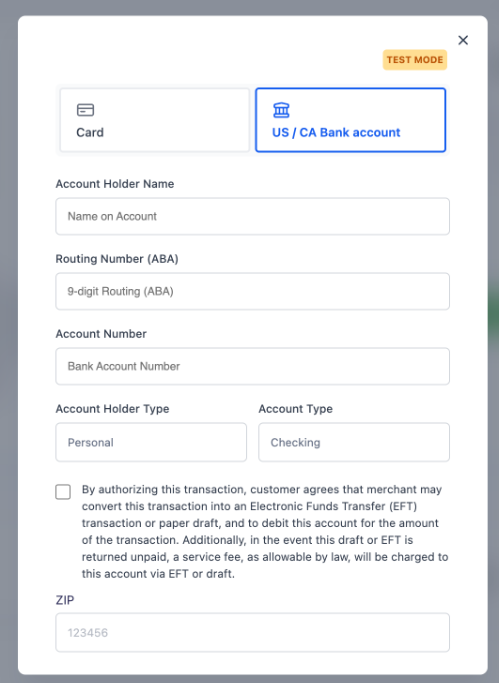
Feature Availability and Future Updates
Section titled “Feature Availability and Future Updates”ACH support is currently available for the following items:
- Standard Invoices
- Recurring Invoices
- Subscriptions
We are currently working to expand ACH support to more channels and payment areas in future updates to .
Payment Experience Visuals
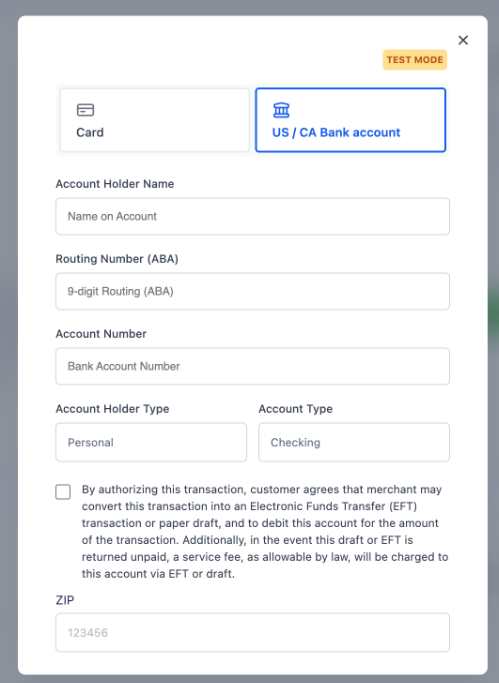
Section titled “Payment Experience Visuals”US Customer View: When a customer in the US opens an invoice, they will see the option to enter their bank routing and account numbers.
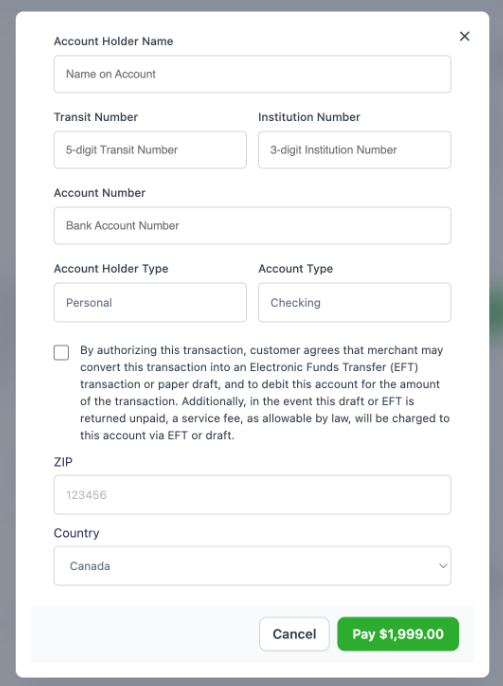
- Canada Customer View: Customers in Canada will see localized bank transfer fields compatible with Canadian banking standards.
- Payment Confirmation: Once the transfer is complete, the invoice status will update automatically.
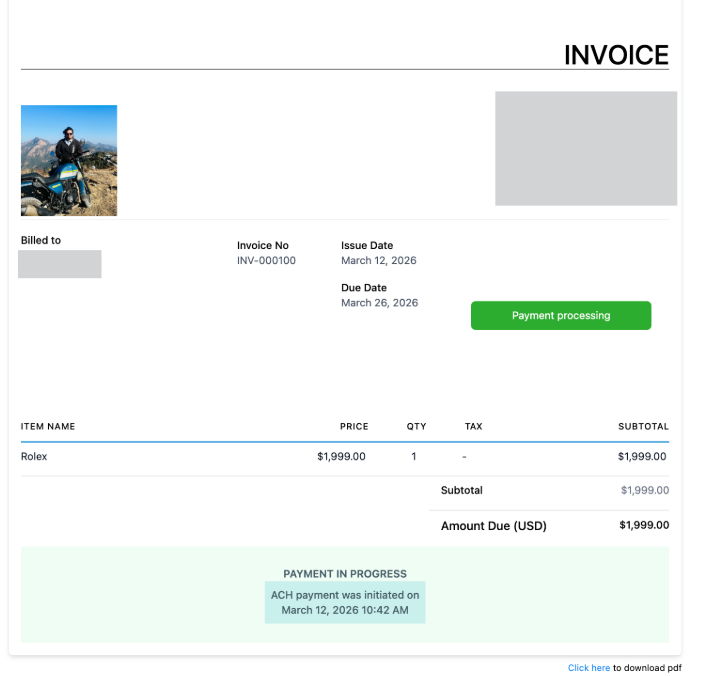
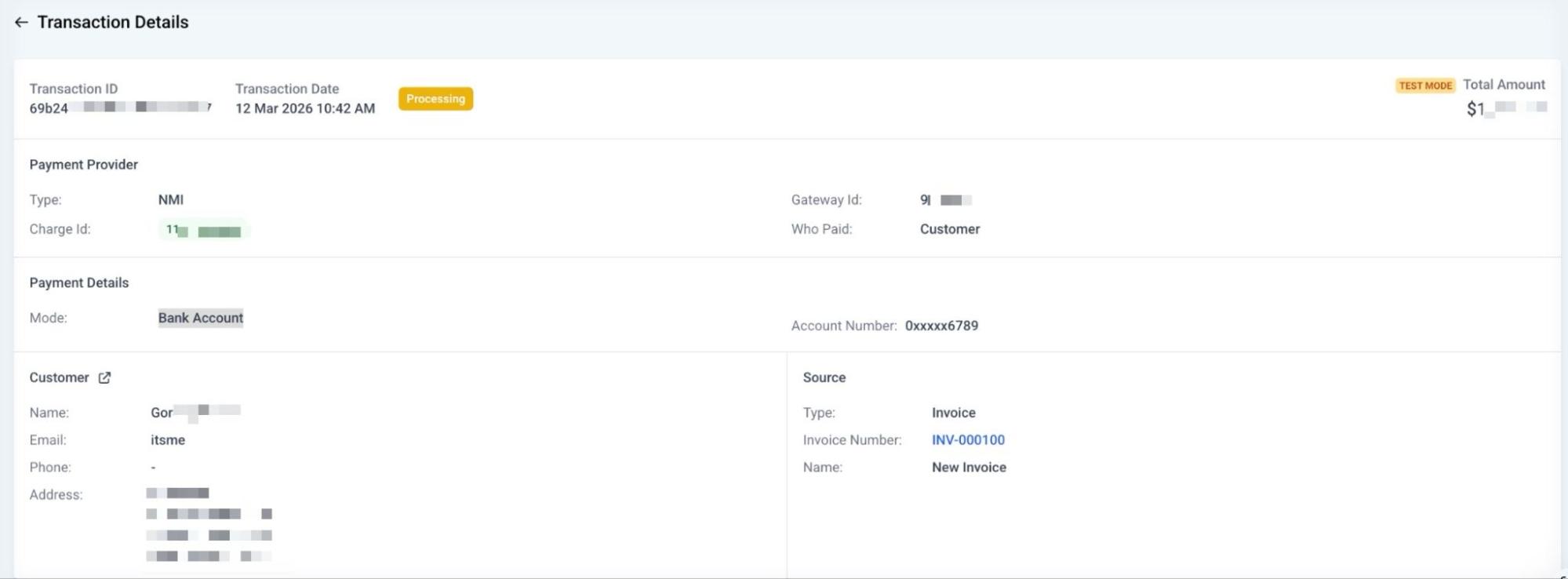
- Tracking Data: You can view the specific details of the bank transfer in your records.
FAQs
Question: What is ACH?
Answer: ACH stands for Automated Clearing House. It is a way to move money between bank accounts electronically without using paper checks or credit card networks.
Question: Which countries support ACH via NMI?
Answer: Currently, this feature is available for accounts located in the United States and Canada.
Question: Are ACH fees lower than credit card fees?
Answer: Yes, in most cases, NMI bank transfers have lower processing costs than credit card transactions, making them ideal for large payments.
Question: Why don’t I see ACH on my invoices yet?
Answer: You must enable the feature in both the Agency Labs and the Subaccount Labs. You also need to ensure ACH is active on your actual NMI merchant account.
Question: Can I use ACH for recurring monthly payments?
Answer: Yes, supports ACH for both one-time invoices and recurring subscriptions.
Question: What happens if a customer disputes an ACH payment?
Answer: ACH transfers generally have a lower dispute rate than credit cards, providing more security for the business owner.
Question: How do I know if a payment was made via ACH or Credit Card?
Answer: To check the payment method, navigate to the Payments > Transactions tab. The transaction detail page will list the specific payment method used.