Default Gateways for Payment Integrations
Default Gateways for Payment Integrations
Defining a default gateway becomes essential when you integrate multiple payment gateways through our platform. The default gateway acts as the primary choice for processing payments across various areas of your business, ensuring a streamlined transaction flow. Setting the default gateway simplifies the payment process, avoiding ambiguity and ensuring your transactions are processed seamlessly. This article delves into the world of default gateways, clarifying their role in payment integrations and highlighting crucial updates to empower your transactions.
Specify the default gateway for order forms and invoices in case multiple payment gateways are connected
Setting Your Default Gateway:
Section titled “Setting Your Default Gateway:”- Access Integrations: Navigate to the Payments > Integrations section within your account settings.
- Select Your Preferred Gateway: Choose your desired payment gateway (Stripe, Authorize.net, or NMI) based on your business needs.
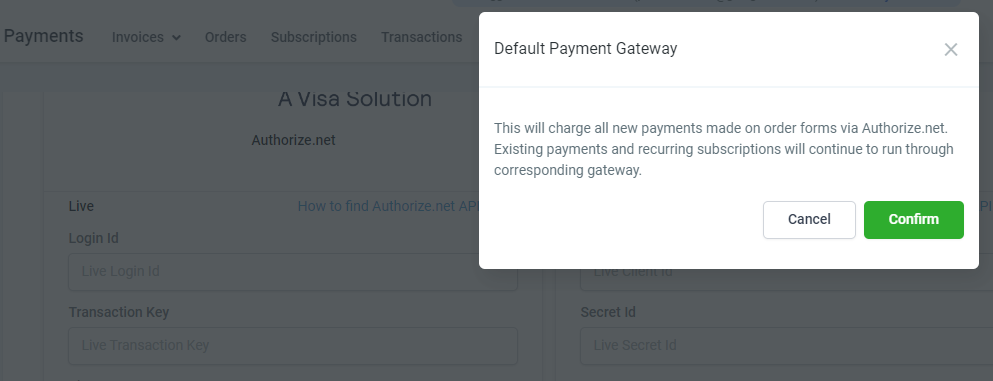
- Confirm Default Status: When adding a new gateway, you’ll be prompted to set it as your Default Payment Gateway.
- Clicking ‘Cancel’ integrates the gateway without making it the default.
- Clicking ‘Confirm’ integrates the gateway and designates it as the Default Payment Gateway.
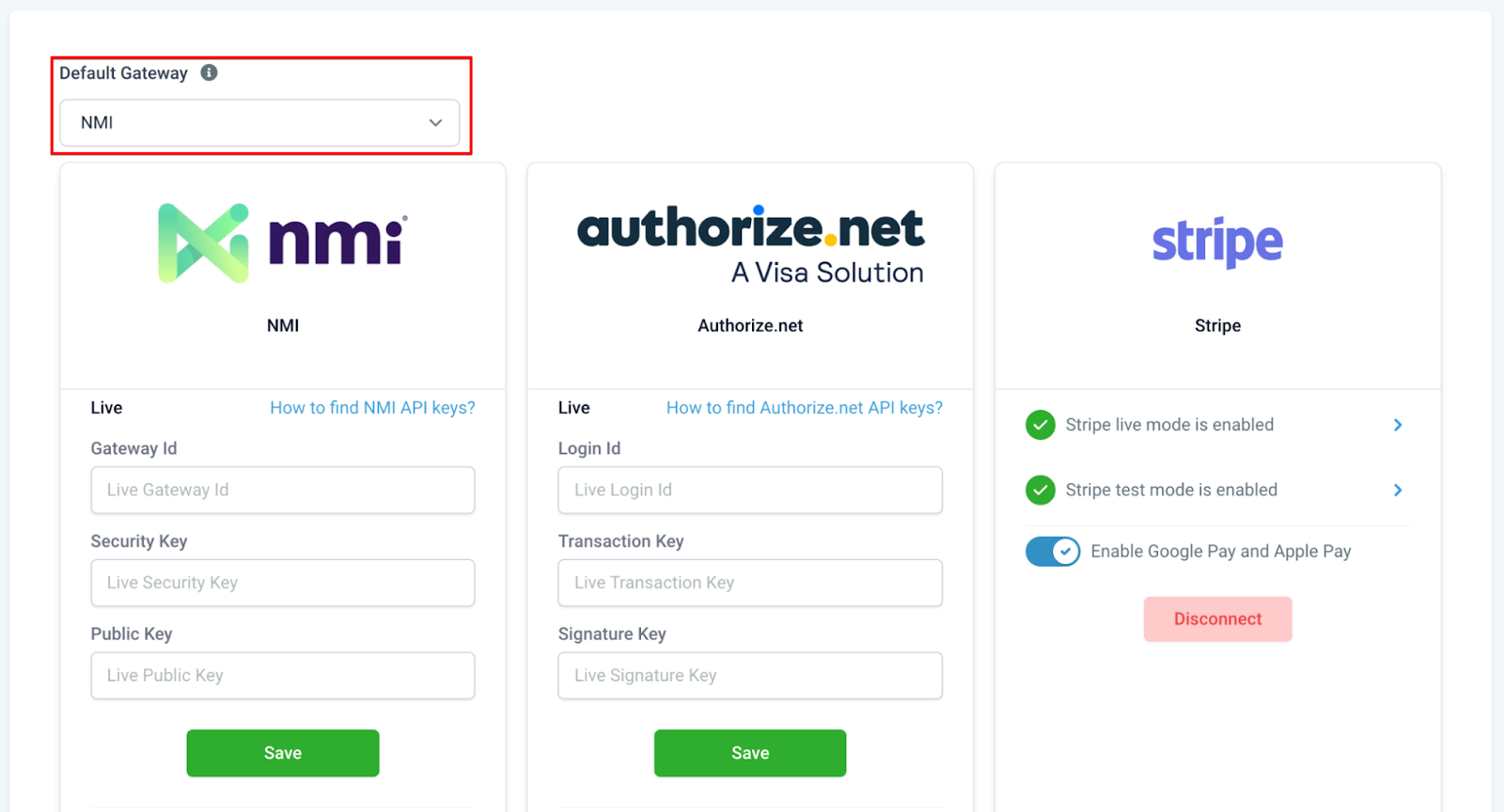
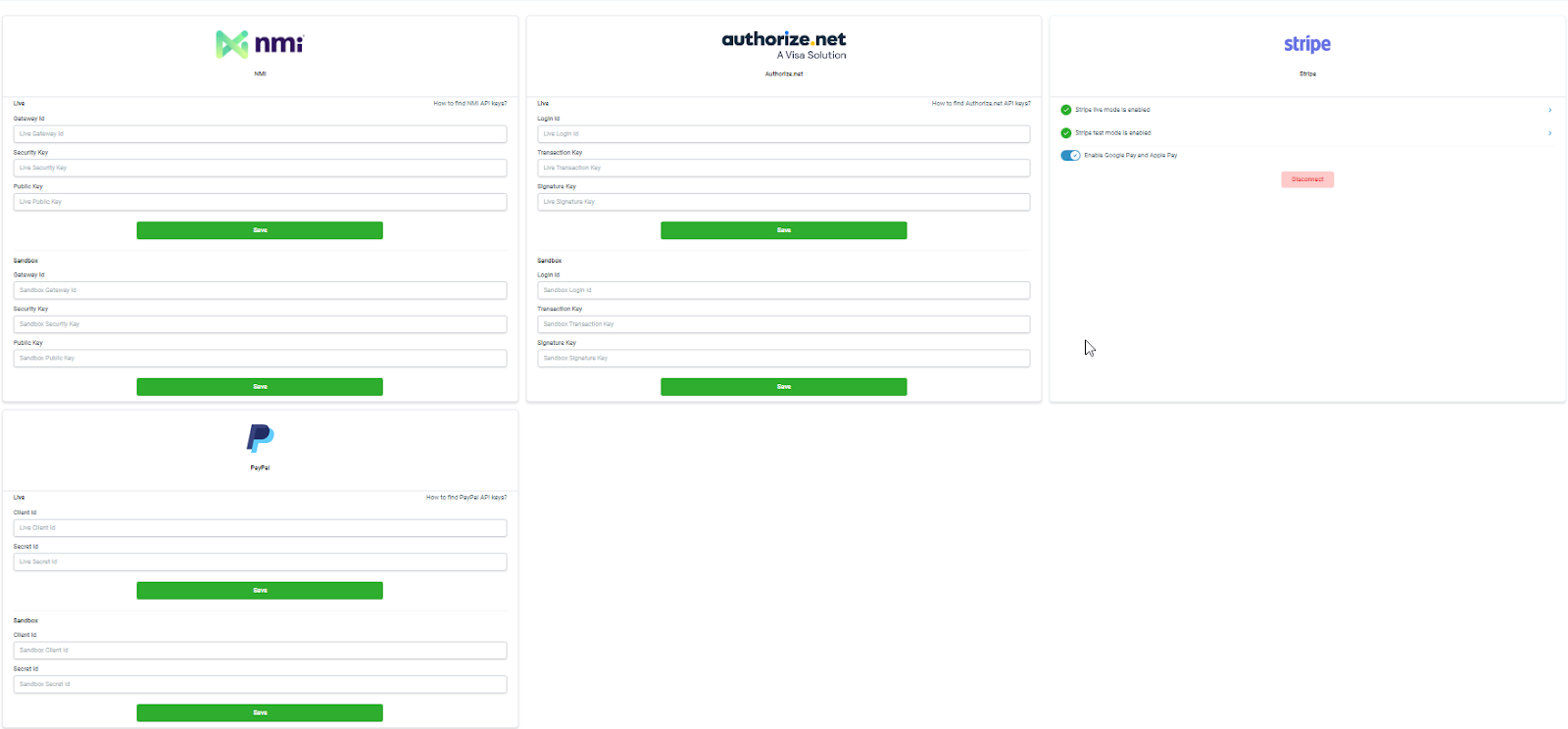
Please Note: One default choice must be made.
- When saving a new gateway it will show you a quick prompt asking whether you want to make the gateway your Default Payment Gateway.
Different Payment Gateways:
Section titled “Different Payment Gateways:”Stripe: Your trusted payment partner, ensuring secure transactions and streamlined payment processing.
NMI: Empowering diversity in payment options, seamlessly integrating with invoices, text2pay links, and order form payments.
Authorize.net: A robust gateway choice for memberships, providing reliability and efficiency in transaction processing.
Paypal and Stripe
Section titled “Paypal and Stripe”You are not required to disconnect Stripe to connect to other integrations. You can connect to multiple gateways on the integrations page. However, since you have connected to different gateways for processing payments, you will need to define a default gateway for processing payments. PayPal will continue to function alongside Stripe/Authorize.net/NMI in order forms, whichever is set as the default
- You can connect both PayPal and Stripe simultaneously, utilizing them independently or together.
- Define the default choice
- Existing subscriptions running through Stripe or PayPal will continue as usual until changes are made.
Why don’t I see PayPal among the default gateway options?
Section titled “Why don’t I see PayPal among the default gateway options?”You can connect to Paypal and use it as a payment method alongside a credit card payment method using Stripe/Authorize.net/NMI. This means that the default must be chosen among Stripe/Authorize.net/NMI when connected. PayPal can be used independently and alongside credit card payment methods on order forms.
Authorize.Net
Section titled “Authorize.Net”If there are recurring subscriptions/pending transactions with Stripe, they will continue to run as is until the Stripe connection is in place. We encourage you not to disconnect any gateway. Defining the default gateway will run new transactions through the desired choice and keep the existing subscriptions running through Stripe and PayPal integrations in place.
- Ensure existing subscriptions through Stripe and PayPal remain functional. New transactions will align with the default gateway choice.
- If Authorize.net is your default gateway, areas like membership payment links will be used for processing payments.
Do I need to disconnect Stripe to connect to NMI?
Section titled “Do I need to disconnect Stripe to connect to NMI?”No, You are not required to disconnect Stripe to connect to NMI. You can connect multiple gateways on the integrations page. However, since you have connected multiple gateways for processing payments, you must define a default gateway for processing order form payments.
- Connect NMI without disconnecting Stripe. Both can coexist for diverse payment options.
- NMI integrates seamlessly with invoices, text2pay links, and order form payments.
- Ongoing subscriptions with Stripe, PayPal, or Authorize.net will persist. Defining a default gateway affects new transactions, preserving existing subscriptions.
I have connected to NMI and have selected it as the default gateway. Will transactions across the application be processed through NMI now?
Section titled “I have connected to NMI and have selected it as the default gateway. Will transactions across the application be processed through NMI now?”The NMI integration is available only for invoices, text2pay links, and order form payments. This means that if NMI is connected and is set as the default gateway, only these payments will be processed through NMI. Other payment areas like calendars, SaaS, or memberships will continue to process payments using Stripe.
Please Note: If there are any recurring subscriptions/pending transactions with Stripe, they will continue to run as is till the time the Stripe connection is in place. We encourage you to keep the connections in place and not disconnect any gateway, defining the default gateway will run new transactions through the desired choice and will keep in place the existing subscriptions running through Stripe, PayPal, and Authorize.net.
Google Pay and Apple Pay
Section titled “Google Pay and Apple Pay”Can I use Stripe to offer Google Pay and Apple Pay and process credit card payments using NMI/Authorize.net?
Section titled “Can I use Stripe to offer Google Pay and Apple Pay and process credit card payments using NMI/Authorize.net?”Unfortunately, this cannot be the case. Google Pay and Apple Pay can be provided using Stripe only for now, and only one gateway has to have defaulted for order form payments among Stripe, Authorize.net, or NMI. So using both simultaneously is not possible.
- Currently, only Stripe supports Google Pay and Apple Pay functionalities.
- Choose a single default gateway among Stripe, Authorize.net, or NMI for order form payments, ensuring a smooth customer experience.
Adyen IntegrationWhat is Adyen, and why should I use it?
Adyen is a widely recognized payment provider in Europe and North America, offering secure, enterprise-grade payment solutions. Using Adyen allows you to cater to clients who prefer this platform, especially for international and high-risk transactions.
- Adyen integration enables businesses to serve clients using Adyen for seamless credit/debit card payments in Europe and North America.
- Supports 3DS-type cards for enhanced security and international compliance, appealing to enterprise clients.
- Adyen’s broad footprint improves coverage, facilitating easier onboarding of clients in these regions.
Important Notes:
Section titled “Important Notes:”- For ongoing subscriptions, maintaining existing connections is crucial. Changing gateways impacts new transactions, not existing subscriptions.
- Custom values and If/Else filters in workflows offer flexibility when working with different payment gateways, enhancing your automation capabilities.
Please Note: If the business disconnected the gateway account and there is an ongoing subscription, the transaction cannot be processed, and hence the subscription will move to unpaid. The retry attempts will continue according to the retry logic.
Note: Custom Values and If/Else filters exist for payment gateway within workflows when using the Order Submitted trigger
Question: What is a default payment gateway, and why do I need to set one? Answer: A default payment gateway is the primary gateway used to process payments across your business when multiple gateways are connected. Setting a default gateway simplifies transactions, ensures smooth payment processing, and avoids ambiguity by designating a clear choice for order forms, invoices, and other payment-related activities.
Question: How do I set a default payment gateway? Answer: To set a default payment gateway:
- Go to Payments > Integrations in your account settings.
- Select your preferred payment gateway (Stripe, Authorize.net, or NMI).
- When adding the gateway, you will be prompted to set it as the default. Click Confirm to make it the default or Cancel to integrate without setting it as the default.
Question: Can I connect multiple payment gateways simultaneously? Answer: Yes, you can connect multiple payment gateways like Stripe, Authorize.net, NMI, and PayPal simultaneously. However, you must define a default gateway among Stripe, Authorize.net, or NMI for processing order form payments.
Question: What happens if I don’t select a default payment gateway? Answer: You must select one default gateway when integrating multiple payment gateways. Without a default, the platform will not have a clear directive for processing new transactions, potentially causing disruptions in payment processing.
Question: Can I use PayPal as my default payment gateway? Answer: No, PayPal cannot be set as the default payment gateway. PayPal can be used alongside credit card gateways like Stripe, Authorize.net, or NMI, but the default must be chosen among these credit card gateways.
Question: Do I need to disconnect Stripe to connect to NMI or** Authorize.net? Answer: No, you do not need to disconnect Stripe to connect to NMI or Authorize.net. You can have multiple gateways connected at the same time. Defining a default gateway is necessary to ensure that new transactions are processed through the preferred gateway while existing subscriptions continue with their respective original gateways.
Question: What will happen to my existing subscriptions if I change the default payment gateway? Answer: Existing subscriptions running through Stripe, PayPal, or Authorize.net will continue unaffected. Changing the default gateway will only impact new transactions. Therefore, it is recommended to keep all existing connections in place to ensure continuity of ongoing subscriptions.
Question: Can I use Google Pay and Apple Pay with NMI or** Authorize.net? Answer: Currently, only Stripe supports Google Pay and Apple Pay functionalities. You can only have one default gateway for order form payments among Stripe, Authorize.net, or NMI, so using Stripe for Google Pay and Apple Pay alongside NMI or Authorize.net for other transactions is not supported.
Question: What types of payments does NMI support when set as the default gateway? Answer: When NMI is set as the default gateway, it supports processing payments for invoices, text2pay links, and order forms. Other payment areas, like calendars, SaaS, or memberships, will continue to use Stripe for processing.
Question: What should I do if there are ongoing subscriptions and the gateway is disconnected? Answer: If a gateway is disconnected while ongoing subscriptions are still active, the transactions cannot be processed, leading to unpaid statuses for those subscriptions. It is important to maintain existing connections and not disconnect gateways to ensure smooth processing of all active subscriptions.
Question: How can I ensure my transactions are processed correctly when using multiple gateways? Answer: To manage multiple gateways effectively:
- Define a default gateway to handle new transactions.
- Maintain existing connections for ongoing subscriptions.
- Use custom values and If/Else filters in workflows with the Order Submitted trigger to manage payments across different gateways.
Question: What should I know about changing the default gateway with custom workflows? Answer: Custom values and If/Else filters within workflows offer flexibility when working with different payment gateways, especially when using the Order Submitted trigger. These tools allow you to automate and customize payment processing based on specific conditions set in your workflows.
Based on the description provided, here is the additional FAQ and the location where it is discussed.
Question: What happens if I disconnect a payment gateway that has active, ongoing subscriptions? Answer: If you disconnect a gateway while subscriptions are still active, the transactions for those subscriptions cannot be processed. This will cause the subscriptions to move to an “unpaid” status, though the system will continue to attempt retries according to your established retry logic. To avoid this, it is highly recommended to keep your gateway connections active even after setting a new default.
Question: How do I manage different gateways within my automation?
Answer: You can use Custom Values and If/Else filters in your Workflows. These are specifically available when using the Order Submitted trigger to route actions based on which gateway was used.
Question: Why can’t I set PayPal as my “Default Gateway”?
Answer: PayPal operates differently than standard credit card processors. It is treated as an Alternative Payment Method. Your “Default” must be a primary credit card gateway (Stripe, Authorize.net, or NMI). Once that is set, PayPal can still be toggled “ON” to appear side-by-side with your credit card option on any order form.