Mobile App - Recurring Appointments
This article explains how to effectively use the Recurring Appointments feature in mobile calendars. This function allows users to create, manage, and customize recurring appointments directly from their mobile devices, streamlining scheduling without the need for repeated manual entries.
Key Features & Benefits
Section titled “Key Features & Benefits”- Set and Forget Scheduling: Schedule once, and future sessions auto-generate with meeting links and reminders.
- Custom & Standard Recurrence: Choose from predefined calendar settings or create custom recurrence rules tailored to your needs.
- Mobile-First Convenience: Complete control over recurring events directly within the mobile app, no desktop required.
- One-Tap Series Edits: Edit or cancel entire series without managing each session individually.
- Advanced Recurrence Options: Set patterns like “every third Thursday” or “weekdays only.” Repeat endlessly or specify an end condition.
How to Use
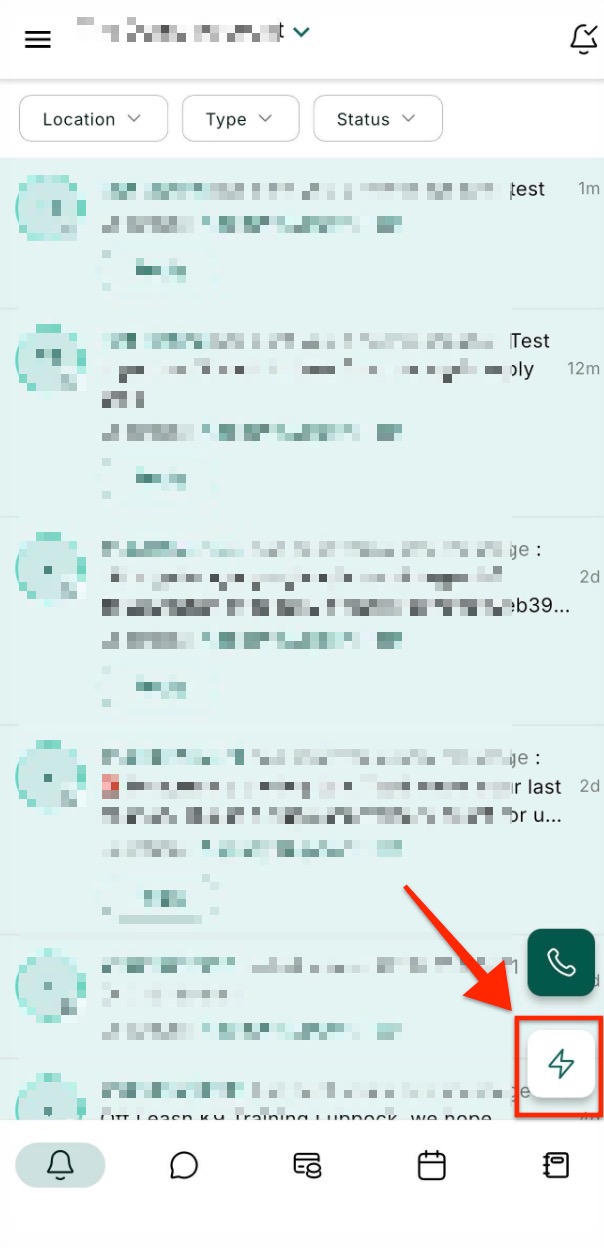
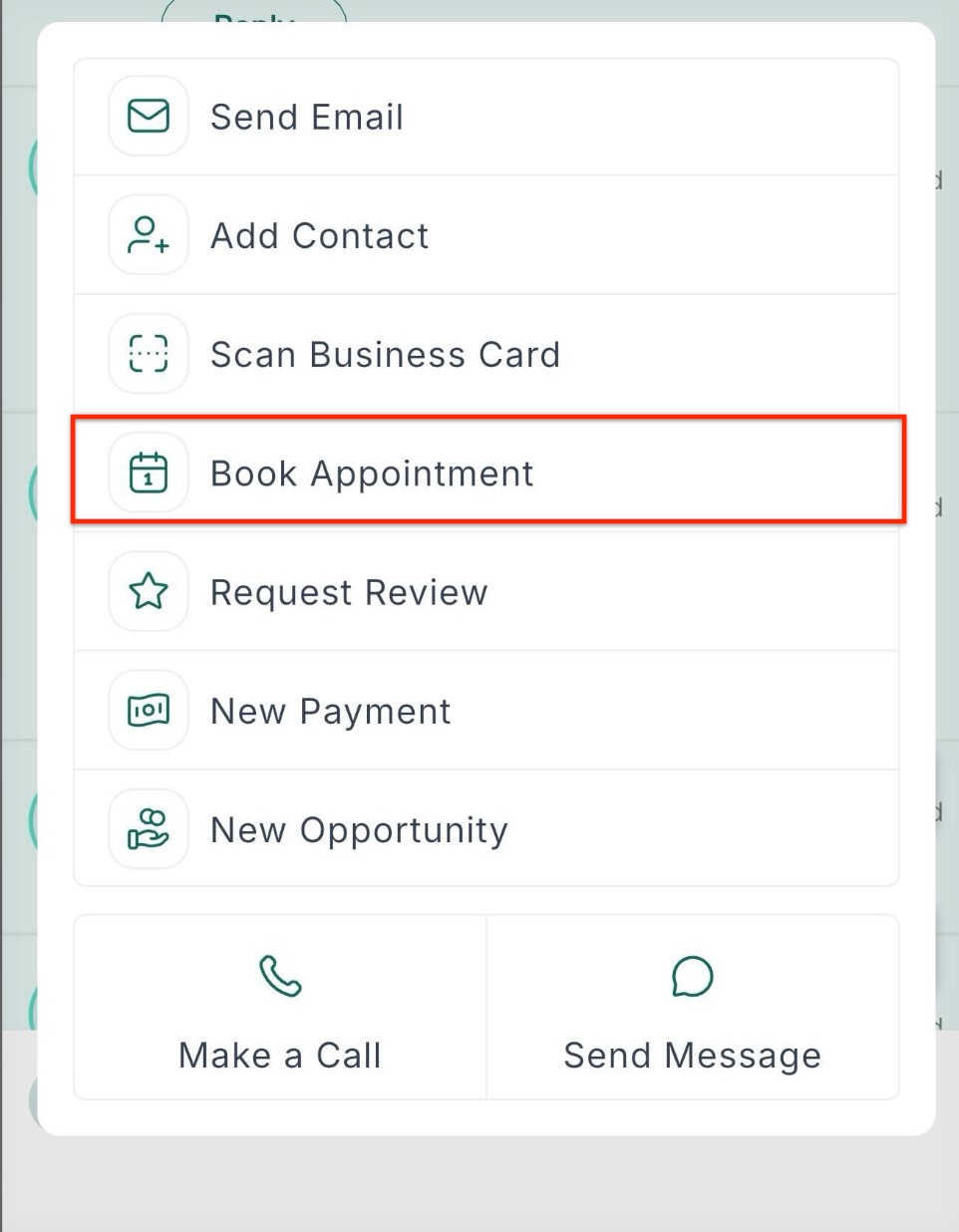
Section titled “How to Use ”Open the App and tap the bolt action icon, and click book appointment.
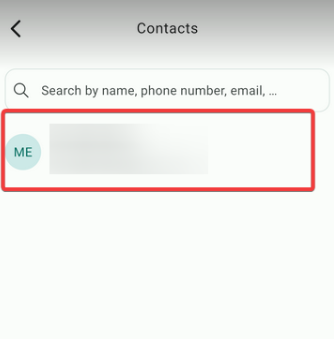
Select the Contact, desired Calendar, and assigned Team Member.
Choose your recurrence type:
- Standard Recurrence: Uses the calendar’s existing recurrence rules. The system checks availability and shows Confirmed & Skipped events.
- Custom Recurrence: Tap on Custom Date & Time, toggle Recurring Appointment, and manually set your preferred pattern.
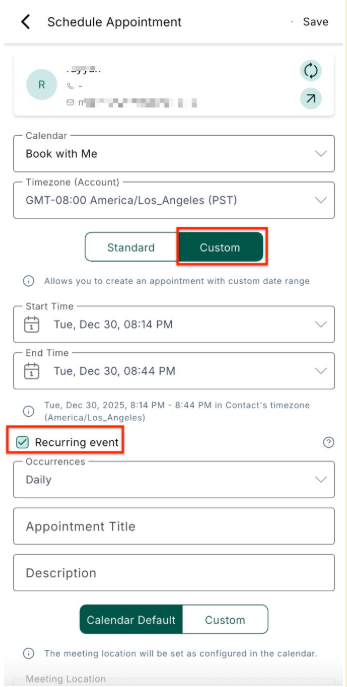
Define how often it repeats and when it should end:
- Repeat indefinitely
- End after a number of occurrences
- End on a specific date
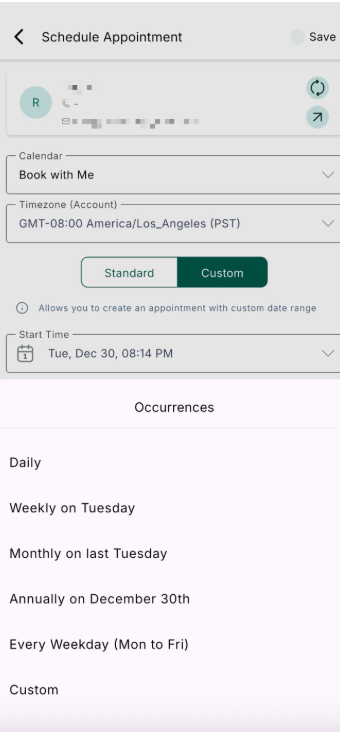
Tap Save. The entire series will be booked at once, with one unified meeting link applied across all appointments.
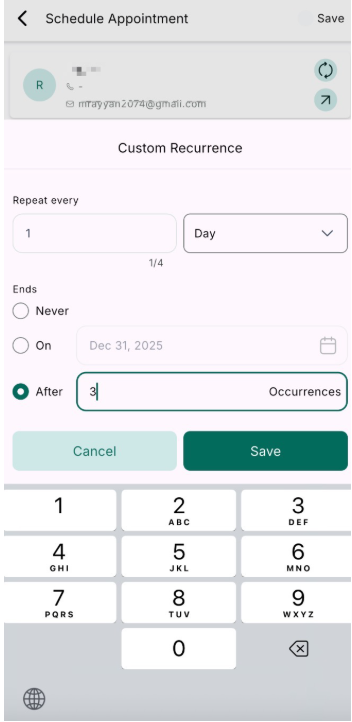
Question: Can I set recurring appointments without having a recurring calendar set up? Answer: Yes, you can use the Custom Recurrence option to manually define your own pattern directly from the Schedule Appointment screen.
Question: Will the system automatically check for availability? Answer: Recurring appointments created through the Schedule Appointment screen will be booked solely according to the recurrence rules and will not check for availability.
Question: Is a new meeting link generated for each occurrence? Answer: No, a single meeting link (Zoom, Google Meet, or Microsoft Teams) is used for the entire recurring series.
Question: What if I need to cancel a recurring appointment series? Answer: You can bulk delete the entire series with one action from the appointment screen, making management simple.
Question: Does Audit Logs provide full entity history for Listings? Answer: Yes. The Listings module captures all updates with user attribution, timestamps, and detailed action records, offering a complete audit trail.
Question: What are the three different ways I can set the end condition for a recurring appointment series? Answer: You can define the end of a series by choosing to have it repeat indefinitely, end after a specific number of occurrences, or end on a specific date.