Pre-Built A2P Campaign (Widget-First) Registration Flow
The purpose of this article is to describe the specialized registration experience designed for users to streamline the Application-to-Person (A2P) messaging compliance process. This feature minimizes manual effort and reduces the risk of carrier rejections by enforcing a pre-configured, high-compliance registration path focused on the chat widget as the primary opt-in method.
Key Features and Benefits
Reduced Rejection Rates: By using pre-built campaign structures that align with carrier and CTIA requirements, the risk of submission rejection is significantly lowered.
Automatic Compliance Generation: The system automatically generates required consent language, disclosure blocks, and data rate/frequency notifications, eliminating the need for manual writing.
Conflict Protection: Built-in logic prevents high-risk misclassifications, such as blocking the combination of “Marketing” intent with “Financial Services,” which is a frequent cause of carrier denial.
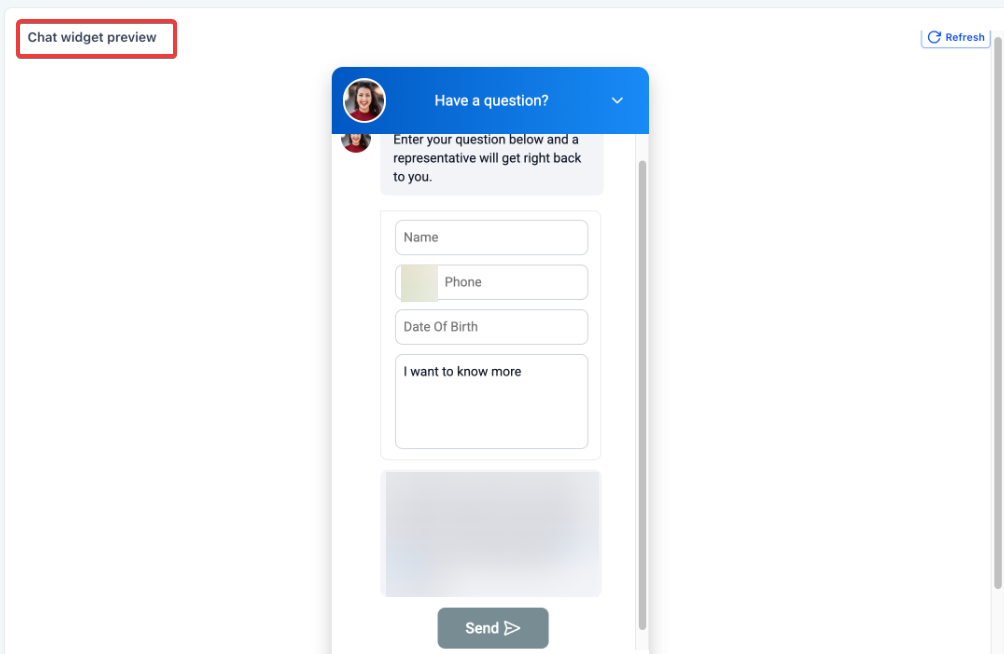
Automated Age Gating: Mandatory Date of Birth (DOB) fields are automatically enforced and locked into the widget when high-risk or age-restricted content categories are selected.
Streamlined Selection: Users are guided through a filtered dropdown of use cases such as Customer Care, 2FA, or Marketing ensuring the messaging intent is clearly defined.
How to Use the Pre-Built Registration Flow
Open Settings: Click on the Settings located at the bottom of the left-hand sidebar.
Access Phone Settings: From the left-side settings menu, select Phone Numbers.
Enter the Trust Center: Look for the tab at the top of the page labeled Trust Center. This is the primary hub where all A2P registration and compliance tasks are managed.
Start Your Registration: Begin the standard process to register your messaging campaign inside .
Pick the Pre-Built Option: The system identifies the Sole Proprietor status during the initial onboarding or Chat Widget flow.
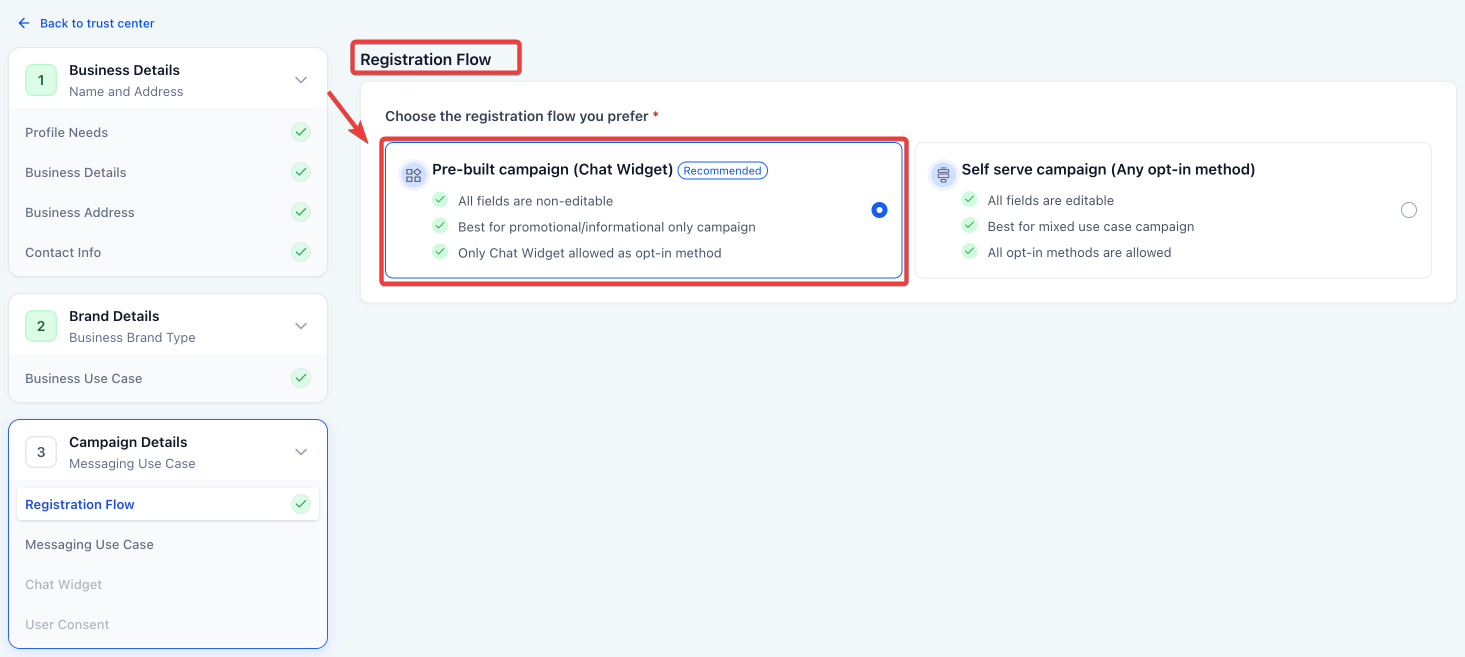
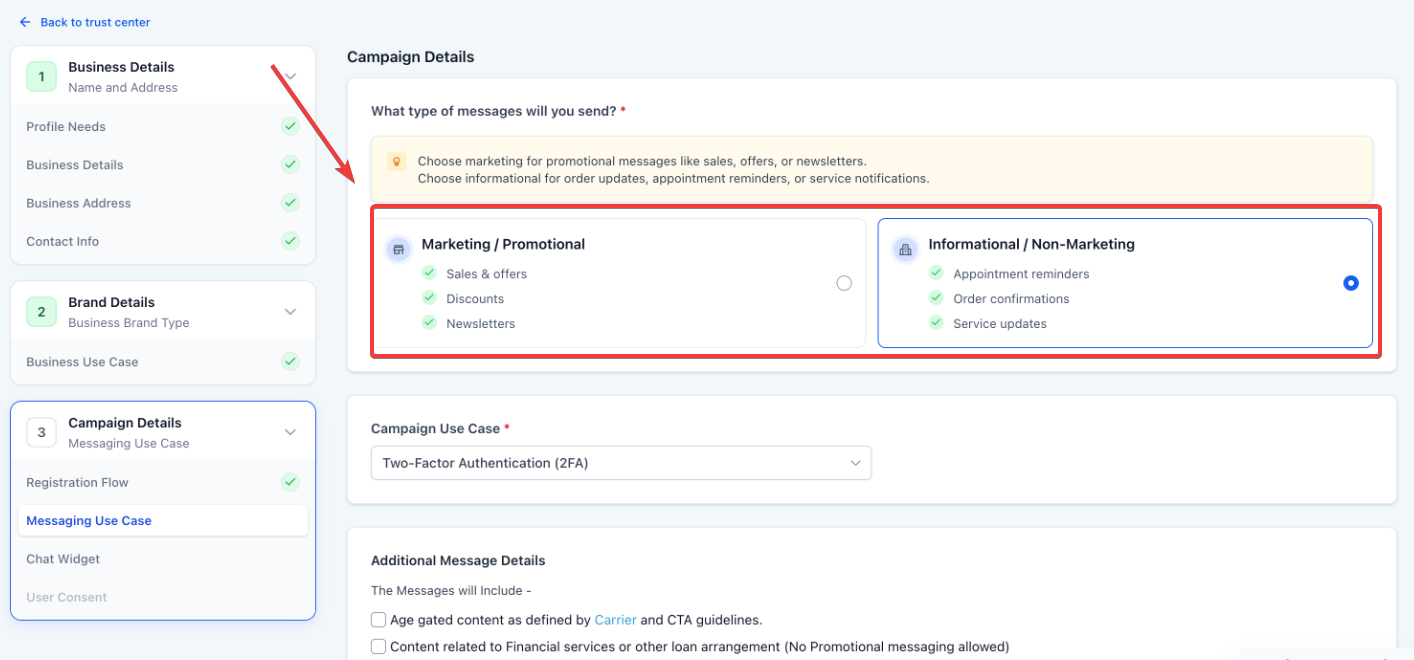
Select Your Message Intent: Decide if your messages are for Marketing (promotions) or Informational (updates and alerts) purposes.
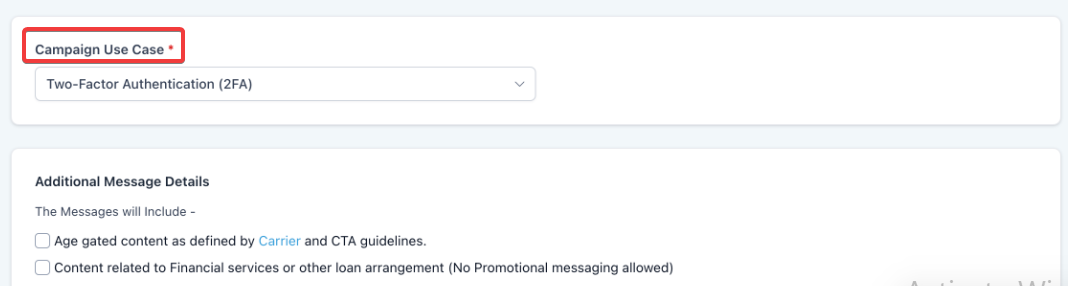
Choose a Specific Category: Pick a “Use Case” from the list that matches your goal, such as Customer Care, Security Alerts, or Marketing.
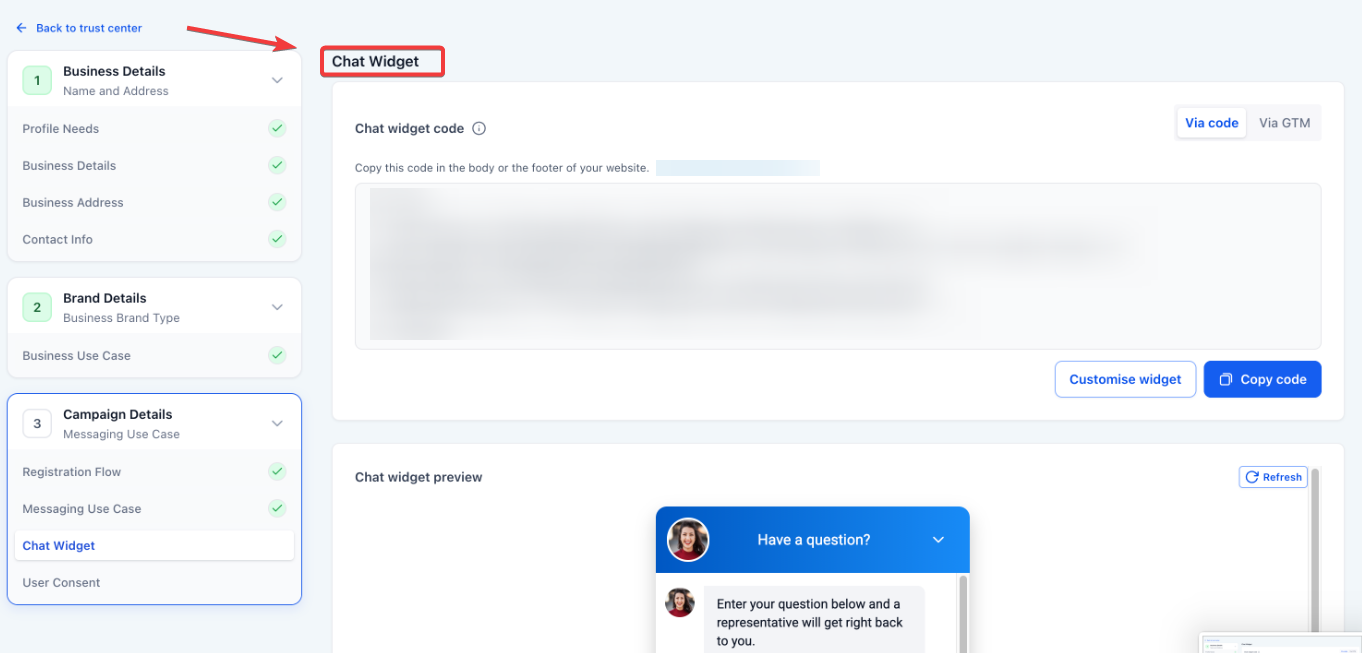
Check Your New Widget: Look at the preview of the chat widget the system built for you. It already includes your business name and the required legal language (like how to “STOP” or get “HELP”).
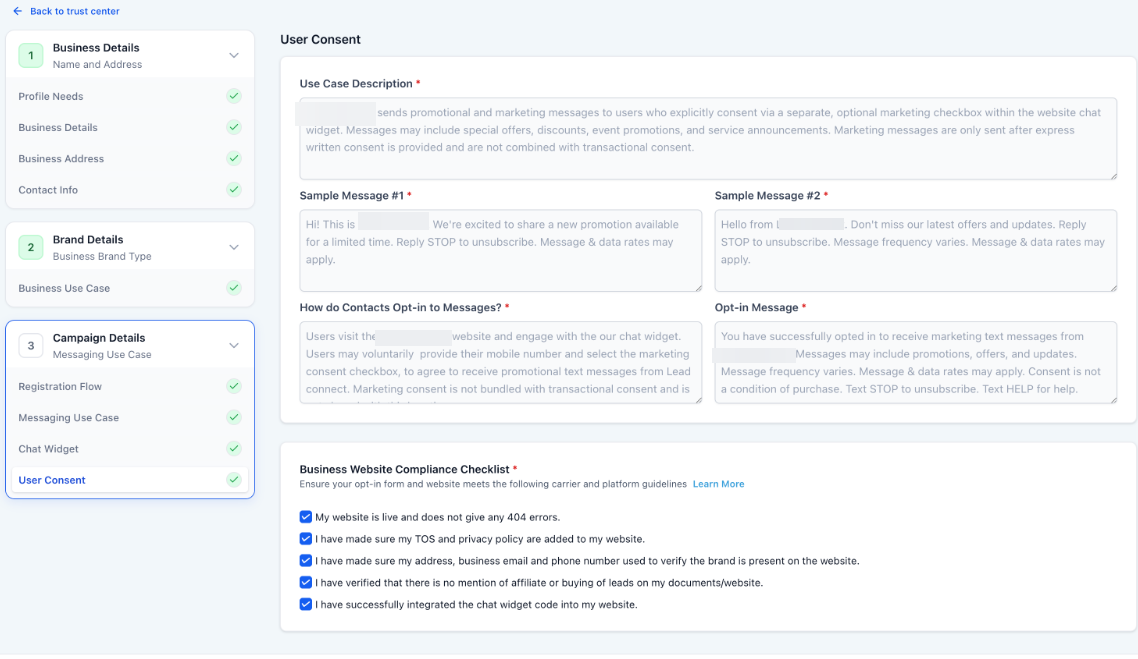
Finish the Compliance Review: Do a final check of your details and confirm that your website meets the compliance rules before you submit.
Special Requirements and Limitations
Campaign Type Restrictions: This specific registration flow is not available for “Sole-prop” or “Mixed use-case” campaigns.
Widget Editing Restrictions: To maintain compliance, users cannot edit disclosure text, remove required fields, or add custom consent checkboxes once the pre-built flow is active.
Opt-In Enforcement: This flow locks the chat widget as the only allowed opt-in method; alternative methods cannot be selected for the same campaign.
FAQs
Question: Why can’t I edit the disclosure text in my chat widget during this process?
Answer: The text is locked to ensure it meets strict carrier compliance standards. Allowing manual edits could lead to the omission of required language, such as data rate disclosures or STOP/HELP instructions, increasing your risk of rejection.
Question: When will the Date of Birth (DOB) field appear in my widget?
Answer: The DOB field is automatically triggered and becomes mandatory if you select “Age gated content” or “Financial services / loan arrangement” as your use case.
Question: Can I use this flow if I want to send both Marketing and Informational messages in one campaign?
Answer: No, this flow is designed for specific, single-intent campaigns. It is not compatible with “mixed use-case” submissions.
Question: What happens if I try to select “Marketing” for a financial services campaign?
Answer: The system will block the flow. To proceed with financial or loan-related content, you must switch the message type to “Informational” to align with carrier safety policies.
Question: Does this update change how I style my widget?
Answer: You can still customize the UI styling, such as colors and header text, but the functional compliance elements and required fields remain locked and non-editable.