Using Ask AI For Email Campaign Creation Flow
Building and launching an email campaign can often be time-consuming and detail-heavy, especially when balancing branding, testing, audience targeting, and scheduling. The Ask AI feature simplifies this process by guiding users through a seamless, end-to-end email campaign creation flow, reducing friction and accelerating campaign execution. This feature is designed to help teams of all sizes launch professional campaigns in minutes, while maintaining control, brand consistency, and performance optimization.
Key Features and Benefits
Section titled “Key Features and Benefits”Automatic Domain Setup
Section titled “Automatic Domain Setup”Ask AI checks whether your email sending domain is configured. If not, it walks you through the setup process. This ensures your emails are verified and compliant with standard email sending protocols. You can also choose to skip this step if it’s already configured.
On-Brand Email Creation
Section titled “On-Brand Email Creation”With just a prompt, Ask AI generates email content that reflects your brand tone and style. It also provides multiple subject line variations, allowing you to select the one that best fits your campaign goals.
Built-in A/B Testing
Section titled “Built-in A/B Testing”Create multiple subject lines instantly for A/B testing. This allows you to optimize for higher open rates without manually setting up test parameters.
Audience Targeting
Section titled “Audience Targeting”Select recipients using prebuilt segments, tags, or smart lists, helping you reach the right audience based on predefined criteria or behaviors.
Simplified Scheduling
Section titled “Simplified Scheduling”Finalize your campaign by filling in send details like date and time, all from within the same creation flow. There’s no need to switch between tabs or tools.
How to Use
Section titled “How to Use ”Open Ask AIStart by opening the Ask AI assistant from your dashboard or workflow environment.
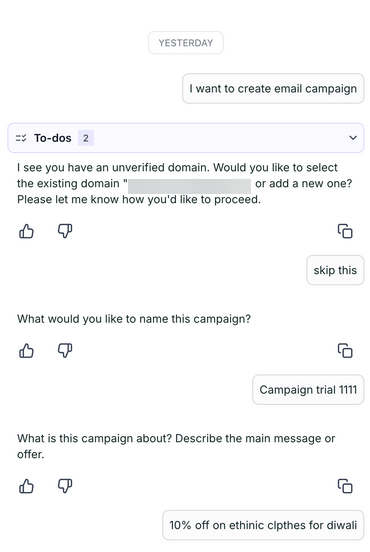
Prompt the AssistantType a natural-language prompt like, “Create an email campaign,” to initiate the campaign flow.
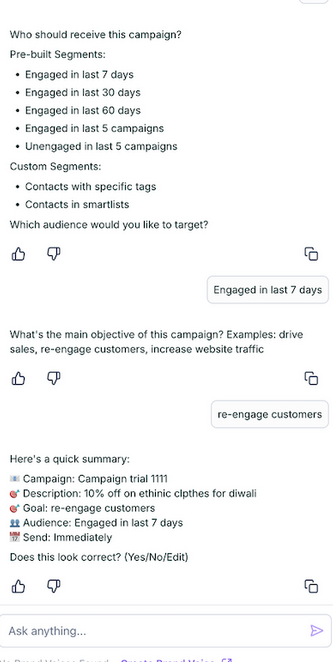
Verify Domain SetupAsk AI will automatically check your email sending domain. If setup is needed, it will guide you through it. You can skip this if your domain is already verified.
Generate Email ContentProvide context or a brief description of the campaign. Ask AI will draft email content and offer several subject lines for you to choose from.
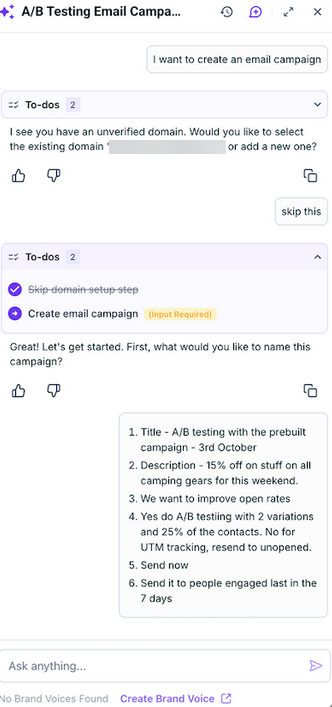
Set Up A/B TestingChoose one or more subject lines to run as part of an A/B test to identify the best-performing option.
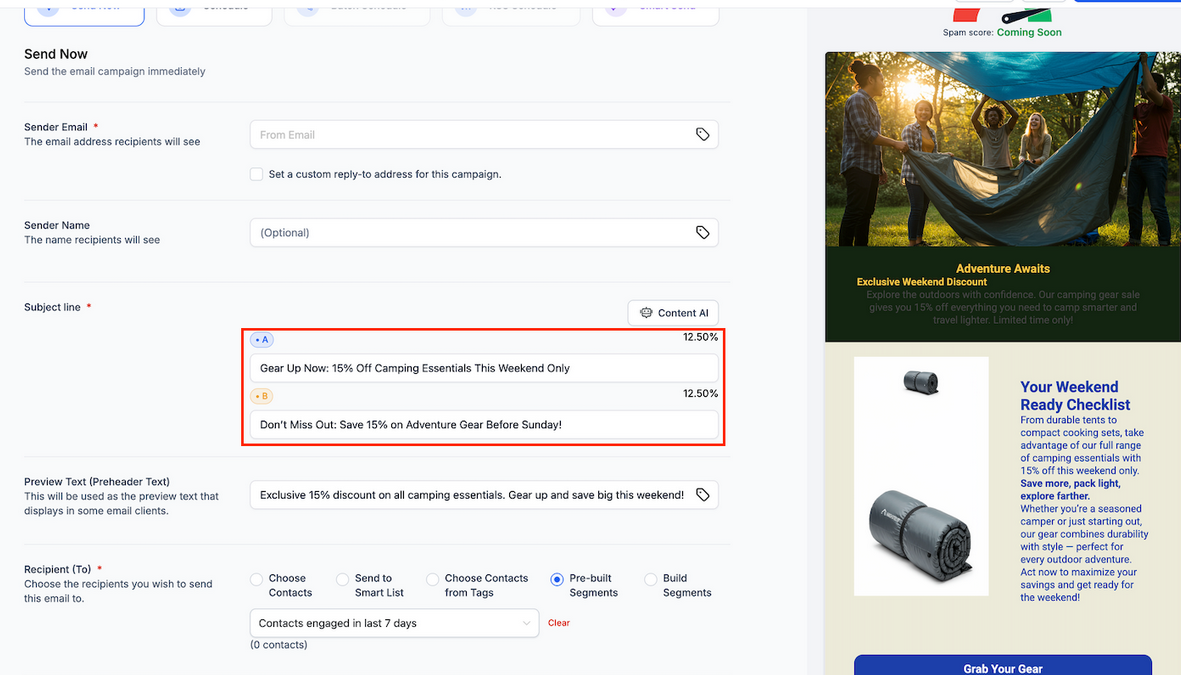
Select Your AudiencePick your target recipients using existing segments, tags, or smart lists configured in your system.
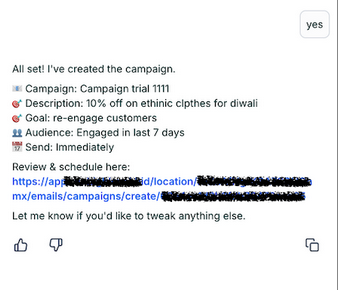
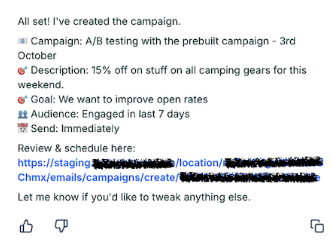
Schedule and LaunchEnter the desired send date and time, review the campaign summary, and launch all without leaving the flow.
Question: Do I have to configure my email domain every time? Answer: No. If your domain is already configured, Ask AI will detect this and allow you to skip the setup step.
Question: Can I edit the content generated by Ask AI? Answer: Yes. You have full control over the content. Ask AI provides a draft, which you can edit, format, or rewrite as needed.
Question: Is it possible to run an A/B test on email body content? Answer: Currently, A/B testing supports subject lines only. Body-level A/B testing is expected to be available in future updates.
Question: How does Ask AI select the target audience? Answer: You can manually select from prebuilt segments, tags, or smart lists already set up within your system. Ask AI helps guide the process, but does not auto-select recipients.
Question: Can I schedule the campaign inside the Ask AI flow? Answer: Yes, date and time can be set in the same flow without switching tools.
Question: Does Ask AI provide multiple options for email subject lines?
Answer: Yes. When generating your campaign, Ask AI provides several subject line variations, allowing you to choose the one that best fits your goals or use them for A/B testing.
Question: Do I need to go to a separate “Scheduling” tab to finish my campaign?
Answer: No. One of the primary benefits of the Ask AI flow is that it is a seamless, end-to-end process. You can finalize send details, such as date and time, directly within the assistant’s interface.
Question: What happens if my email sending domain hasn’t been set up yet when I start the campaign? Answer: Ask AI automatically performs a check at the start of the flow. If your domain is not configured, the assistant will walk you through the setup process to ensure your emails are verified and compliant with sending protocols.