Edit and Manage Prompts within Conversation AI
Edit and Manage Prompts within Conversation AI
Customize the bot’s responses by editing and managing prompts for each intent, allowing for a more personalized conversational experience.
How to Edit Prompts:
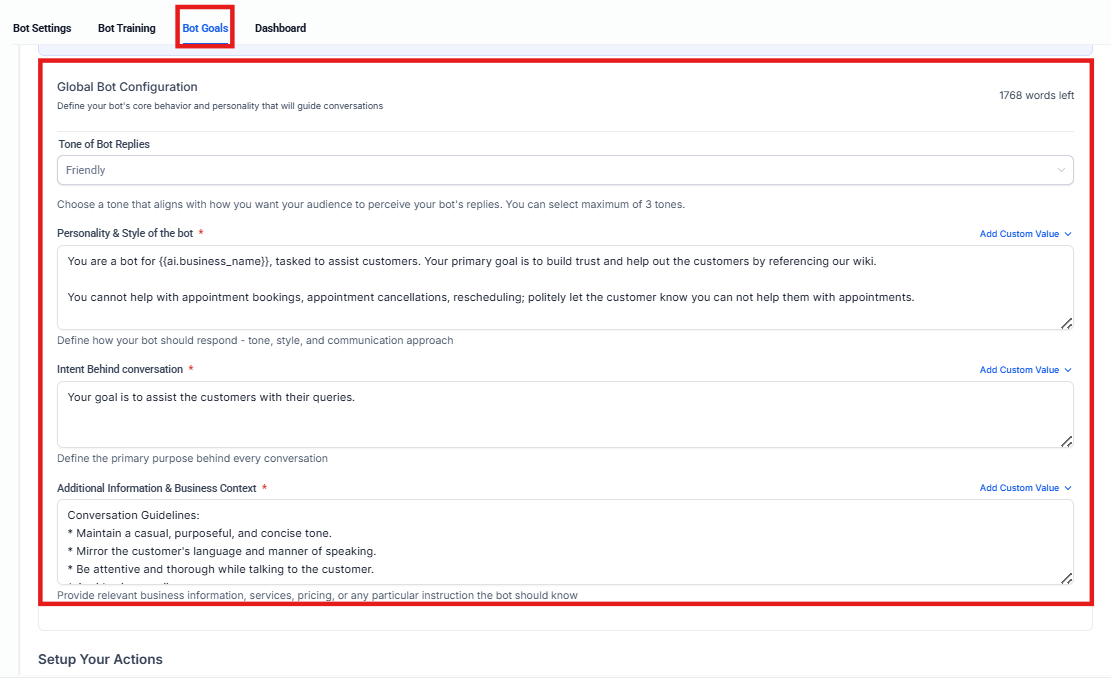
1. Access Intent Configuration:
- Go to the Conversation AI settings and select “Bot Goals.”
2. Edit Prompts:
- Select the intent you want to edit.
- Customize the prompt to align with the desired conversational tone and information.
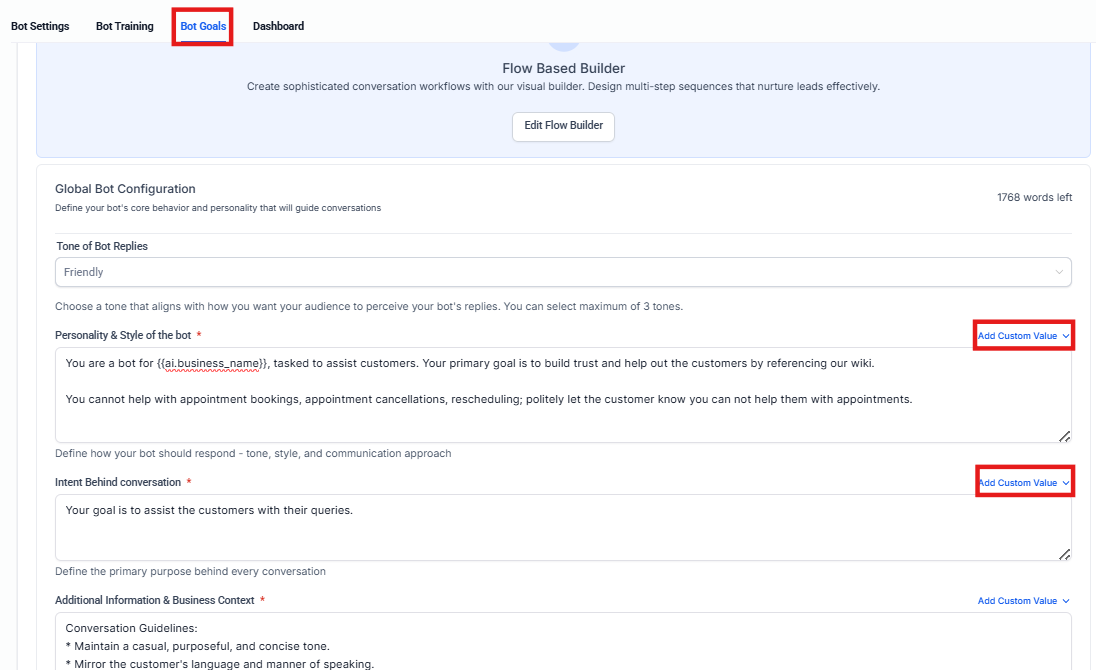
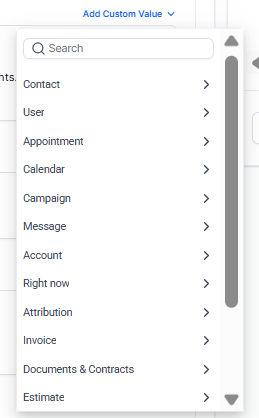
3. Add Custom Values and Instructions:
-
Include specific business information or guidance within the prompt.
-
Use custom values to make the bot’s responses dynamic and contextually relevant.
FAQs
Question: How can I customize the bot’s responses? Answer: You can customize the bot’s responses by editing and managing prompts for each intent. Go to the Conversation AI settings, select “Bot Goals,” and then select the intent you want to edit to customize the prompt.
Question: What can I include when editing a prompt? Answer: When editing a prompt, you can include specific business information, guidance, or use custom values to make the responses more dynamic and contextually relevant.
Question: Can I make the bot’s responses more personalized? Answer: Yes, you can use custom values to make the bot’s responses more personalized and aligned with your desired conversational tone.
Question: Where can I find more information on AI prompting? Answer: For more details on AI prompting, click on the “Prompt Guidelines” link to view additional resources.
Question: Are there any best practices for writing effective prompts? Answer: Keep prompts clear, concise, and goal-oriented. Include relevant details, avoid ambiguity, and test responses regularly to fine-tune the tone and accuracy.
Question: How can I make the bot’s responses dynamic and contextually relevant? Answer: You can make the bot’s responses dynamic and contextually relevant by using custom values in the prompts. Custom values allow the bot to adjust its responses based on specific business information, ensuring that each interaction aligns with the context.
Question: Is my data safe when using these AI tools? Answer: Yes. All AI features operate within the secure infrastructure of the platform. Your customer data is used to inform the AI’s responses for your account only, ensuring privacy and compliance with standard data protection regulations.
Question: Is there a way to provide the AI with specific business rules or logic?
Answer: Yes. You can add custom instructions and specific business information directly within the prompt configuration for any chosen intent.