Google Demand Gen campaigns in Ad Manager
This article explains how to leverage a powerful campaign objective designed to drive engagement and interest through visual storytelling. By integrating these tools directly into the ad management interface, businesses can streamline their advertising efforts across various digital touchpoints.
The primary purpose of this feature is to simplify the creation of visually driven advertisements that capture attention during the early stages of the customer journey. It allows users to manage diverse ad formats and placements from a single location, reducing the complexity often associated with multi-channel digital marketing.
Key Features and Benefits
The Demand Gen objective is built for growth, focusing on the upper and mid-funnel stages where building brand awareness is critical. This feature consolidates various inventory types, effectively replacing the need to manage separate campaigns for different discovery-based surfaces.
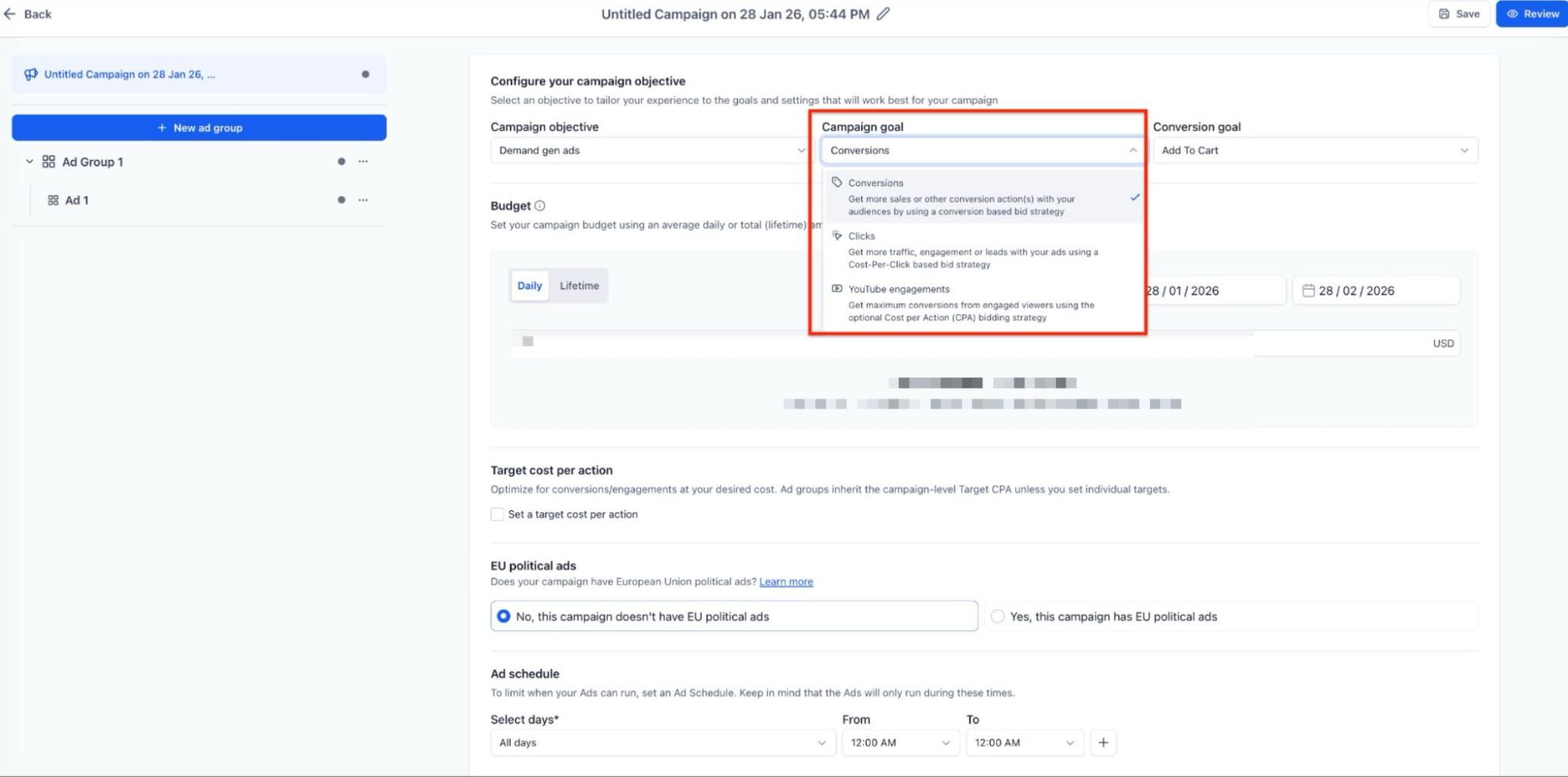
1. Diverse Campaign Goals
Section titled “1. Diverse Campaign Goals”Users can align their strategy with specific business outcomes by choosing from several optimization paths:
- Conversions: Focuses on driving specific actions by selecting existing conversion goals from the connected account. It also supports target Cost Per Acquisition (CPA) strategies.
- Clicks: Optimized for traffic volume, allowing for optional target Cost Per Click (CPC) limits to control spend.
- YouTube Engagements: Specifically designed for video content to maximize viewer interaction, also supporting target CPA.
2. Extensive Inventory Reach
Section titled “2. Extensive Inventory Reach”One of the most significant benefits is the breadth of where ads appear. This includes:
- YouTube (In-feed, In-stream, and Shorts)
- Google Discover feed
- Gmail Promotions tab
- Display Network and partner surfaces
3. Granular Targeting and Audience Building
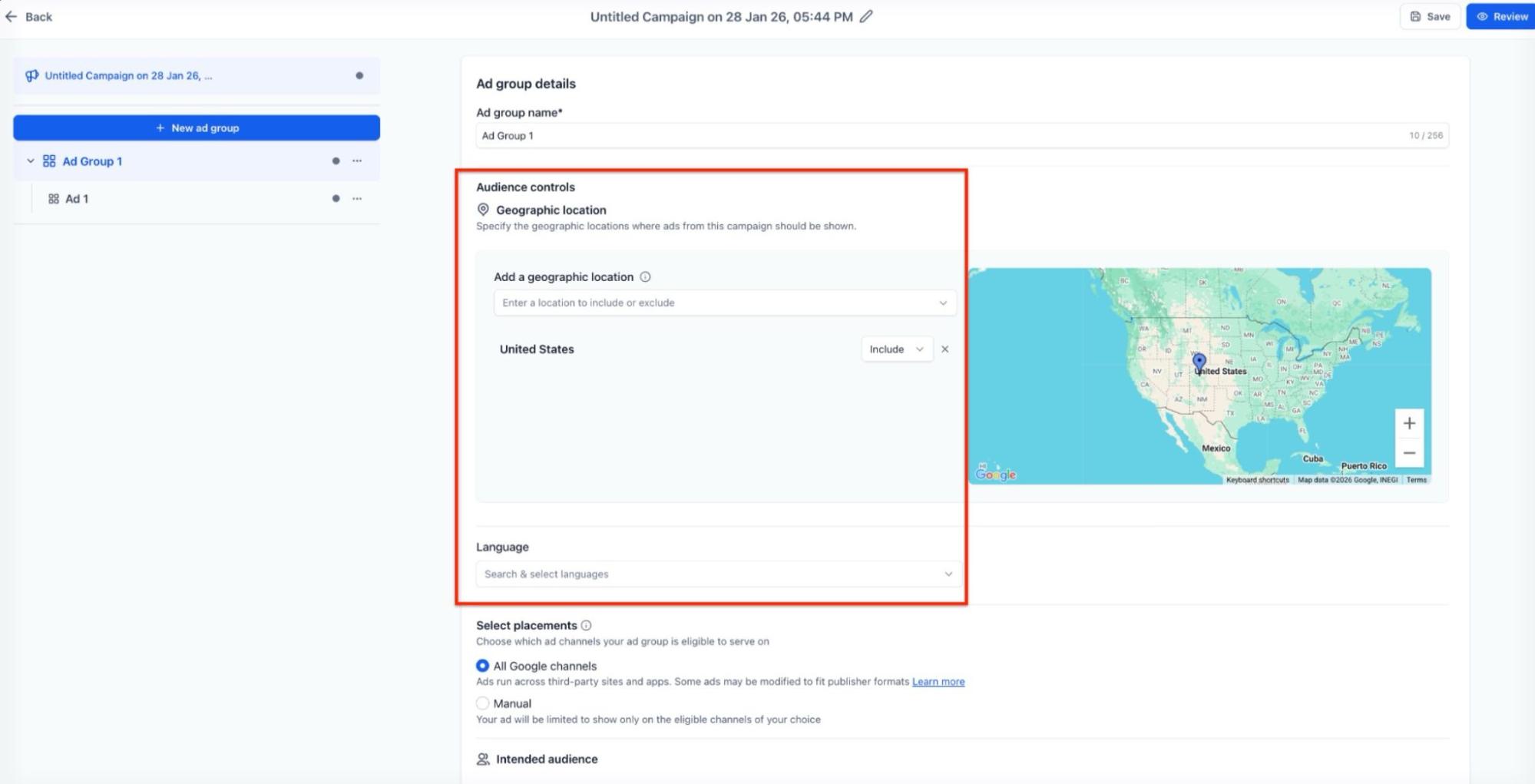
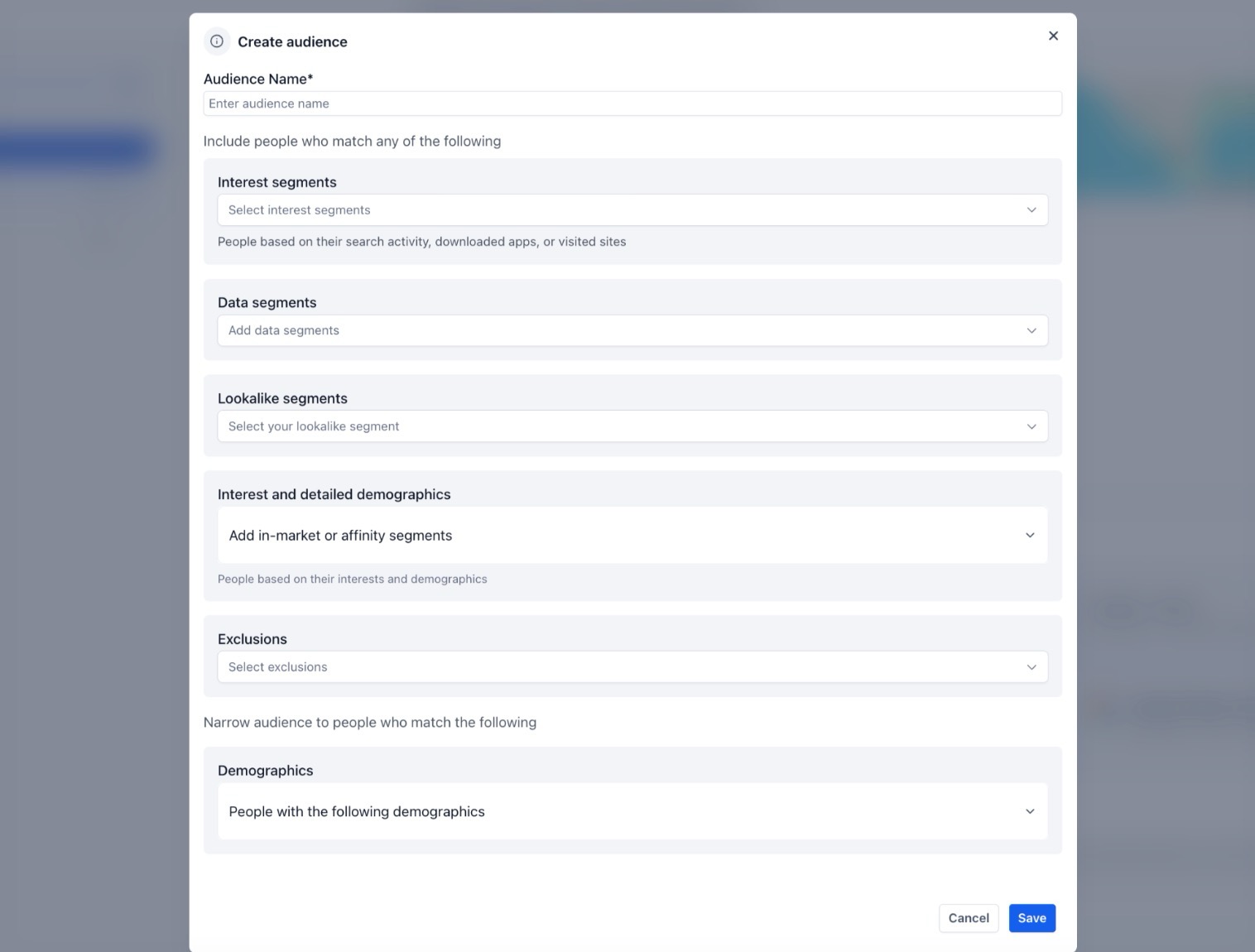
Section titled “3. Granular Targeting and Audience Building”The ad group level settings provide deep control over who sees the content. Users can define geographic locations, languages, and specific placements. The built-in audience builder allows for the creation of interest-based groups, in-market segments, remarketing lists, and lookalike audiences to find new potential customers similar to existing ones.
4. Versatile Creative Formats
Section titled “4. Versatile Creative Formats”To cater to different messaging styles, the system supports three main ad types:
- Single Image Ads: Utilize up to 20 high-quality images and required business logos.
- Single Video Ads: Support for multiple aspect ratios (16:9, 9:16, 1:1) and sitelinks to drive direct action.
- Carousel Ads: Feature up to 10 cards with individual headlines and URLs, perfect for showcasing a product range or a step-by-step story.
How to Use
Section titled “How to Use”Follow these steps to set up and launch a new campaign:
- Navigate to the Ad Manager section in the Marketing tab and select the option to create a new campaign.
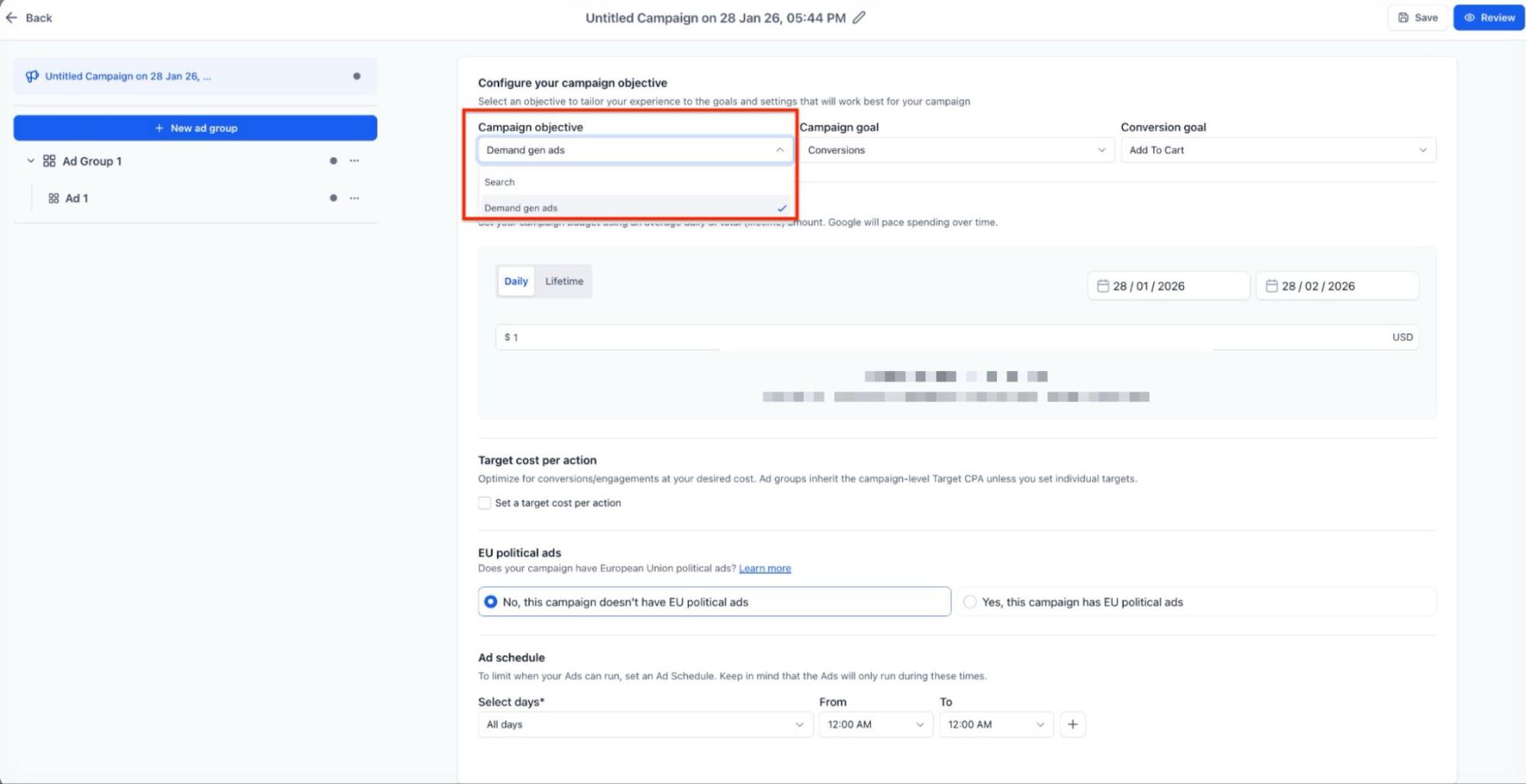
- Select the appropriate search engine platform and choose Demand Gen Ads as the objective.
3. Define the campaign goal: Conversions, Clicks, or YouTube Engagements.
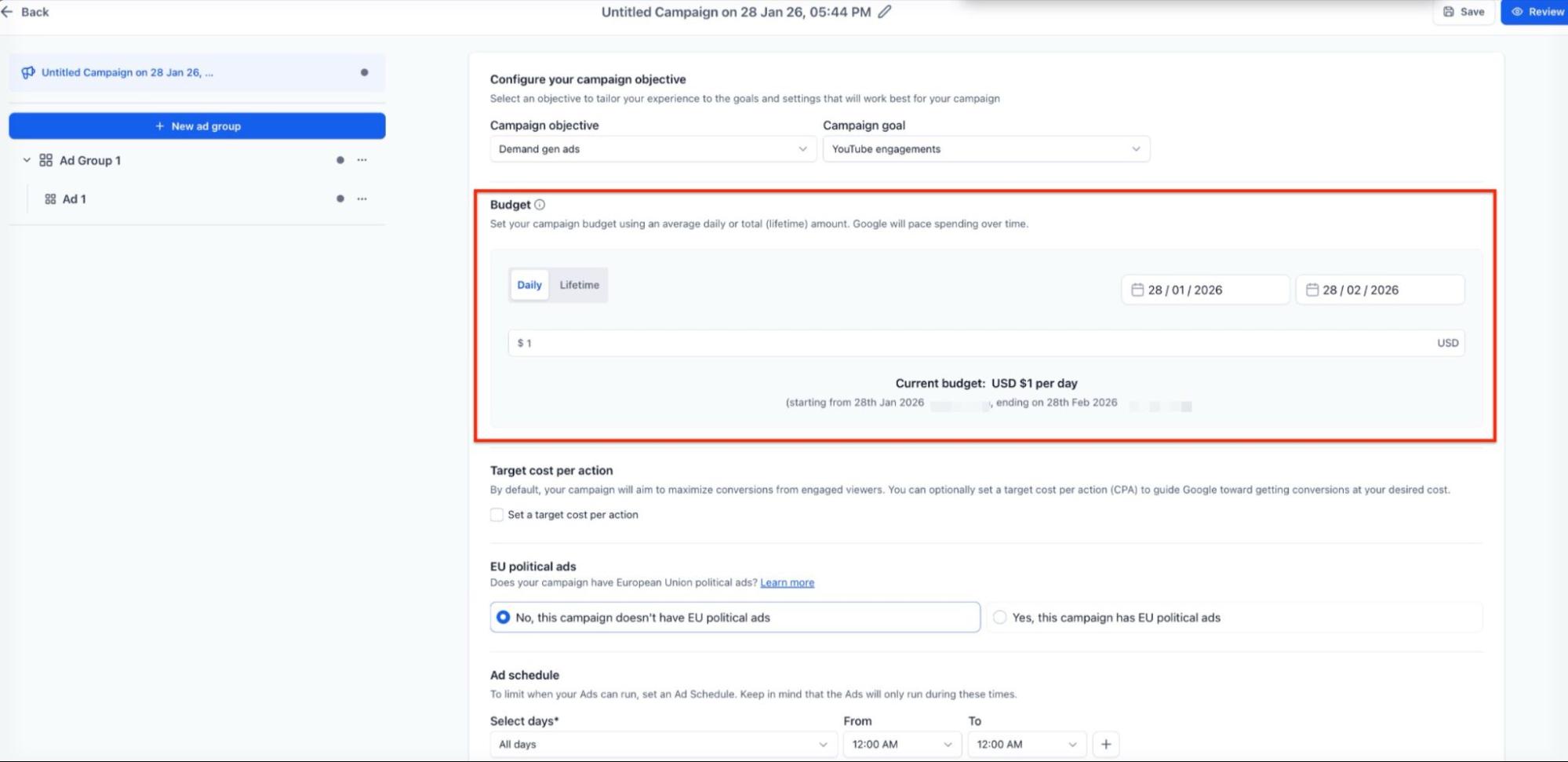
4. Configure the financial settings, including the daily or lifetime budget, and set the start and end dates.
5. Set up targeting at the ad group level by defining the location, language, and audience segments.
6. Build the ads by uploading images or videos and entering the required headlines and descriptions.
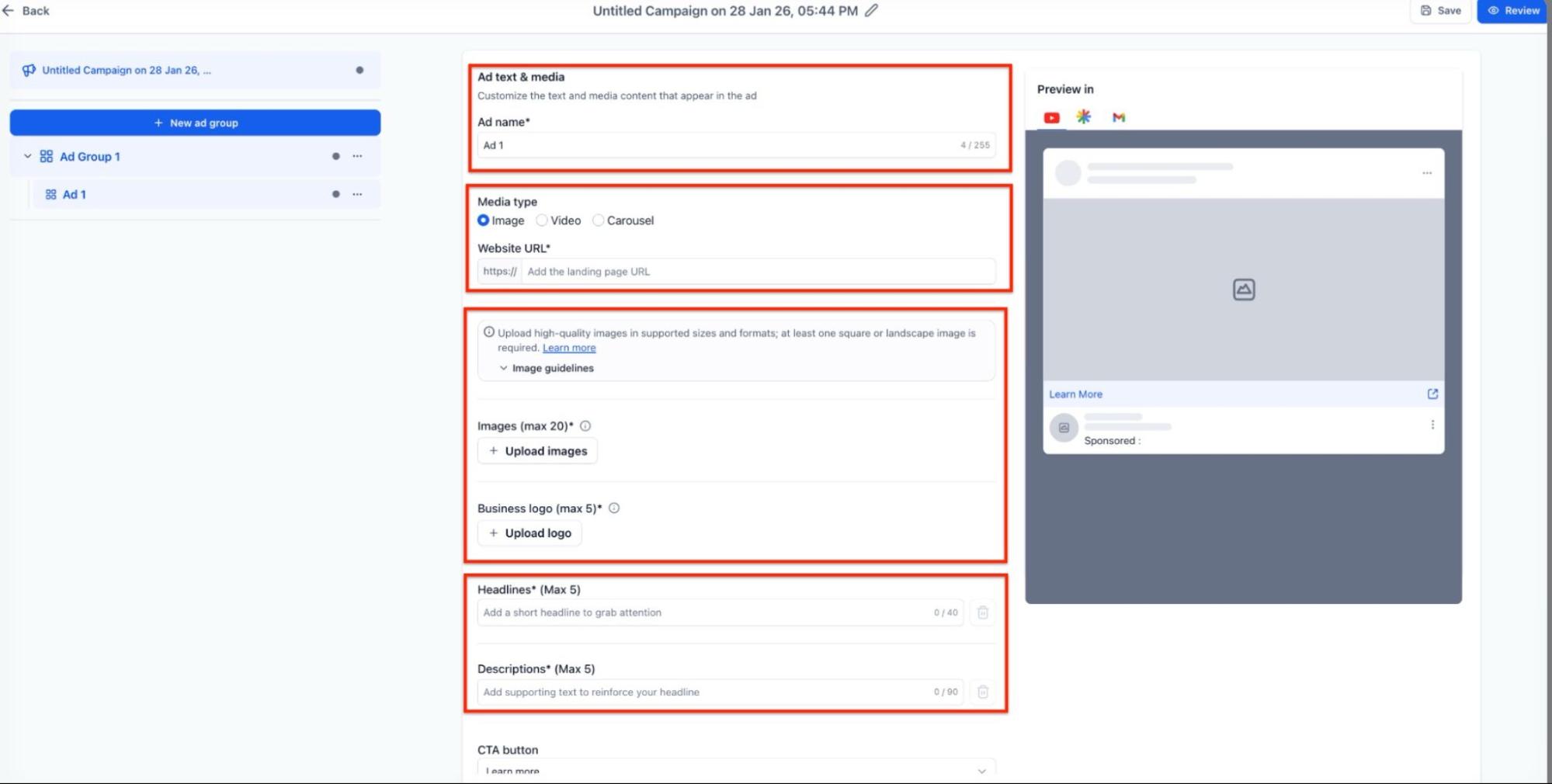
7. Use the Live Ad Preview to check how the content looks across different placements.
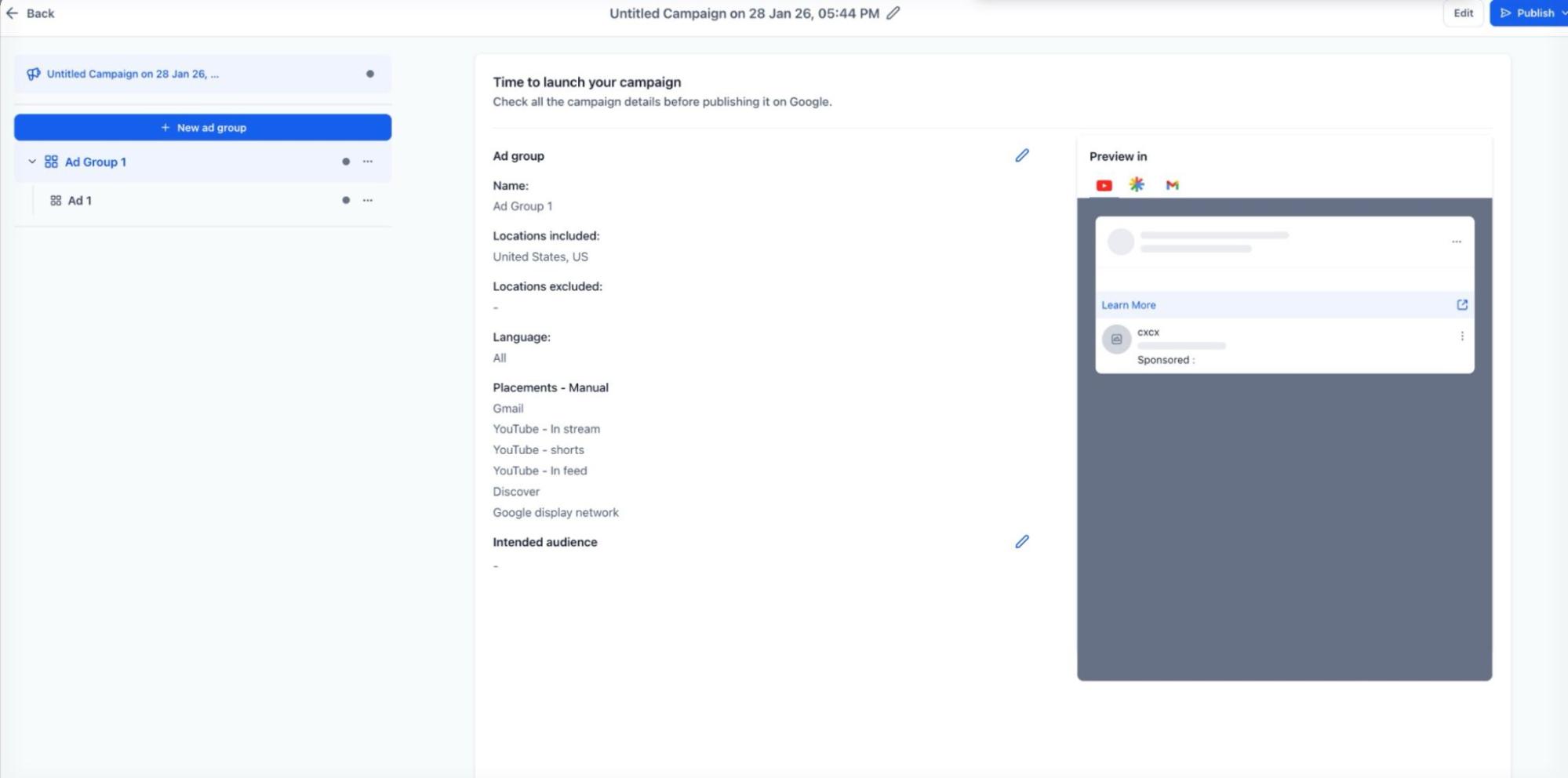
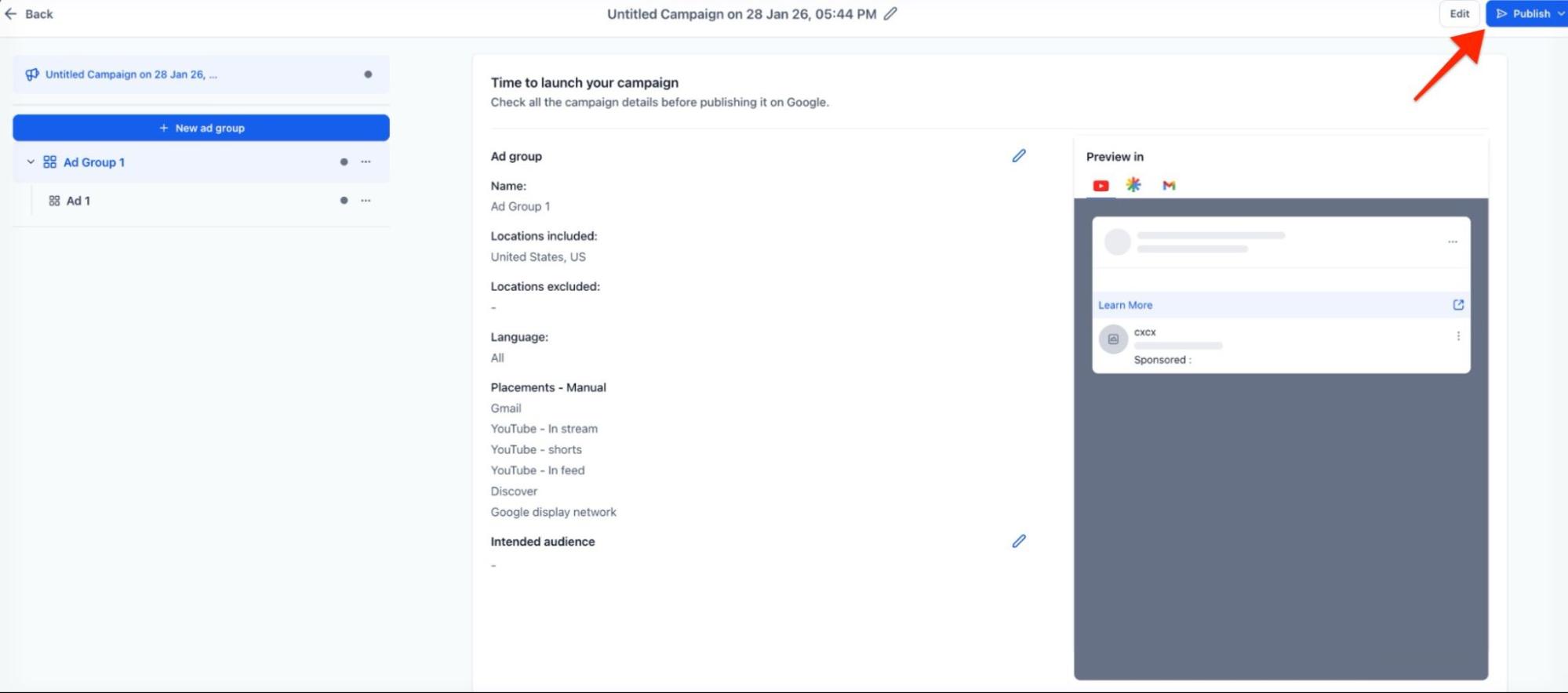
8. Review all settings for accuracy and publish the campaign.
Pro Tips
Section titled “Pro Tips”- Consistency is Key: When using Carousel Ads, ensure that all images maintain a consistent aspect ratio and branding style. Mixed ratios can lead to a disjointed user experience.
- Leverage Machine Learning: For Conversion-based goals, give the system a few weeks to gather data before making significant changes. The underlying algorithms need time to learn which audiences respond best to your creative.
- Visual Variety: Since these ads are visual-first, use the maximum allowed number of images (up to 20). The system will automatically test different combinations to find the most effective creative for each viewer.
Question: Does this replace existing search campaigns?
Answer: No, this is an additional objective that works alongside search campaigns. While search targets users actively looking for keywords, this objective generates demand by reaching users while they browse videos or feeds.
**Question:Can I control exactly where my ads show up?
Answer: Yes, you can choose between automatic placements across all available channels or manual selection if you want to limit your ads to specific surfaces like YouTube or Gmail.
**Question:What is the benefit of a Lifetime Budget over a Daily Budget?
Answer: A Lifetime Budget allows the system to fluctuate spending day-to-day based on performance opportunities, whereas a Daily Budget keeps spending more consistent over 24-hour periods.
Question: Are lookalike audiences available for these campaigns?
Answer: Yes, the audience builder within the campaign setup supports the creation of lookalike audiences to help you reach new users who share characteristics with your current customers.
**Question:How do I know if my images will look good on mobile?
Answer: The Live Ad Preview tool allows you to see exactly how your ads will be framed on mobile devices across YouTube, Discover, and Gmail before you commit to publishing.
Question: What are the different optimization paths available for this campaign?
Answer: You can align your campaign with three specific business outcomes: Conversions (driving actions), Clicks (maximizing traffic volume), or YouTube Engagements (maximizing video interaction).