Ad Manager: LinkedIn Ads Integration
Ad Manager: LinkedIn Ads Integration
Advertising in today’s digital landscape requires managing multiple channels efficiently while targeting the right audiences with precision. The LinkedIn Ads integration within Ad Manager empowers businesses to streamline their campaigns, reach professional audiences, and track results all from one central hub. This article highlights the key features, benefits, and easy steps to get started with LinkedIn Ads inside Ad Manager.
Key Features & Benefits
Section titled “Key Features & Benefits”1. Centralized Ad Management
Section titled “1. Centralized Ad Management”Ad Manager enables you to manage campaigns across major platforms including professional networking ads without needing to switch between tools.
2. Structured Campaign Hierarchy
Section titled “2. Structured Campaign Hierarchy”- Campaigns: Define budgets, targeting, and audience layers.
- Ads: The creative element, such as single images, videos, or carousels.
3. Supported Objectives
Section titled “3. Supported Objectives”- Lead Generation: Use native lead forms to capture business prospects directly.
- Website Traffic: Drive clicks and visits to validated destination URLs.
4. Creative Flexibility
Section titled “4. Creative Flexibility”- Media formats: Single Image, Single Video, Carousel.
- Carousel cards: Each card supports unique headlines and URLs.
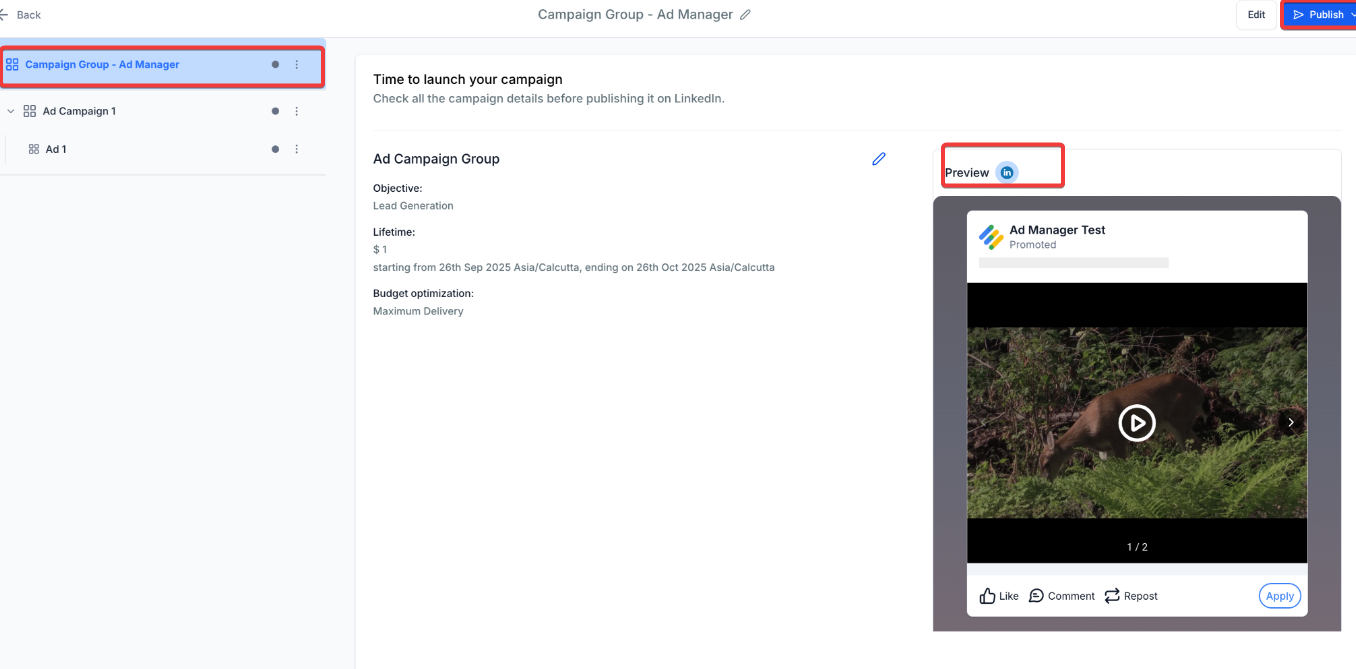
- Live previews: See how ads will appear on both desktop and mobile feeds.
5. Advanced Audience Targeting
Section titled “5. Advanced Audience Targeting”-
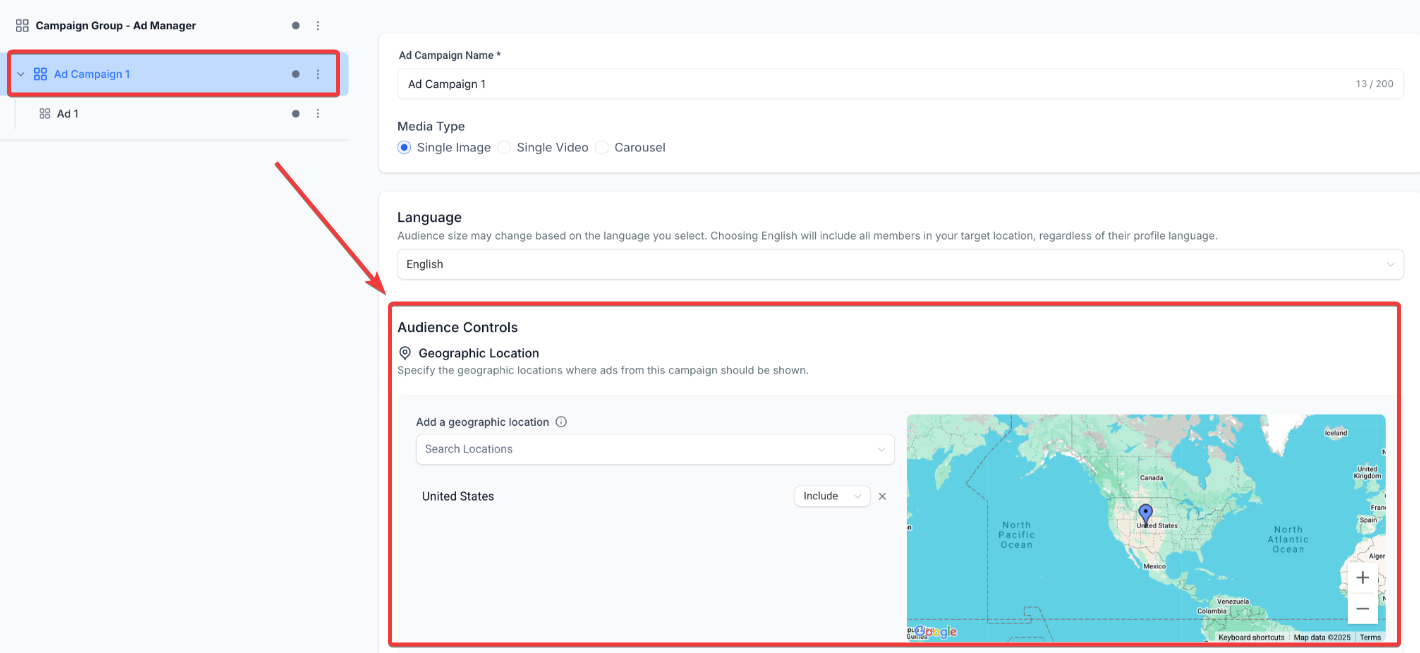
Mandatory: Geographic location.
-
Optional: Job Title, Industry, Company Size, Education, Skills, Seniority, Interests, Traits.
-
Logic Control:
- OR logic within a group (e.g., Job Title = Manager OR Director).
- AND logic between groups (e.g., Job Title = Manager AND Industry = Healthcare).
- Include or Exclude attributes for refined targeting.
6. Budget & Scheduling Control
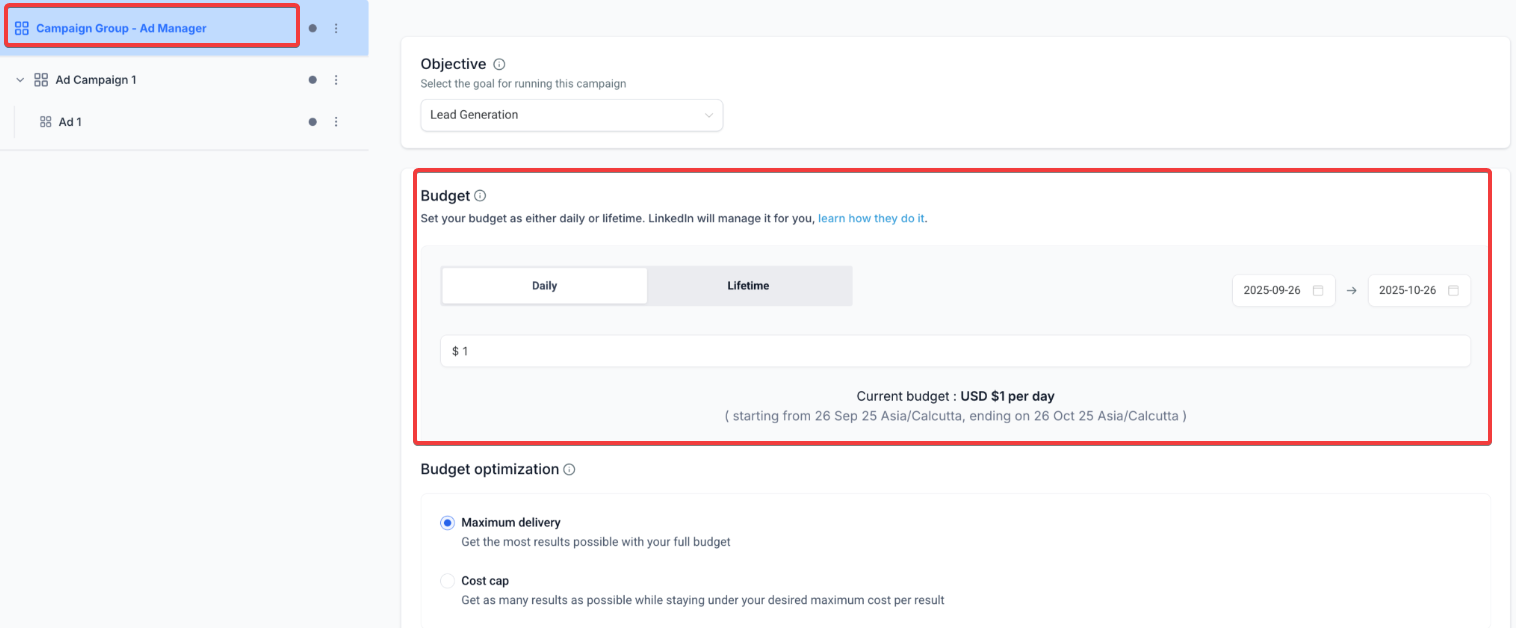
Section titled “6. Budget & Scheduling Control”- Choose between daily or lifetime budgets.
- Optimization modes: Maximum Delivery or Cost Cap.
7. Performance Dashboard
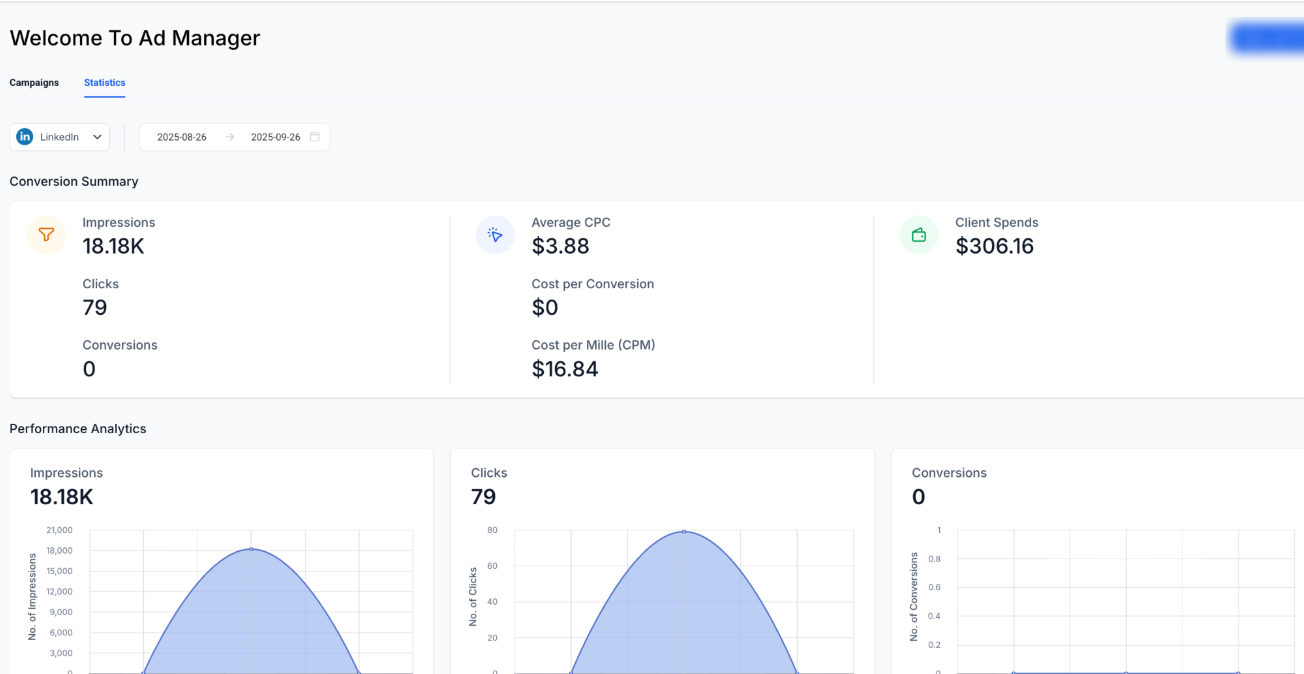
Section titled “7. Performance Dashboard”- Dedicated statistics tab for LinkedIn campaigns.
- Metrics include impressions, clicks, CTR, CPC, CPM, CPL, leads, spend, and conversions.
Drill down from campaign groups to ads, with exportable reports.
How to Use
Section titled “How to Use”- Navigate to Marketing > Ad Manager.
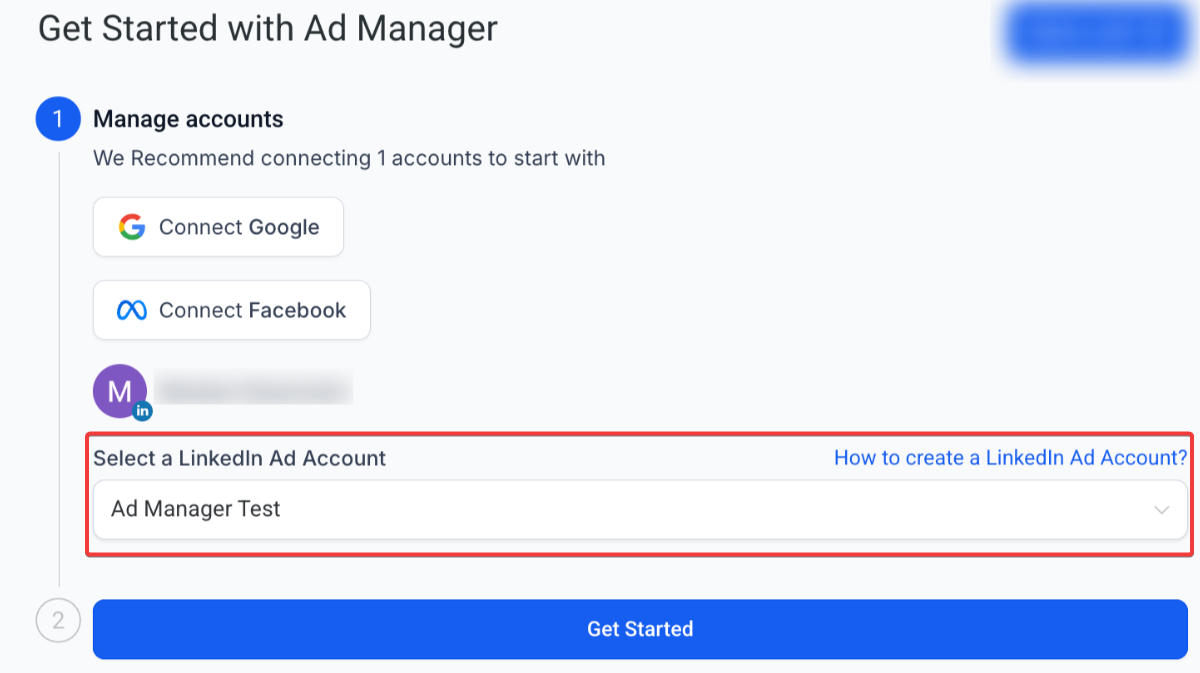
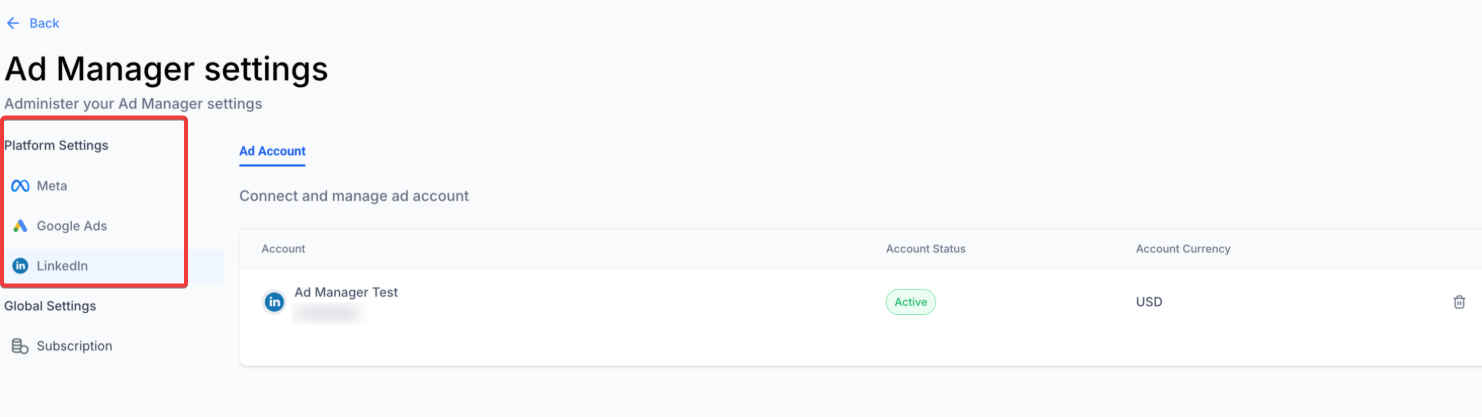
- Connect AccountGo to Ad Manager settings and connect your professional network ad account.
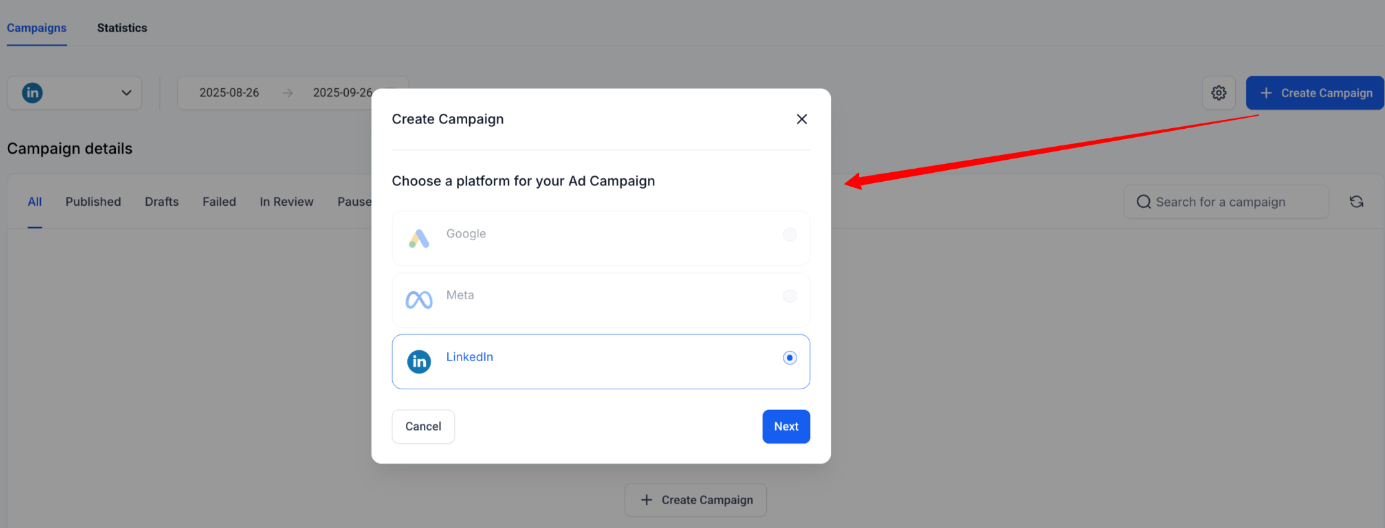
3. Create CampaignSelect LinkedIn as the platform and choose your objective (Lead Generation or Website Traffic).
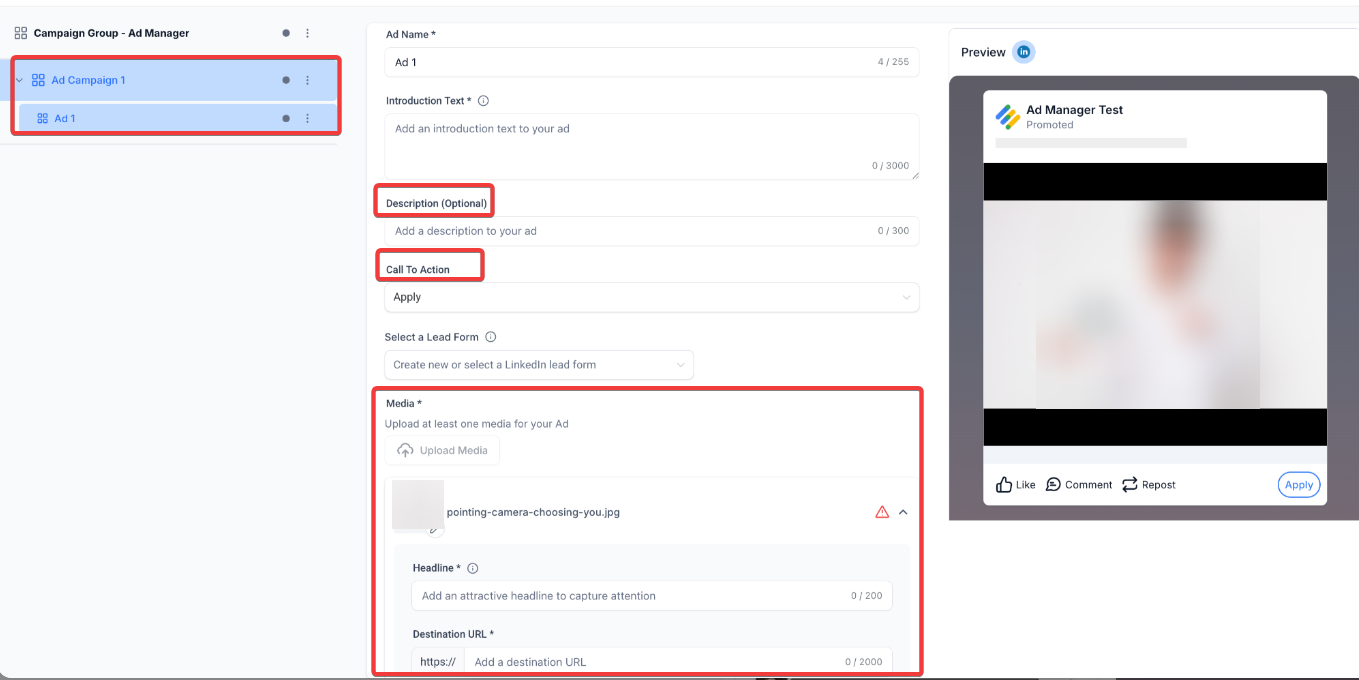
4. Add Creatives
Upload images, videos, or carousels, then add headlines, descriptions, calls-to-action, and destination URLs.
5. Target AudienceSet geographic location and apply additional filters with up to three attribute groups.
6. Set Budget & Schedule
Define a daily or lifetime budget and choose your optimization mode.
7. Review & Publish
Preview all details, confirm targeting and creatives, and publish with one click.
8. Monitor Results
Track performance in the dashboard, analyze key metrics, and adjust campaigns as needed.
Notes
- A company page must be connected to the ad account on the professional network before linking with the Ad Manager.
- Ensure all creatives comply with platform-specific ad policies and content guidelines.
FAQ
Question: Can I run multiple campaigns at the same time? Answer: Yes, you can manage multiple campaigns within a campaign group, each with different targeting, creatives, and objectives.
Question: What types of ads can I create? Answer: You can create single-image ads, video ads, or carousel ads, with each format tailored for different engagement strategies.
Question: Do I need a minimum budget to run campaigns? Answer: While there is flexibility, campaigns typically require at least a modest daily or lifetime budget to ensure meaningful reach.
Question: Can I exclude specific audiences from targeting? Answer: Yes, exclusion filters allow you to prevent ads from being shown to audiences that may not be relevant.
Question: How do I measure success? Answer: Success can be tracked through metrics like impressions, clicks, leads, conversions, and cost per lead, all available in the performance dashboard.
Question: Can I use LinkedIn Ads for both lead generation and website traffic goals in a single campaign?
Answer: Yes, within Ad Manager, you can choose either “Lead Generation” or “Website Traffic” as your campaign objective. These objectives are distinct and need to be selected separately when creating campaigns.
Question: Can I export LinkedIn campaign performance reports?
Answer: Yes, detailed performance reports can be exported directly from the statistics dashboard for analysis and sharing.
Question: What is the only mandatory field when setting up my target audience?
Answer: Geographic location is the only mandatory requirement. All other filters, such as Job Title or Industry, are optional.
Question: How does the “Logic Control” work for audience targeting?
Answer: The system uses OR logic within a single group (e.g., targeting Managers or Directors) and AND logic between different groups (e.g., targeting Managers who also work in the Healthcare industry). This allows for highly specific professional targeting.